





























In today's era of remote working, a professional and comfortable home office is no longer just a desk and chair. Especially in the UK, with its dynamic home environments and occasional power fluctuations, the careful selection and maintenance of high-quality home office accessories directly impact work efficiency and well-being.
This article provides a comprehensive list of home office accessories, from ergonomic furniture to cutting-edge technology, and offers a complete analysis of how to invest based on space adaptability, durability, and environmental standards.
Furthermore, we'll delve into how to create an efficient environment through scientific layout and smart storage, and introduce the Jackery Explorer 1000 v2 or Explorer 2000 v2 as your power backup, ensuring you maintain a professional, efficient, and uninterrupted work environment under any circumstances.
|
Key Takeaways: |
|
Essential Home Office Accessories List
If you’re working from home, it’s important to have the home office accessories you need to be efficient and productive. Although the specific items you’ll need will depend on your work, there are certain home office supplies and home office equipment that virtually every remote worker can use. Use the following checklist to help ensure you always have all the home office accessories you may need.
Download the Home Office Accessories Checklist PDF>>

Home Office Furniture and Accessories
Furniture is the cornerstone of the office environment, directly impacting your health and long-term work comfort. The focus is on ergonomics and space utilisation.
- Office Desk: An electric height-adjustable desk is recommended, allowing you to switch between sitting and standing positions and reducing back fatigue.
- Office Chair: Avoid dining chairs. Choose chairs with lumbar support and adjustable height and armrests to accommodate prolonged sitting.
- Footrestles: If your feet cannot rest flat on the ground, footrests help maintain proper posture and promote blood circulation.
- Desk Lamp: Choose an LED eye-friendly lamp with adjustable color temperature to supplement the insufficient natural light.
- File Cabinets/Drawer Cabinets: Used to store important paper documents and office supplies, keeping your desktop tidy.
- Bookshelves/Shelves: Utilise vertical wall space to display books, folders, or decorative items.
- Whiteboard/Corkboard: Used for jotting down to-dos or inspirations, increasing the visibility of your work.
- Wastebasket: For privacy and security, a covered wastebasket is recommended. If you frequently handle mail with personal addresses or bank information, a small shredder is also recommended.
Home Office Technology and Equipment
These are the hardware components to ensure you perform professionally in Teams or Zoom meetings and stay connected around the clock.
- Laptop/Desktop: Choose a device with sufficient performance for your work needs.
- External Monitor: Dual-screen work is highly recommended for significantly improved efficiency. Choose an IPS panel to protect your eyesight.
- Multifunction Printer: Prioritise inkjet or laser all-in-one printers that support AirPrint/Wireless. Prepare a set of black and color ink cartridges and at least one pack of 500 A4 sheets of printing paper.
- Scanner: When processing formal documents, the flatbed scanner built into the all-in-one printer provides higher clarity and neatness.
- Label Printer: Whether organizing file racks, labeling power cords, or mailing packages, a label printer can greatly improve efficiency.
- High-Definition Webcam: Built-in laptop webcams often have mediocre image quality; an external 4K webcam will make you look more professional in video conferences.
- Noise-Canceling Headphones/Timbosets: Isolate yourself from household noise (such as vacuum cleaner sounds, traffic noise) to ensure clear communication in meetings.
- USB Microphone: If you frequently need to give voice presentations or record audio, a dedicated microphone is far superior to a built-in microphone.
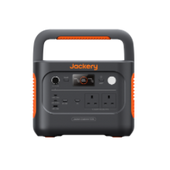
- Uninterruptible Power Supply/Portable Power Bank: Such as the Jackery Explorer 1000 v2 or Explorer 2000 v2, as a backup power source to prevent data loss or network outages due to sudden power outages.

Home Office Desktop Supplies
These accessories enhance the convenience and comfort of daily work. It is recommended to use desktop organisers for unified storage and arrangement.
- Wireless Keyboard and Mouse: Ergonomic devices are recommended to reduce wrist strain.
- Laptop Stand: Elevates the screen to eye level, preventing forward head posture.
- Various Pens: Fountain pen for signing formal documents; pencil for drawing or drafting (a pencil sharpener is recommended); highlighter for marking key points in reports; and marker for writing on parcels or lockers.
- Notebook: Prepare a dedicated notebook for recording key information at work or planning daily tasks.
- Stabbing Machine and Staples: Used to organise multi-page printed reports or contracts. Effortless models are recommended.
- Paper Clips and Binder Clips: Used to temporarily secure documents without damaging paper.
- Sticky Notes: Used to jot down key points from phone calls or fleeting inspirations. Alternatively, use different colored sticky notes to prioritise tasks.
- Scissors: Purchase a pair of ergonomically coated scissors; they are not only good for trimming paper but also make unpacking everyday parcels easier.
- Glue Stick/Tape: Glue sticks are used to stick receipts or seal letters, while transparent tape is essential for packaging parcels.
- Cable Ties/Velcro: Neatly organises messy cables under the desk, preventing tripping.
- Screen Cleaner and Microfiber Cloth: Regularly cleans the screen of fingerprints and dust.
- Insulated Mug/Coffee Cup: A source of joy when working from home, keeping drinks warm.
|
Essential Home Office Accessories List |
|
|
Home Office Furniture and Accessories |
Office Desk Office Chair Footrestles High-Quality Desk Lamp File Cabinets/Drawer Cabinets Bookshelves/Shelves Whiteboard/Corkboard Wastebasket |
|
Home Office Technology and Equipment |
Laptop/Desktop: External Monitor Multifunction Printer Scanner Label Printer Printer ink/toner Printer paper High-Definition Webcam Noise-Canceling Headphones/Timbosets USB Microphone Uninterruptible Power Supply/Portable Power Bank |
|
Home Office Desktop Supplies |
Wireless Keyboard and Mouse Laptop Stand Fountain pen Pen and pencil sharpener Highlighter Marker Notebook Stabbing machine and staples Paper clips / binder clips Sticky notes Scissors Glue stick/tape Cable Ties/Velcro Screen Cleaner and Microfiber Cloth Insulated Mug/Coffee Cup |
The above list is for reference only. Please add or remove home office accessories according to your actual needs.
Jackery Portable Power Stations: Backup Power for Your Home Office
For home office work, a stable power supply is the cornerstone of productivity. However, whether it's grid fluctuations caused by severe weather or sudden power outages, your work can be interrupted instantly, even leading to the loss of unsaved files.
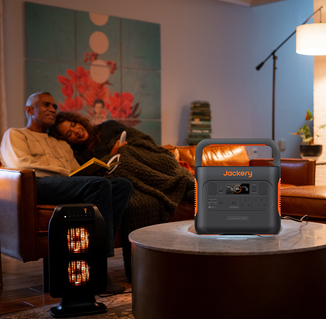
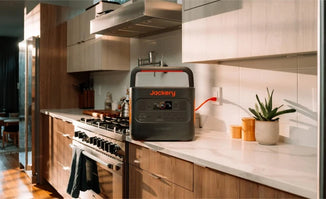
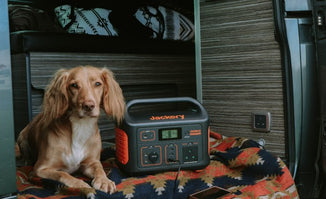
Therefore, backup power supplies have become an essential part of home office accessories, enhancing job security. As energy security guardians for the modern home office, Jackery Portable Power Stations provide uninterrupted power to your desktop, monitor, and router, ensuring you remain online during power outages.
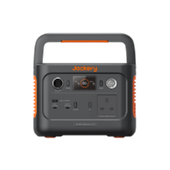
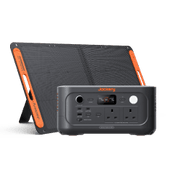
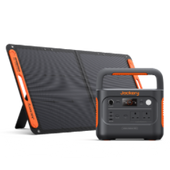
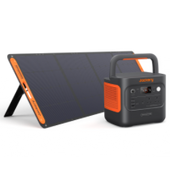
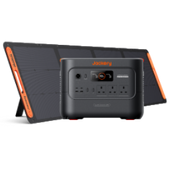
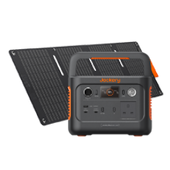
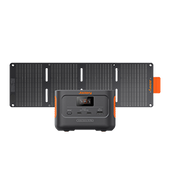
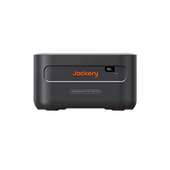
Below are two recommended products suitable for different needs: the Jackery Explorer 1000 v2 and the Jackery Explorer 2000 v2.
Jackery Explorer 1000 v2
This power supply strikes a perfect balance between weight and performance, ideal for apartment dwellers or users who need flexible power locations. Its main advantages are as follows:

Amazingly Lightweight Design
The Explorer 1000 v2 boasts a 1070Wh capacity yet weighs only about 23.8 lbs, and its size is 18% smaller than its predecessor. For UK users with limited living space, this means you can easily pull it out of the pantry and place it under your desk, or put it in the trunk of your car with one hand—no strenuous carrying required.
Moderate Load Capacity and Seamless Power Switching
Despite its small size, its 1500W AC output is sufficient to power a desktop computer, two monitors, and a wireless router simultaneously. Furthermore, its built-in UPS response time is less than 20 milliseconds, ensuring seamless power switching for your desktop and other devices, preventing data loss or equipment damage due to power outages.
Lightning-Fast Charging, Every Second Counts
Using an AC outlet, it can be fully charged in approximately 1.7 hours; with the "Emergency Fast Charge" mode enabled in the app, it can be fully charged in less than an hour. This rapid recharging capability is crucial—you can quickly replenish power during the brief window before a storm, ensuring uninterrupted operation.
Library-Level Quiet Operation
In a work environment, noise is one of the biggest sources of interference. The Explorer 1000 v2 operates at less than 22 decibels, making it virtually inaudible. Unlike fuel generators, it doesn't produce exhaust fumes or roar, allowing you to focus on your work or video conference in a quiet environment.
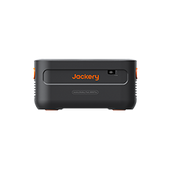
Jackery Explorer 2000 v2
If you have more high-powered devices or want to maintain order for longer periods during power outages at home, the Explorer 2000 v2 is the ultimate solution. Its key advantages are as follows:

Large Capacity, Long-Lasting Power
Boasting an impressive 2042Wh capacity, almost double that of the 1000 v2, it can provide extended power for your home office and even meet everyday needs during power outages, such as powering the refrigerator or making a cup of coffee. For remote workers, this is equivalent to having a private mini-power station.
Powerful 2200W Output and Expansion Potential
Provides a rated output power of 2200W, with a peak power of up to 4400W. This easily powers not only high-powered office equipment but also appliances with high starting current. Compared to the 1000 v2, it handles complex, high-load office environments with greater ease, avoiding the embarrassment of overload tripping.
Lightning-Fast 52-Minute Charging
Despite doubling the capacity, charging speed hasn't been compromised. Using AC fast charging technology (easily activated via the Jackery APP for emergency supercharging mode), it can charge to 80% in just 52 minutes. This efficient energy management ensures you can maximise energy reserves even in situations with unstable power supply.
UPS Functionality and Innovative GaN Inverter
Like the Explorer 1000 v2, it features 20ms uninterruptible power switching. When the mains power suddenly drops, it instantly takes over, ensuring your desktop computer doesn't restart and ongoing important video conferences don't drop. Furthermore, it uses an innovative GaN inverter, meaning energy loss is reduced by 51.6%, heat dissipation is better, and stability is higher.
How to Buy High-Quality Home Office Accessories?
Purchasing high-quality home office accessories is an investment that takes careful consideration to ensure that the items meet your requirements and deliver the best value. Before making a purchase, consider the following factors:

Space Adaptability
Home offices are frequently converted bedrooms or attics, which results in restricted space. Measure desktop size precisely to the centimetre. Choose multi-functional or small office equipment to make the most of your limited space.
Focus on Quality and Durability
Office equipment is subjected to intensive and continuous use on a regular basis. As a result, rather than going with the cheapest choice, look for value in terms of durability. Prioritise accessories made of reinforced plastic, aerospace-grade aluminium, or solid hardwood.
Ergonomics and Comfort
Longer sitting durations are common in the home office, and the wrong accessories might cause neck or wrist issues. Don't just look at the appearance; also consider the functions, such as if the keyboard has an anti-fatigue tilt angle and the office chair has lumbar support, among other things.
Environmental Sustainability
Today's consumers place a great value on a brand's environmental reputation. Consider buying products created from recycled plastics, with plastic-free packaging, or certified by B-Corp. Additionally, ensure that items are simple to disassemble and repair to avoid leaving the entire gadget inoperable due to damage to small pieces.
Setting a Budget
Setting a specified procurement budget and comparing pricing from various sources enables you to assess specifications, quality, warranties, and longevity. Increase the budget for accessories like keyboards and seats that are used for more than 8 hours every day. Low-frequency accessories, such as printers, should be purchased inexpensively.
Purchase from Reliable Sources
Choosing reputable suppliers or sellers assures that the products are of high quality, genuine, and long-lasting—especially for high-end gadgets and furniture. Reliable vendors often provide superior service, including expert consultation and after-sales support.
Clarify After-Sales Service
Choose products with clear warranty terms or buy from firms that offer dependable after-sales care to avoid hassles when repairs are required. Prioritise items having a two-year or longer warranty. It's very vital to know if the brand has a direct service center in the UK.
How to Create an Efficient Work Environment for Home Office Workers?
Creating an efficient home office environment entails more than just purchasing a desk; it also includes designing the physical space, organising and storing stuff, and creating an appropriate mood. Here are some pointers to help you create a productive and comfortable home office setting.

Scientific Space Planning and Zoning
Create a clear separation between work and home life by designating a dedicated location for work. To maintain attention, keep distractions such as pets and televisions out of this place. If a separate room is not accessible, consider transforming a corner of the living room or a large corridor into an office space.
Use folding doors, screens, or drapes to hide the workspace during non-working hours. Avoid working in the bedroom since it blurs the distinction between rest and work, reducing sleep quality.
Optimise Light and Air Quality
If feasible, position your workstation near a window to receive natural light, which can improve mood and productivity. If natural light is not accessible, use a quality lamp with adjustable settings to reduce eye strain. In addition to these advantages, keeping dehumidifiers or desiccants in the office preserves electronic gadgets, prevents mould formation, and improves lung health.
Stable Network Connectivity and Power Management
Network fluctuations and ageing circuits are frequent productivity killers. If your router is downstairs and your office is above, use a Mesh Wi-Fi solution (like Eero) to ensure smooth video conferencing.
Furthermore, as previously stated, having a Jackery Explorer 1000 v2 or Explorer 2000 v2 can provide you time to save files and turn off your devices during a power loss.
Smart Storage and Organization
A cluttered desktop can directly cause visual tiredness and worry. Organising papers and devices on wall-mounted shelves or pegboards can free up important desktop space while also maintaining a clear vision.
Alternatively, pick a small drawer cabinet with wheels. It can be used to provide support under the desk when working and stored in a corner when not in use. Tangled cables also raise psychological anxiety. Use cable management tubes and desktop cable organisers to conceal any cables.
Personalised Decoration
Appropriate decorating can greatly improve dopamine release at work, indirectly improving productivity. Place a few potted indoor plants (e.g., snake plants or pothos). According to studies, integrating plants indoors can effectively reduce burnout. You can also display some of your favourite illustrations or family photos on the wall. Place a high-quality scented candle or diffuser on your desk to relax your mind and body.
Practical Tips for Maintaining Home Office Accessories
Purchasing great home office accessories is only the beginning; maintaining them for a longer lifespan and ongoing preparedness is equally crucial. To maximise your return on investment, follow these maintenance guidelines:
Tip 1: Clean Regularly
Maintain good hygiene by cleaning desks, chairs, and computer equipment on a regular basis. Removing dust that could block electrical appliances increases their longevity and makes the office more comfortable to work in.
Tip 2: Unplug or Turn Off Switches After Use
Electronic devices such as computers, monitors, and printers should be turned off and disconnected after use to save energy and avoid damage from short circuits or power surges at night.
Tip 3: Prevent Direct Sunlight and Heat Damage
Strong ultraviolet light can hasten the brittleness and discolouration of plastic elements in home office equipment (such as yellowing white casings). To safeguard fragile components, alter the positioning or use UV-protective drapes.
Tip 4: Cable Management and Securement
Using Velcro cable ties or cable management tubing, wrap and attach tangled cords to table legs or cable trays. This not only looks neat, but it also keeps cables from breaking due to excessive bending, lowering the risk of tripping.
Tip 5: Proper Storage and Moisture Control
Spare keyboards and cords should be kept in a sealed storage box with a few packets of silica gel desiccant. Do not place spare parts immediately on damp, cold floors or near single-pane windows.
Tip 6: Battery Cycle Health Management
For wireless mice, keyboards, laptop batteries, and the Jackery Explorer 1000 v2 or 2000 v2 portable power station, keep the battery between 20% and 80% charge. If not used for a long time, charge to 50% and then turn off the power before storage.
Tip 7: Repair Immediately When Equipment Malfunctions Occur
If any equipment or accessory is found to be damaged, it should be repaired or replaced immediately. Neglecting the problem or demanding ongoing use may result in irreversible damage or dangerous accidents for users.
FAQs
The following are the frequently asked questions about home office accessories.
1. What are the must-have items for a home office setup?
Begin by selecting a peaceful, distraction-free space for your home office. A desk, chair, storage shelf, and a printer are all necessary. Personal touches, such as family photos, an area rug, or plants, can help make the space more comfortable and inviting.
2. What to choose for a small office space?
A small home office might benefit greatly from a wall-mounted drop-leaf desk. It can be rolled up after work, rapidly transforming the area into a more welcoming environment.
3. What are the indispensable home office accessories?
From ergonomic furniture to cutting-edge technology products, every home office equipment listed below is important:
- Tech Essentials: Laptops, PCs, monitors, keyboard and mouse.
- Ergonomic Furniture: Desks and chairs designed for comfort and health.
- Audio & Visual Enhancements: Webcams, microphones, and speakers for clear communication.
- Connectivity & Power: Multi-port hubs, cables, chargers and WiFi router
- Storage Solutions: External hard drives and cloud storage for data security.
- Lighting: Desk lamps. (Monitor light bar/Screen bar)
4. What happens to my Wi-Fi and work if there's a partial power outage in the UK?
It's best to have a portable power bank, such as the Jackery Explorer 1000 v2 or Explorer 2000 v2. Because routers require very little power (about 10-20W), a portable power bank can keep your Wi-Fi operational for many of hours, allowing your Teams/Zoom meetings to continue even during a power outage.
Final Thoughts
Creating your ideal home office is a continuous optimization process, not something that can be achieved overnight, but rather begins with planning. This article's list of home office accessories and maintenance suggestions will help you plan what facilities your space needs to better support your workflow, physical condition, and focus.
From simple upgrades like improving lighting to larger changes like replacing your desk with a standing desk, every detail is crucial to your efficiency when working from home. Please remember that high-quality accessories such as the Jackery Explorer 1000 v2 / Explorer 2000 v2 are not only tools for dealing with sudden power outages, but also a long-term investment to ensure your efficient office work.


