









































In the UK, whether you're a digital nomad living in the Scottish Highlands or running a farm in the English countryside, a stable internet connection is always a necessity.
While fibre optic connections are widespread in cities, stable network access in remote areas remains a significant challenge. Starlink, SpaceX's low-Earth-orbit satellite internet service, is revolutionising this with blazing-fast speeds of 100-300 Mbps and nationwide coverage.
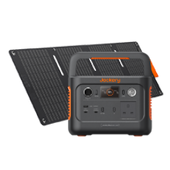
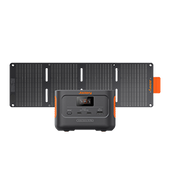
This article will delve into Starlink's actual speed metrics and pricing plans in the UK, providing a multi-dimensional comparison with 5G networks. We'll also share how to ensure an uninterrupted power supply for your Starlink devices using a Jackery Explorer 300D or 500 v2, guaranteeing a smooth work and entertainment experience wherever you are.
|
Key Takeaways: |
|
What Is Starlink and How Does It Work?
Elon Musk's technology business, SpaceX, operates a satellite internet constellation known as Starlink, which uses a network of over 3,500 tiny satellites to provide internet connectivity to rural and remote areas worldwide.
The program is currently available in more than 50 countries, including the United Kingdom. Starlink allows people to work from home, stream films, participate in video chats, play online games, and run a small company in locations where connections are typically poor or unreliable.
Understanding How Starlink Works
Unlike earlier providers, which rely on a few massive satellites thousands of miles away, Starlink's strength lies in its numbers. Its ever-expanding constellation, expected to reach tens of thousands, forms a dense web of coverage.
Starlink provides internet access via a network of small satellites orbiting close to Earth, eliminating the need for underground cables such as fibre-optic cables. Starlink uses radio waves to carry data between satellites in space and ground stations on Earth, rather than wires.
These signals are then picked up by user terminals, which are little dish-shaped receivers that connect your house or business to the Internet. Many users combine Starlink with solar battery storage (for example, the Jackery Explorer 300D or 500 v2) to ensure continuous communication.

What Are Starlink Speeds in the UK?
Starlink Internet provides fast web speeds throughout the UK. Its map indicates numerous locations where it can be used, ensuring that the majority of people remain connected. According to Starlink's speed map, consumers in the UK commonly experience speeds ranging from 100 to 300mbps.
For many users, particularly those in rural or distant places where terrestrial internet is limited or unavailable, Starlink's speeds constitute a major improvement.
Starlink users frequently experience download speeds of 100 Mbps or more across the United Kingdom. In certain regions, the service provides download speeds of up to 293 Mbps and upload speeds of 33 Mbps.
However, during peak hours, Starlink speeds can drop to roughly 50mbps on occasion. The average Starlink download speed in the UK is 106.1 Mbps. Many of these customers additionally rely on solar battery storage (for example, the Jackery Explorer 300D or 500 v2) to keep their systems operational during power outages or in off-grid areas. Just bear in mind that outcomes vary depending on location, weather, and equipment configuration.
What about Starlink Latency?
Latency is equally important in gaming, video calls, cloud backups, and distant work. Latency has always been a major issue in satellite internet, with delays in transmitting data packets back and forth from satellites rendering activities like online gaming and videoconferencing spotty. Starlink's satellites, however, are far closer to Earth than earlier satellite broadband attempts, reducing latency.
Starlink normally ranges from 25ms to 50ms. Ookla found that the average latency on Starlink in the UK was 37ms. That still falls short of the fixed-line average of 15ms, but 37ms is plenty for jitter-free online gaming and videoconferencing. That is adequate for Teams, Zoom, cloud apps, and most online games.

Which Is Faster, Starlink Speeds UK or 5G?
There is no clear winner between Starlink Speeds UK and 5G because it all depends on your region. In cities, 5G has a greater promise; in rural regions, Starlink is significantly more stable. Here is a comparison.
Speed Comparison
Ookla, the internet speed testing experts, measured Starlink's average UK internet speeds at more than 100 Mbps. That is twice the UK average of 50.4 mb/s and comparable to the lower-end speeds provided by full fibre broadband providers. Its upload speed is still lower than its download speed, ranging between 15 and 35 Mbps.
In regions with good coverage, 5G definitely dominates. Speeds can range between 50 Mbps and 2 Gbps. That's correct, gigabit territory—something Starlink can't reach right now. Furthermore, its upload speed is consistent and typically 2-3 times quicker than Starlink in regions with a good signal.
Latency Comparison
Starlink created a name for itself by smashing traditional satellite internet. Typical Starlink delay is in the 25-50 ms range. On excellent days, it can plunge into the low 20s. During peak congestion, it may become higher, although it is still nowhere like the "wait forever" lag of older satellite systems.
When you're close to a tower, 5G latency can be astonishingly low. Think 1-5 milliseconds. That is basically real-time. You don't often obtain such fast results. Latency can rise to 20-50 ms as a result of tower congestion, poor coverage, or interference.
|
Comparison Dimensions |
Starlink |
5G |
|
Average Download Speed |
100 - 200 Mbps |
150 - 210 Mbps (where coverage is available) |
|
Average Upload Speed |
15-35 MBPS |
Varies Widely |
|
Average Latency |
25 - 50 ms |
15 - 35 ms |
|
Signal Coverage |
99% of UK Territory |
Approximately 50% population coverage (very poor in remote areas) |
The data and parameters in this table are for reference only.
So, after all of this, in cities with great coverage, 5G wins hands out. Reduced latency, faster downloads, and improved uploads. In remote or off-grid places, Starlink is a game changer. It is not always as fast as peak 5G, but it is consistent and available in areas where nothing else is.
Tips for Optimising Starlink Speeds UK Usage
While Starlink speeds UK provides a valuable internet solution for users in rural areas with limited traditional broadband coverage, some steps are needed to maximise its value. Here are some practical tips for potential and current Starlink users:

Tip 1: Find the Best Sky View
Ensure your antenna has an unobstructed view of the sky. Even small obstructions like tree branches or chimneys can affect the signal. Be sure to use the built-in Obstruction Viewer tool in the Starlink App to scan and determine the best location before final installation.
Tip 2: Prefer High-Altitude Installation
Mounting your antenna on a roof or a sturdy pole generally yields better results than ground mounting, as this effectively avoids obstruction from buildings and vegetation.
Tip 3: Stabilize Your Antenna
The UK is known for its windy weather, so a stable installation is crucial. Even minor swaying can cause a decrease in speed. Ensure you use a sturdy, rust-resistant bracket (such as sea-grade aluminum) and that all fasteners are tightened to withstand strong winds.
Tip 4: Equipped with an Uninterruptible Power Supply (UPS)
Starlink takes approximately 5-10 minutes to reboot and re-locate satellites, and even a 1-second power outage can leave you without internet access for an extended period. A backup power supply like the Jackery Explorer 500 v2 can automatically switch over within 10 milliseconds, ensuring uninterrupted video conferencing.
Tip 5: Regular Cleaning and Maintenance
While Starlink antennas are designed to be robust, regular maintenance will extend their lifespan. It is recommended to periodically check the cables for damage and wipe the antenna surface with a soft cloth to remove dirt, bird droppings, or winter snow to ensure uninterrupted signal reception.
Tip 6: Regularly Update Firmware
Starlink automatically pushes firmware updates through its official app. These updates typically include performance optimizations and bug fixes. Check your app notifications to ensure your device is always up-to-date.
Jackery Portable Power Stations: Providing Stable Power to Ensure Starlink Speeds UK
In the UK, Starlink has revolutionised connectivity in remote areas, but whether working from a picturesque campsite or in a suburban property with a fragile power supply, Starlink operation demands a high degree of power stability.
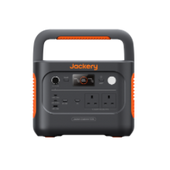
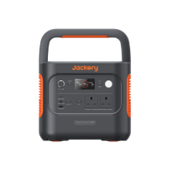
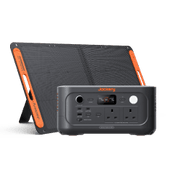
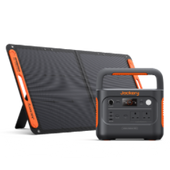
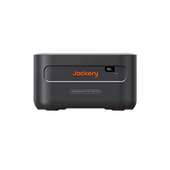
Jackery Portable Power Stations, with their superior performance and reliability, are ideal for Starlink users. The Jackery Explorer 300D and Jackery Explorer 500 v2 are two representative products, providing a solid foundation for your satellite internet connection and Starlink speeds.
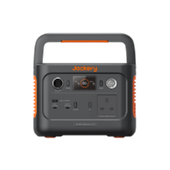
Jackery Explorer 300D Portable Power Station
Designed for modern digital nomads and camping enthusiasts, this portable power station stands out for its compact size and efficient DC output, making it particularly suitable for powering devices like the Starlink Mini. Its key advantages include:

Ultra-Lightweight and Backpack-Like Portability: Weighing only 2.5kg, the 300D (11.86 *12.02 *18.3 cm) is even smaller than a typical picnic basket. In the UK, many hikers and drivers prioritise space efficiency; it easily fits into a car trunk or backpack. When used with the Starlink Mini, it allows you to quickly set up a temporary workstation after summiting Snowdonia.
Bidirectional 140W USB-C Fast Charging: The 300D features a 140W USB-C port. This means you can power your Starlink router and simultaneously fast charge your MacBook Pro using PD. On cloudy UK days, this efficient energy conversion prioritises limited power for productivity devices, minimizing energy waste.
Smart App Monitoring and Environmental Resilience: Thanks to the Jackery App (supporting Wi-Fi and Bluetooth connectivity), you can view Starlink's real-time power consumption and remaining battery level directly inside your tent. Operating within a wide temperature range of -15°C to 45°C, even in the depths of Scottish winter, it ensures normal power dissipation and uninterrupted network connectivity.
Library-Level Quiet Operation: Thanks to its completely fanless design, the Explorer 300D produces virtually no noise during operation (close to 0 decibels). This is a huge advantage for users who need a quiet environment for video conferencing, recording, or simply enjoying a peaceful night. You can use it in a tent or study without being disturbed by any fan noise.
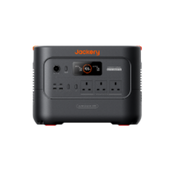
Jackery Explorer 500 v2 Portable Power Station
As a portable power supply designed for higher power needs, it typically offers the following key advantages, providing longer-lasting power support for the standard Starlink kit.

512Wh Capacity and Enhanced Battery Life: The 500 v2 capacity is sufficient to support approximately 8-10 hours of continuous operation for the standard Starlink kit (with heating mode off). For users on a week-long campervan trip in Dorset, or facing power outages at home in the Cotswolds, it provides not only power, but also the confidence to stay connected around the clock.
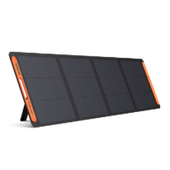
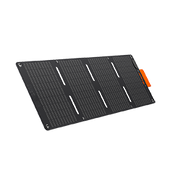
Breakthrough 1-Hour Fast Charging: Sunlight windows in the UK are often very short. The 500 v2 supports a full charge in 1.3 hours using a wall outlet or a highly efficient solar fast charge (200W solar input: 2.8 hours). This ability to quickly replenish power is crucial – a short hour's stop at a roadside café or campsite can fully charge your Starlink office for the rest of the day.
6,000 Cycle Lifespan: This is the most impressive upgrade in the v2 version. Its battery cycle life has been increased to an astonishing 6,000 cycles, a dominant figure in its price range. Even if you are a heavy Starlink user, using it for power every day, it can provide stable power output for up to 15-20 years, truly a one-time investment for a lifetime of benefits.
<10ms UPS Response Time: The 500 v2 features UPS automatic switching with a response time of less than 10 milliseconds. When winter storms rage in the UK and home power grids are prone to intermittent outages, you can connect Starlink to a 500 v2 connection.
It will take over power at a speed imperceptible to the naked eye in the event of a mains power failure, ensuring your Zoom meetings or large game downloads are not interrupted by a power outage.
Pricing and Plans of Starlink in the UK
If you're thinking about getting Starlink for your house in the UK, you should know how much you'll have to pay both up front and monthly. Setting up Starlink in the UK presently costs £299-£349 upfront.
These are the normal home package hardware prices for reference only. Starlink's monthly fee is not a fixed price. The same provider may display different options based on your address and local demand. Service bills are issued on a 30-day basis.
Residential 100: £35 Per Month
Residential 100 is the most affordable option, however it is only available in certain places. Starlink tops downloads at 100 Mbps and has upload speeds ranging from 15 to 35 Mbps. In practice, consumers should view it as a plan designed for regular browsing, streaming, and video chats, rather than chasing peak benchmark figures.
Residential 200: £55 Per Month
Residential 200 replaced the previous Lite name. Starlink caps downloads at 200 Mbps and claims that normal download speeds range from 80 to 200 Mbps, with upload speeds ranging from 15 to 35 Mbps. This is a better fit for busier houses with multiple individuals streaming, working, or gaming at the same time.
Residential Max: £75 Per Month
Residential Max is the highest priority residential tier. According to Starlink, UK consumers may expect normal download speeds of 400+ Mbps and upload speeds of 20-40 Mbps, although actual results will vary depending on congestion, gear, and setup. It is also the tier for the Starlink Mini for Travel offer in the UK.

How to Get Starlink in the UK?
The process of purchasing and using Starlink is very simple, taking only a few days from purchase to internet access. Here are the exact steps for activation and installation:
Step 1: Order Online
You can order Starlink straight from the Starlink website. Enter your UK postcode after you've arrived at the Starlink website. The system will automatically display the package price for your area.
Choose Residential 100, Residential 200, or Residential Max based on your needs. Fill down your specific delivery address and pay the hardware price. Delivery normally takes 2-5 business days after ordering.
Step 2: Conduct an Environmental Survey Using the App
This is the most important step while waiting for the equipment to come because it affects whether you will have internet disruptions. Download the official Starlink app for your phone. Then, launch the app, stand at your intended antenna installation location, and scan the sky with your phone's camera. If the app indicates an obstruction rate greater than 5%, it is advised to relocate to a higher or more open position.
Step 3: Hardware Assembly and Installation
The Starlink package contains the antenna, base, router, connection cable, and power cord. Insert the antenna into the base. Then, insert one end of the connection cable into the back of the antenna and pull the other end inside (drilling may be necessary). To prevent rainwater backflow, ensure that the opening is angled downward (from the inside out). Then, connect the connection cable and power cord to the router.
Step 4: Activation and Network Setup
When turned on, the antenna will automatically tilt or rotate to hunt for satellites; this operation typically takes 15 minutes. During this period, the router's white light will flash. Following the initial connection, the machine will usually download a firmware update. During this time, network speeds may be poor, and short disconnections are usual.
Is It Worth Buying Starlink in the UK?
Buying Starlink in the UK is definitely worthwhile, especially for certain groups. It doesn't replace urban fiber broadband, but rather precisely addresses the pain points of traditional networks' inability to cover or provide a good experience. Here are some reasons why purchasing Starlink in the UK is worthwhile:
Prices Have Dropped Significantly
The once-expensive gear is now frequently on offer for £299 or less, entirely eliminating initial pricing concerns. Furthermore, the simplest plan (Residential 100) has been reduced to £35 per month, which is comparable to the cost of ultra-fast fibre plans from traditional UK broadband providers.
Nationwide UK coverage
Remote places such as the Scottish Highlands, Welsh mountains, and farms in western England cannot support 5G due to the high cost of fibre installation, resulting in poor and unreliable speeds. No matter how remote your rural residence is, as long as you can see the sky, Starlink can give consistent rates of 100-200 Mbps.
Exceptional Stability
Starlink's performance is revolutionary when compared to standard terrestrial satellite broadband. The median download speed is 150-200 Mbps. Furthermore, its latency is generally between 25 and 50 ms year-round. This means you can conduct Zoom video calls and play competitive online games without experiencing the noticeable lag associated with standard satellite internet.
Ultimate Flexibility
When compared to the 18 or 24-month lock-in periods usual in the UK broadband industry, Starlink's flexibility is a significant selling feature. Residential customers typically pay monthly and can cancel at any time, making it an excellent choice for renters. You don't need to transfer providers or sign lengthy contracts; simply bring your device and enjoy internet access anywhere in the UK.
FAQs
The following are the frequently asked questions about Starlink speeds UK.
1. What is the Starlink speeds UK?
According to Starlink's speed map, consumers in the United Kingdom commonly experience speeds ranging from 100 to 300mbps. Starlink has an average download speed of 106.1 Mbps. However, during peak hours, Starlink speeds can drop to roughly 50mbps on occasion.
2. Should I use StarLink or 5G?
Unless you reside in a region with weak or no 5G coverage, we would prefer a mobile broadband router to Starlink. In regions with adequate mobile coverage, a 5G router will provide you with a fibre-optic speed internet connection when genuine fibre infrastructure is unavailable, at a far lower cost than Starlink.
3. What is the highest Starlink speeds I can actually expect in the UK?
Residential Max is now offered in the UK at speeds of 400+ Mbps, with upload speeds ranging from 20 to 40 Mbps, but this is not guaranteed at every address or hour. Congestion, weather, hardware, and impediments are all important.
4. Does bad weather affect Starlink performance?
Starlink is designed to perform dependably in most weather circumstances, so rain, snow, and overcast skies should not disrupt your connection. During very intense storms or extensive cloud cover, your signal may briefly diminish, but it usually recovers to normal once the worst has passed.
Final Thoughts
Starlink has become an indispensable connectivity tool for rural and mobile workers in the UK. From significantly reduced hardware costs to flexible monthly plans, it precisely addresses the pain points that traditional broadband cannot reach.
However, a high-quality network depends not only on satellites in the sky but also on reliable power supply on the ground. By pairing with the Jackery Explorer 300D or 500 v2, you can easily handle unexpected power outages.
If you're struggling with slow copper broadband or an unstable mobile signal, you can order Starlink from their website; the process can be completed in just a few minutes with an app survey and installation.


