













![[Over £1200 Tier Gift] Bluetooth Speaker with Phone Stand - shipped Separately](http://uk.jackery.com/cdn/shop/files/Portable_Bluetooth_Speaker_with_Phone_Stand_2.png?v=1781595581&width=170)














A brownout is a drop in voltage levels that forces motors to overheat and electronics to malfunction, often causing more appliance damage in the UK than total power cuts. While homeowners frequently blame bad luck or age when a control board fries or a compressor seizes, the culprit is usually this subtle voltage instability.
Storm-prone regions, rural areas at the end of distribution lines, and aging grid infrastructure all contribute to these voltage dips. While a blackout stops your appliances, a brownout tortures them.
This guide helps renters and homeowners protect sensitive electronics, medical devices, and expensive white goods. We define the mechanics of voltage damage and provide a layered protection strategy, ranging from simple surge detection to robust battery backup solutions like the Jackery Solar Generator 3000 v2.
1. Understanding Power Fluctuations: Brownouts vs. Blackouts
A brownout occurs when voltage drops below the standard UK tolerance of 230V +10% / -6%, whereas a blackout is a total loss of power (0V). If the electricity supply drops below this regulated range but stays above zero, you are experiencing a brownout.
Brownout vs. Blackout: The Core Differences
The primary difference between a brownout vs blackout is partial supply versus no supply. During a blackout, devices stop working immediately, which protects them from trying to run on insufficient power. You can easily check for power cuts in your area to confirm a total outage. During a brownout, however, devices often stay powered on but struggle to operate. They draw excessive current to compensate for the low voltage, causing internal heating that destroys components over time.
Why Brownouts Are Deceptive
Brownouts are subtle compared to the obvious darkness of a blackout. You might notice dimming lights, a shrinking picture on your TV, or motors in fridges and fans humming louder than usual. These signs indicate your mains supply is struggling to deliver the required 230V.
Defining Brownout Electricity
Brownout electricity is a deviation from nominal voltage where the duration dictates the damage. Momentary Flickers or transients are annoying but often harmless. Sustained undervoltage events lasting minutes to hours cause the most physical damage to hardware.
Common Causes of Voltage Dips
- Grid-Side: High demand during extreme weather, transformer faults, or deliberate voltage reduction by utilities. To understand the broader context, it helps to know what is the reason the power is out or fluctuating at the source.
- Home-Side: Loose neutral connections in your consumer unit (fuse box), overloaded circuits, or corrosion on supply cables (meter tails) entering your property.
2. The Hidden Cost: Impact of Brownouts on Appliances
Low voltage destroys hardware differently than high voltage spikes, but the result is the same: broken equipment.
Motor-Driven Appliances (High Risk)
Motors in refrigerators, freezers, washing machines, and heat pumps fail during brownouts because they must draw more current (Amps) to maintain power. This reaction is based on the power formula ($P=VI$): to maintain the same power output ($P$) when voltage ($V$) drops, the current ($I$) must increase. This excess current generates rapid heat, leading to coil burnout and compressor failure.
Electronics and Smart Devices
Digital control boards require stable voltage to function correctly. Dips can corrupt firmware, cause latch-up states where the device freezes, or fry sensitive capacitors that regulate internal power.
The Restoration Surge
A voltage spike often occurs the moment power returns to normal or immediately after a blackout ends. This surge deals the final blow to components already weakened by the preceding brownout.
Financial Reality
Insurance claims for electrical failure are frequently rejected as wear and tear. Most policies cover lightning strikes or fire, but they rarely cover the gradual destruction of a fridge compressor caused by repeated grid instability. Prevention is the only financial safeguard.
3. Layered Protection: How to Safeguard Your Home
Effective protection requires a defense in depth approach. You must combine behavioural changes with point-of-use protection and whole-home backup.
Immediate Actions During a Voltage Dip
If your lights dim significantly or flicker constantly, take action immediately:
- Unplug High-Risk Items: Disconnect heavy motor loads (air conditioners, refrigerators, washing machines) and sensitive electronics.
- Wait to Reconnect: Do not plug devices back in the second power stabilizes. Wait 5–10 minutes to avoid the restoration surge.
- Reduce Load: Turn off non-essential breakers at the consumer unit. This helps the local transformer recover if the issue is grid-wide.
Surge Protectors and Their Limitations
Surge protectors (SPDs) do not boost low voltage during a brownout; they only clip high voltage spikes. However, SPDs are essential for protecting against the spike that often follows a brownout. Look for units with high joule ratings and protection active indicator lights.
Uninterruptible Power Supplies (UPS)
A UPS uses a battery to bridge the gap when the grid wavers.
- Line-Interactive UPS: Good for PCs and Wi-Fi routers. These use an automatic voltage regulator (AVR) to boost voltage slightly without switching to battery power.
- Online (Double Conversion) UPS: Best for critical servers. As seen in major incidents like a Uninterruptible Power Supply & Google Cloud Outage , these units completely isolate equipment from dirty grid power by converting AC to DC and back again.

Voltage Stabilizers and Regulators
Standalone automatic voltage regulators (AVRs) are useful for specific appliances like expensive refrigerators in rural areas. These devices step up voltage during sags and step it down during swells, keeping the output within a safe 230V range.
Solar Generators and Battery Backup
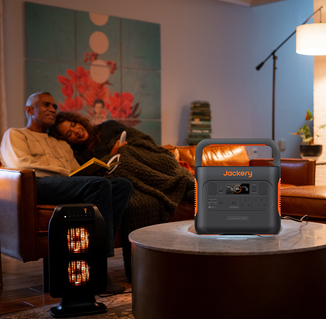
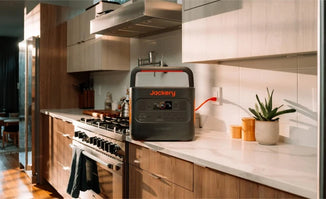
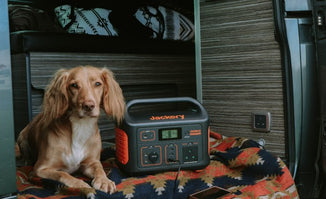
Battery-powered generators provide a clean, isolated power source immune to grid voltage fluctuations during sustained instability. Modern portable power stations often include UPS features, switching to battery power in under 20ms to keep devices running smoothly during dips.
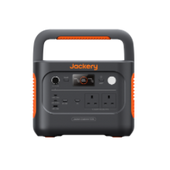
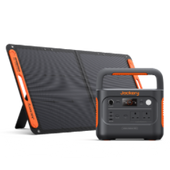
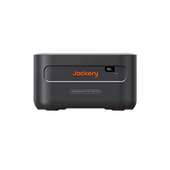
Jackery Solar Generator 2000 v2
- Capacity: Jackery Solar Generator 2000 v2 offers 2042Wh of capacity.
- Battery Type: The unit utilizes LiFePO4 chemistry for a 10-year lifespan with 4,000+ charge cycles.
- Use Case: This model is ideal for backing up refrigerators, freezers, and home office setups during unstable grid periods.
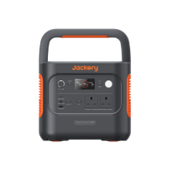
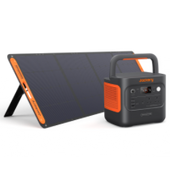
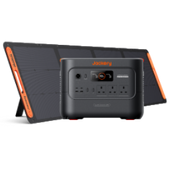
Jackery Solar Generator 3000 v2
- Capacity: Jackery Solar Generator 3000 v2 delivers a massive 3072Wh capacity.
- Power Output: The generator provides 3600W of continuous output.
- Use Case: A high-capacity option capable of supporting higher-wattage appliances and providing longer runtime for critical home circuits during extended voltage drops or outages.
Safety Note: Unlike petrol or diesel generators, these units emit no fumes. You can safely use them indoors to keep essential appliances running on pure sine wave power, independent of the fluctuating mains supply.
4. Long-Term Strategies and Monitoring
You need data to determine if the fault lies with your home wiring or the utility company if brownouts are frequent.
Electrical Health Check
Hire an electrician to check for loose neutrals or corroded meter tails. These are common causes of single-home brownouts where your voltage drops even when the neighbors' power is fine.
Monitoring Local Brownouts
To address the question - Is there a brownout in my area or is it just me? you need monitoring tools.
- Plug-in Voltage Monitors: Simple devices that plug into a wall socket and display real-time voltage.
- Smart Plugs/UPS Logs: Many smart home devices record voltage history. This documentation is vital when reporting repeated sags to your utility provider.
- Utility Alerts: Sign up for SMS alerts from your local Distribution Network Operator (DNO) in the UK (e.g., UK Power Networks, Western Power, Northern Powergrid).
5. Preparing for Grid Instability in the UK
The UK grid faces increasing pressure, so preparation goes beyond buying hardware.
Priority Services Register
Vulnerable readers should register with their energy supplier for the Priority Services Register. This ensures you receive priority support and updates during outages, which is especially critical when preparing home for power outages in cold weather or other extreme conditions.
Emergency Kit Essentials
Beyond power, ensure access to battery-powered lighting, a wind-up radio, and non-perishable food.
Documentation
Keep a log of voltage events and appliance failures. If you need to file a claim against the utility company for damages caused by supply negligence, this data is crucial evidence.
6. Quick Decision Guide: Choosing the Right Protection
Use this guide to match your equipment with the correct protection method.
|
Equipment |
Recommended Protection |
Why? |
|
Computers & Wi-Fi |
Line-Interactive UPS |
Handles minor dips without shutting down; keeps internet live. |
|
Refrigerators |
Voltage protection plug or Jackery Solar Generator 2000 v2 |
Delays reconnection to prevent surge damage; battery backup isolates fridge from grid. |
|
Medical Devices |
Online UPS or Jackery Solar Generator 3000 v2 |
Requires pure sine wave power and <20ms switchover for safety. |
|
Whole Home |
Type 2 Surge Protection Device (SPD) |
Installed at the consumer unit to block high-voltage spikes from entering the house. |
Conclusion
Brownouts are silent destroyers of modern appliances, often more damaging than total blackouts due to heat buildup in motors and electronics. Ignoring the signs of dimming lights or humming motors can lead to expensive failures that insurance won't cover.
Don't rely on a single device. Combine surge protection (for spikes) with battery backup (for dips/outages) and regular electrical maintenance. By monitoring your voltage and deploying clean power sources like the Jackery Solar Generator 3000 v2 or Jackery Solar Generator 2000 v2, you insulate your home from the unpredictability of the aging grid.
Frequently Asked Questions
How can I tell if my appliances are already damaged by brownouts?
Symptoms include motors that run louder or hotter than usual, digital displays that flicker or reset randomly, and devices that shut down unexpectedly. If an appliance smells like burning plastic during operation, it likely has internal heat damage.
Are there smart home devices that alert me to brownouts?
Yes, many smart plugs and energy monitors (like Shelly or TP-Link Kasa with energy monitoring) track voltage in real-time. You can set up automation rules to send a notification to your phone if the voltage drops below a certain threshold.
Can a brownout damage my solar panel inverter or EV charger?
Yes, inverters and EV chargers rely on precise voltage synchronization with the grid. While most modern inverters have built-in safety cut-offs, repeated undervoltage events can wear out the internal relays and capacitors.
What should I do if my utility company denies my brownout damage claim?
Gather evidence from your voltage logs, UPS event history, and an electrician's report confirming the damage was electrical. Escalate the complaint to the Energy Ombudsman if the supplier refuses to acknowledge the grid fault.
Is whole-house voltage regulation a viable solution for frequent brownouts?
Whole-house voltage stabilizers are effective but expensive to install. For most homeowners, it is more cost-effective to use targeted protection like a UPS or a Jackery Solar Generator 3000 v2 for critical appliances rather than regulating the entire property.


