





































Power cuts disrupt heating, cooking, and essential medical equipment instantly. When the lights go out, worrying about vulnerable family members and frustration over a lack of information often follow. This guide provides immediate, actionable steps to check your status, report faults to SSEN, and ensure your household remains safe during an SSEN power cut.
Understanding SSEN Power Cuts: Causes and Restoration
Scottish and Southern Electricity Networks (SSEN) manages the distribution of electricity across central southern England and the north of Scotland. Understanding why power fails helps manage expectations regarding restoration.
Restoration Estimates
Restoration times are provisional estimates initially. You might see a status of up to 3 Days immediately following a major storm. This placeholder allows engineers to assess complex damage. Real-time updates become more accurate once an SSEN team arrives on-site.
Planned vs Unscheduled Outages
Knowing the difference helps you react quickly.
- Planned Outages: SSEN provides advance notice for essential maintenance via letter or notification card. These typically occur during daylight hours to minimize inconvenience.
- Unscheduled Outages: These are sudden losses of supply requiring immediate reporting and safety checks. Unscheduled faults happen without warning and carry higher risks regarding safety and convenience.
Initial Steps When You Experience a Power Cut
Before contacting SSEN, verify if the issue is internal or external.
- Check your home: Inspect your consumer unit (fuse box). If a trip switch has flipped, the issue is likely a faulty appliance or internal wiring, not the network.
- Check the meter: Look at your electricity meter. A blank display suggests a network fault, while a live, illuminated display usually indicates electricity is reaching your home, pointing to internal wiring issues.
- Check the neighborhood: Look outside to see if streetlights are off. If neighbors are also in the dark, the issue is likely a local or widespread network fault.
- Protect electronics: Unplug sensitive devices immediately. When power returns, electrical surges can damage computers, televisions, and other electronics.
For more details on identifying the scope of an outage, you can check for power cuts in your area to determine if the issue is widespread.

SSEN power cut tracker: How to Check Status
The SSEN power cut tracker is your primary tool for real-time information. The tracker provides live data on affected postcodes and engineer progress.
Using the Power Track Tool
Access the tool via the SSEN website or mobile app. Enter your specific postcode rather than zooming out on the map. Specific postcode data filters out irrelevant regional faults and provides the most accurate status for your property.
Verifying Notifications
Scammers occasionally exploit power outages. Cross-reference any text messages claiming to be from your energy provider with the official SSEN power cut tracker. Official SSEN communications will match the data logged on their system.
SSEN power cut map
Visualizing the outage helps you understand the scale of the problem. The SSEN power cut map displays the geographic spread of faults and the number of affected customers.
Visualizing the Outage
Use the map to see if the fault covers just your street or the entire district. Widespread faults often trigger different priority protocols compared to isolated incidents.
Report via Map
If your property does not appear on the map during an outage, use the Report a Fault pin feature. This alerts SSEN that your specific connection is down, ensuring your home isn't missed during restoration efforts.
Limitations
The map reflects logged network faults only. The tool will not show internal home wiring issues. If your house is the only one without power and the map shows no faults, the issue is likely within your property boundaries.
SSEN power cut contact number
Knowing who to call saves time during an emergency.
Primary Emergency Number
Call 105 to report outages or hazardous situations. This number is free, available 24/7, and connects you directly to the network operator for your area. Use this SSEN power cut contact number for reporting downed lines or dangerous equipment.
When to Call 999
Only call emergency services if there is an immediate risk to life or public safety. Examples include a fire caused by electrical faults or lines falling on a busy road.
Preparation for the Call
Have your postcode and MPAN number ready. You can find the MPAN on your electricity bill. If you are reporting on behalf of vulnerable residents, have their details prepared to flag the urgency.
Accessibility
If you are deaf or hard of hearing, use Text Relay by dialing 18001 before 105.
Reporting a Power Cut: Best Practices
Reporting faults correctly ensures faster response times.
- Report immediately: Do not assume neighbors have already called. Multiple reports from the same area help SSEN prioritize the fault and accurately triangulate the issue.
- Online reporting: If phone lines are busy and you have mobile data, use the web form. The form logs the fault directly into the SSEN system.
- Reference numbers: Write down the fault reference number provided. You will need this number to track specific updates later.
- Escalation: Explicitly state if the outage affects medical equipment or vulnerable individuals. This triggers priority protocols for updates and potential assistance.
For a broader understanding of managing these situations, refer to our comprehensive guide on how to deal with a power cut effectively.
Planned Power Cuts: Preparation and Expectations
Planned work maintains the grid's reliability. SSEN provides advance notice, allowing you to prepare.
Verify the Schedule
Check the SSEN website or the national planned outage map. Confirm the specific date and time window.
Prepare the Home
Charge essential devices like phones and power banks. Boil water for flasks to have hot drinks available. Heat the home thoroughly before the cut begins to retain warmth.
Food Safety
Keep fridge and freezer doors closed. A full freezer keeps food frozen for approximately 48 hours if left unopened.
Managing During a Power Cut: Safety and Resilience
Safety is paramount when the power goes out.
- Electrical safety: Never touch damaged equipment or fallen lines. Maintain a safe distance (at least 10 meters) and report them immediately.
- Light sources: Use battery-powered torches or lanterns. Candles pose a significant fire risk, especially in households with children or pets.
- Community support: Check on elderly or vulnerable neighbors. They may not have access to digital updates or mobile phones.
- Conserve mobile battery: Use text messages instead of voice calls. Reduce screen brightness and close background apps to save power for emergency updates.
Energy Resilience Solutions: Backup Power Options
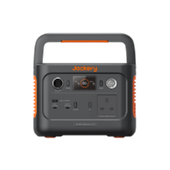
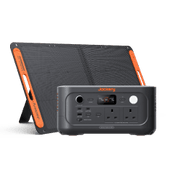
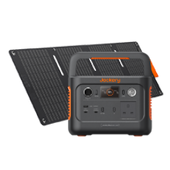
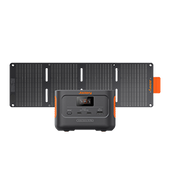
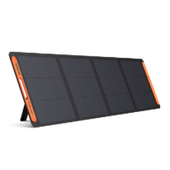
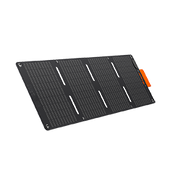
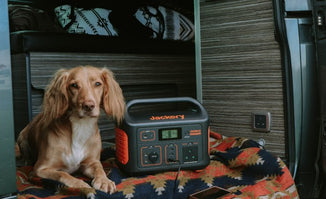
Relying solely on the grid leaves you vulnerable. A portable power station ensures continuity for essential devices. To choose the right unit, calculate the watt-hours (Wh) required to run your essentials.
Medium-Demand Backup
For keeping a portable refrigerator (90W) running for approximately 15 hours or running a heater (1800W) for short bursts, you need a balance of capacity and portability.
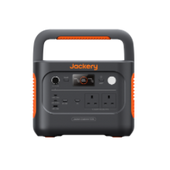
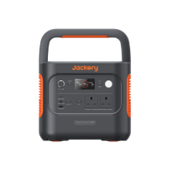
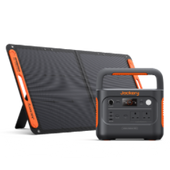
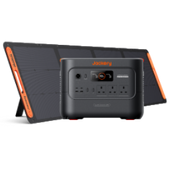
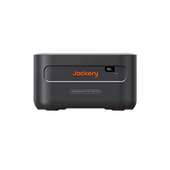
Jackery Solar Generator 2000 v2
- Capacity: 2042Wh
- Output: 2200W (4400W Surge)
- Battery Type: LiFePO4 (Approx. 10 years of use / 4,000 charge cycles)
- Use Case: The Jackery Solar Generator 2000 v2 offers a balance of power and portability for essential home backup. This 2200W unit can power a microwave, coffee maker, or charge laptops multiple times, bridging the gap during medium-length outages.
High-Demand Backup
Prolonged outages require support for heavier appliances like full-sized fridges, microwaves, or critical medical equipment.
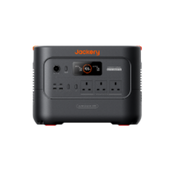
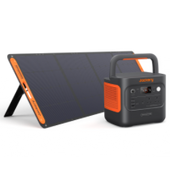
Jackery Solar Generator 3000 v2
- Capacity: 3072Wh
- Output: 3600W (7200W Surge)
- Design: The lightest and most compact 3kWh LFP power station on the market (27 kg)
- Use Case: The Jackery Solar Generator 3000 v2 provides substantial output to handle 99% of household appliances. This generator ensures your household remains functional during extended storms or infrastructure failures.
Operational Tips
Keep units charged ahead of storm warnings. Store the generators in a dry, accessible location. Both models feature fast charging, ensuring they are ready quickly when severe weather alerts are issued.
For those in urban areas, see our London power outage guide for specific city-based resilience tips.
Priority Services Register (PSR) for Vulnerable Customers
The PSR provides extra help to those who need it most during a power cut.
Eligibility
You are eligible if you are of pensionable age, have children under 5, have a disability or chronic medical condition, or rely on medical equipment.
Benefits
Registration offers priority support. PSR members receive proactive updates and potential welfare assistance, such as hot meals or alternative accommodation, during prolonged outages.
Registration
Sign up directly via SSEN or your energy supplier. Ensure your contact details remain current so support teams can reach you immediately.
Power Cut Compensation: Rights and Claims
You may be entitled to compensation if your supply is interrupted for extended periods.
Guaranteed Standards
Compensation is available if power is off for set durations, usually 12+ hours. The exact threshold depends on weather conditions.
Weather Exceptions
Compensation thresholds differ based on the cause:
- Normal Weather: You are entitled to £95 if your supply is not restored within 12 hours.
- Severe Weather: You are entitled to £85 if your supply is not restored within 24 hours (Category 1 storms) or 48 hours (Category 2 storms).
- Additional Payments: You may receive a further £40 for every additional 6-12 hours you are without power, up to a maximum of £2,000.
Claim Process
Claims must typically be made within three months. Keep receipts for any outage-related expenses, such as takeaway food or hotel stays, although these are rarely covered directly by the DNO (check your home insurance for consequential loss).
FAQs
How accurate are restoration times?
Restoration times are estimates based on initial assessments and often change once engineers inspect the damage. Always check the tracker for the latest on-site updates.
Why do lights flicker before going out?
Flickering often indicates tree branches hitting lines or a developing cable fault. This usually precedes a full outage or safety disconnect.
Can I claim for spoiled food?
Generally, no; statutory compensation covers the loss of supply, not consequential loss. Check your home insurance policy for food spoilage coverage.
What is a DNO?
SSEN is a Distribution Network Operator responsible for the cables and towers. The DNO is distinct from the supplier (like British Gas or Octopus) who sends your bill.
Conclusion: Staying Informed and Prepared
Power cuts are inevitable, but their impact is manageable. Bookmark the Ssen power cut tracker, save the 105 number in your phone, and register for the PSR if you or a family member is eligible.
Proactive measures define your resilience. Maintain an emergency kit with torches, batteries, and a charged power bank. For complete peace of mind, consider investing in backup power like the Jackery Solar Generator 2000 v2 or Jackery Solar Generator 3000 v2. These tools transform a blackout from a crisis into a minor inconvenience.


