







































It might be annoying when your phone charges slowly, especially when you're busy. There are safe ways to help your phone charge faster without damaging the battery. Small changes, like using quick chargers and high-quality cords, or turning on Aeroplane Mode or Low Power Mode, can have a tremendous impact.
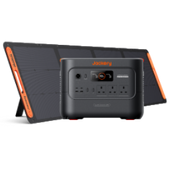
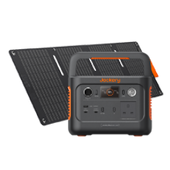
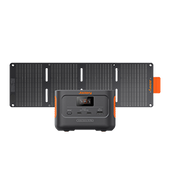
The Jackery Explorer 100 Plus and Jackery Explorer 300D are portable charging options for smartphones and other devices. With these, you can stay connected on the go. This post covers recommendations for both Android and iPhone users.
|
Key Takeaways: |
|
Understanding How Phone Charging Works
When you put your phone into a charger, the battery gets power from the outlet, just as water fills an empty glass. How quickly the battery charges depends a lot on how well power can reach it.
A good charger and a secure connection let power flow smoothly, which speeds up your phone's charging. Your smartphone also controls how quickly it charges to keep the battery in good condition. It charges quickly at first, but then it slows down when it's full. It takes longer to charge your phone when you use it while it's charging or when many apps are running in the background.
When you use your phone while it is charging or have many applications running in the background, it takes longer to charge. Understanding these basics helps you create the best conditions for swift phone charging, ensuring it's ready when you need it most. Knowing how to make your phone charge faster comes down to optimising these factors.
How Long Does a Phone Take to Charge?
The time needed to fully charge a phone depends on the battery size, the charger's power output, and whether the phone is in use while charging. For modern smartphones:
Typical Charging: Using a standard 5W charger (a charger that provides 5 watts of power), a full charge usually takes about 2-3 hours.
Fast Charging: With an 18W (or higher) fast charger, your phone can reach around 50% charge in just 30 minutes.
Know these charging times to plan and optimise your routine.
Why Does My Phone Charge Slowly?
Many people wonder why their phones charge slowly. Understanding the main reasons behind slow charging is the first step to fixing it. By spotting these problems, you can create ideal conditions for faster charging.

Reason 1: Low-Wattage Adapters
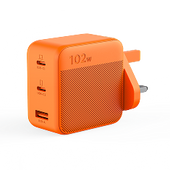
Using a regular 5W charger might make charging take much longer, especially for devices that charge quickly. A simple method to make things work better is to choose a charger with more watts.
Reason 2: Old or Damaged Cables
Low-quality or frayed USB cables can slow power delivery, prolonging charging time. A good, well-kept cable will help your phone charge faster.
Reason 3: Background Apps
Apps running in the background, such as social media or location services, use power while your phone charges. Limiting background activity can make a clear difference in charging speed.
Reason 4: Battery Health
Old batteries charge slowly and hold less power. Taking care of your battery and replacing it when needed helps maintain high charging performance.
Reason 5: High Screen Brightness or Active Use
Using your phone while charging generates heat, slowing the charging cycle. Reducing screen brightness or pausing screen use helps the battery charge faster.
By understanding these factors, you can apply the right fixes and optimise your device. Knowing how to charge your phone faster helps ensure it's ready when you need it most.
What Wattage Is Fast Charging?
Understanding wattage is key to making the most of your phone's charging speed. The power output of your charger directly affects how quickly your battery fills, so choosing the right wattage is essential.
When Does Fast Charging Start?
Most of the time, fast charging starts at 18W. Depending on the device's compatibility, chargers with greater wattages, such as 25W, 45W, or even 65W, can charge your phone faster and more effectively.
Fast Charging for iPhone
Apple devices can charge quickly at up to 20W using a USB-C to Lightning cable. Using the correct charger charges your iPhone fast without harming the battery.
Fast Charging for Android
Many Android phones feature technologies like Qualcomm Quick Charge or USB Power Delivery. These devices can safely handle chargers up to 25W, allowing rapid charging when paired with a compatible charger.
Choosing the Right Charger
Always use a charger made for your phone to ensure charging is safe and works. This ensures you can safely speed up your phone's charging without damaging the battery.
How to Charge Your iPhone Faster?
You're not the only one looking for ways to speed up iPhone charging. These tips from experts are made just for iOS devices and might help you get the most out of your charging routine.
Use a 20W or Higher USB-C Charger
iPhones from the 8 onwards support rapid charging, reaching up to 50% in about 30 minutes. To get the most from this feature, use an 18W or 20W+ USB-C power adapter with an original or certified Lightning cable. Avoid 5W chargers, as they are much slower.
Turn On Low Power Mode
Go to Settings > Battery and enable Low Power Mode. This reduces background tasks, such as receiving mail, running visual effects, and refreshing applications. This sends more power to charging the battery rather than running programs.
Close Background Apps and Enable Aeroplane Mode
Use the App Switcher to close unneeded apps and save resources. Turning on Aeroplane Mode stops network activity and helps your iPhone charge faster. Remember to turn it off when you need full connectivity again.
Use an MFi-Certified Cable
Always use MFi-certified (Made for iPhone) cables that satisfy Apple's safety and performance standards. Cables that aren't approved may charge more slowly or trigger safety warnings, which can reduce charging speed and harm the battery's health.
Avoid Charging via Laptop or Car USB Ports
When charging laptops and cars via USB, they sometimes deliver only 5W or less, which takes longer. Use a wall adapter that works with your iPhone's fast charging to get the best results.
Keep iOS Updated
Updating iOS improves charging and battery performance. Go to Settings > General > Software Update to get the latest version. Optimised Battery Charging helps regulate charging patterns for better results.

How to Charge Your Phone Faster on Android?
There are a few things you can do to speed up the charging of your Android phone. The charging speed of your smartphone depends on its model, settings, and how you manage power while it is charging. These useful ideas might help you make the most of every minute your phone is plugged in.
Use a Fast Charger and Cable
Many Android devices can charge rapidly thanks to technologies such as Qualcomm Quick Charge (a fast-charging standard for compatible devices) and USB Power Delivery (USB-PD, a universal fast-charging protocol). Use a certified USB-C cable and a charger rated at least 20W. If you use low-quality or out-of-date cables, your phone may charge more slowly. Always refer to your phone's manual or the official website for recommended accessories.
Enable Aeroplane or Power Saving Mode
Aeroplane Mode stops Bluetooth, Wi-Fi, and mobile data from running, which saves battery and speeds up charging. Power Saving Mode reduces background tasks and uses less energy, helping your battery charge faster.
Close Background Apps and Disable Auto-Sync
Apps that run in the background utilise system resources, which can delay charging. To find apps that use a lot of battery power, close apps you don't need, and navigate to Settings > Battery > Battery Usage. Turning off auto-sync for email or cloud accounts while charging saves energy and speeds up charging.
Keep Your Phone Cool While Charging
Excess heat slows charging and harms battery health. Charge your phone in a cool, ventilated spot and remove thick or heat-trapping cases. Avoid surfaces like mattresses or sofas, which keep in heat.
Avoid Using Your Phone While Charging
Using your phone while it's charging wastes energy and slows charging. For the fastest results, turn off your phone entirely. If that's not possible, minimise intensive tasks like gaming or video streaming.
10 Tips to Make Your Phone Charge Faster
It's time to do something now that you know what makes charging take longer. Making small changes may make a major difference in how long it takes to charge your phone, so it's always available when you need it.

Tip 1: Charge Through a Wall Outlet
A wall socket works better than a USB port on a PC. Standard USB 2.0 ports deliver about 2.5W, while USB 3.0 ports deliver up to 4.5W. However, fast-charging wall chargers can deliver significantly more power. For instance, depending on your device and charger, USB Power Delivery (USB-PD) can provide you up to 100W.
Tip 2: Use a Compatible Fast Charger
Fast chargers designed for your device can significantly reduce charging time. iPhones from the iPhone 8 onwards charge up to 50% in 30 minutes with an 18W or higher USB-C adapter, while Android devices often support protocols like Qualcomm Quick Charge or proprietary solutions such as Samsung Super Fast Charging. Always choose a charger compatible with your phone's fast-charging standards.
Tip 3: Invest in a High-Quality Charging Cable
The correct cable makes sure that electricity is delivered quickly. Good USB-C cables can manage the higher currents needed for rapid charging, but bad or broken cables may slow it down or even be dangerous. Using approved cables makes sure that charging is always safe and reliable.
Tip 4: Turn Off Your Phone While Charging
When you turn off your phone, all its power goes to the battery rather than running apps and background processes. This reduces the charging time. This is extremely helpful when you need to add money quickly and don't have much time to spare.
Tip 5: Enable Low Power or Battery Saver Mode
Low Power Mode for iPhones and Battery Saver on Android cut down on background activities, automatic downloads, and visual effects. This lets more energy flow straight into the battery. This is great for charging your phone faster without having to switch it off.
Tip 6: Enable Aeroplane Mode
When you turn on aeroplane mode, it disables cellular, Wi-Fi, and Bluetooth connections, reducing background activity and battery use. You won't get calls or notifications, but it's a good method to speed up charging when you don't need to be connected right away.
Tip 7: Avoid Using Your Phone While Charging
Resource-heavy activities like gaming or video streaming divert power away from the battery. For the fastest charge, minimise usage so your phone can focus fully on replenishing the battery.
Tip 8: Keep Your Phone Cool
High temperatures can slow charging and reduce battery health. Charge your device in a cool, ventilated area and remove heat-retaining cases. Avoid direct sunlight or soft surfaces that trap heat.
Tip 9: Update Your Phone's Software
Software updates often include improvements to battery management and charging efficiency. Keeping your phone up to date ensures you benefit from the latest optimisation features.
Tip 10: Optimise Your Phone's Settings
Adjusting settings can reduce energy usage during charging:
Lower screen brightness
Disable unnecessary features like Bluetooth, GPS, or Wi-Fi
Close background apps
These adjustments help your phone allocate more power to charging, allowing you to charge it faster and keep it ready for daily use.

Power Up Anywhere with Jackery Portable Power Stations
Choosing a Jackery Portable Power Station for phone charging is a smart move because they offer significantly higher power and more advanced technology than standard "pocket" power banks. Specifically, for fast charging, Jackery units use USB-C Power Delivery (PD), the gold standard for quickly topping up modern smartphones.
While most phone wall plugs are 20W, models like the Explorer 100 Plus and 300D feature 100W USB-C ports. This allows you to fast-charge a phone to 50% in roughly 30 minutes, and can even fast-charge power-hungry laptops like a MacBook Air.
High-end models often include two 100W USB-C ports, allowing you to fast-charge two devices simultaneously at their maximum speeds without splitting the power.
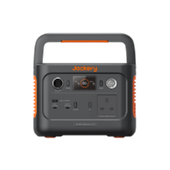
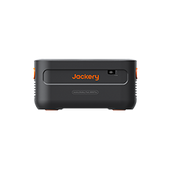
Jackery Explorer 300D
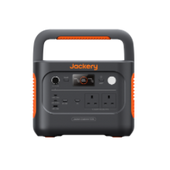
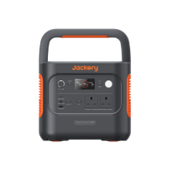
The Jackery Explorer 300D is a specialized, lightweight version of Jackery's 300-series power stations, specifically designed for users who prioritize USB-focused fast charging and extreme portability. It stands out for phone charging because it removes the bulky AC inverter found in traditional units, replacing it with high-output DC ports that are more efficient and much lighter.

Exceptional 140W USB-C Ports: The Explorer 300D features two 140W USB-C PD 3.1 ports. This is rare for a unit this size and allows you to fast-charge modern smartphones, tablets, and even high-end laptops at their maximum possible speed simultaneously.
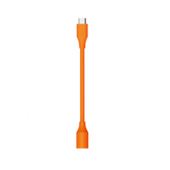
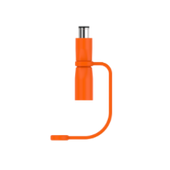
Invisible Carrying Handle: In a clever piece of design, the unit's carrying handle is actually a detachable 140W USB-C charging cable. This ensures you always have a high-speed cable ready for your phone without needing to pack extra cords.
DC-to-DC Efficiency: By using direct DC output for your USB devices, the 300D avoids the 10-15% energy loss that occurs when converting power through an AC inverter. This means your Explorer 300D can charge your phone up to 13 times, lasting longer than other 300Wh stations.
Silent and Compact: Because it lacks a heavy AC inverter, it is fanless and 100% silent (0 dB). At only 5.5 lbs, it is 33% lighter and significantly smaller than the standard Explorer 300 Plus, making it perfect for a nightstand or a backpack.
|
Feature |
Specification |
|
Max USB-C Output |
140W (PD 3.1) |
|
Charging Efficiency |
High (Direct DC-to-DC) |
|
Portability |
Ultra-lightweight (5.5 lbs) |
|
Special Feature |
Detachable 140W cable handle |
|
Noise Level |
0dB (Fanless operation) |
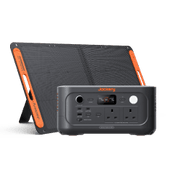
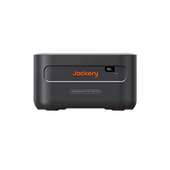
Jackery Explorer 100 Plus
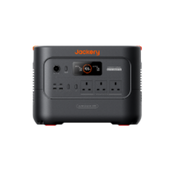
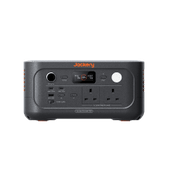
The Jackery Explorer 100 Plus is essentially a high-capacity, "solar-ready" power bank designed specifically for mobile devices and travel. It bridges the gap between a standard phone charger and a full-sized power station.

Massive Charging Capacity
With a 31,000mAh (99Wh) capacity, it can charge a standard smartphone (like an iPhone 14 or 15) approximately 6 to 7 times on a single full charge.
High-Speed USB-C PD
It features dual 100W USB-C Power Delivery (PD) ports. This allows it to "fast charge" modern phones at their maximum supported speeds and even power a MacBook Air simultaneously.
Airline & Flight Approved
Its 99Wh capacity is strategically designed to sit just under the 100Wh TSA/FAA limit. This makes it one of the largest portable power sources you can legally carry in your hand luggage on a plane without special airline permission.
Simultaneous Charging
You can charge up to 3 devices at once using its two USB-C ports and one 18W USB-A port, making it ideal for a family or someone traveling with a phone, tablet, and smartwatch.
Long-Lasting Battery Life
Unlike standard power banks that use older lithium chemistries, the 100 Plus uses LiFePO4 (LFP) battery cells. These are rated for 2,000+ charge cycles (to 80% capacity), meaning the unit can last for roughly 8 years even with daily use.
|
Feature |
Specification |
|
USB-C Output |
2 Ports, up to 100W each |
|
USB-A Output |
1 Port, 18W Max |
|
Total Max Output |
128W across all ports |
|
Recharge Time |
~1.8 hours (via 100W PD) or ~2 hours (via 100W Solar) |
How To Maintain Battery Health for Optimal Charging Speed?
Fast charging is useful, but it can only perform well if your battery is healthy. Proper battery care ensures your device charges efficiently and lasts longer.
Keep Charge Levels Between 20% and 80%
Avoid charging your battery to 100 per cent every time. Maintaining it between 20% and 80% promotes long-term battery health and a more constant charging speed.
Avoid Overheating
Excessive heat damages lithium-ion batteries and slows down charging. Charge your phone in a cool, well-ventilated area and remove bulky cases that trap heat to maintain optimal performance.
Use Optimised Battery Charging Features
Both iOS and Android include intelligent charging options that pause or slow charging when the phone is inactive, especially overnight. Enabling these features prolongs battery lifespan and maintains charging efficiency.
Avoid Deep Discharge Cycles
Frequent drops to 0% can harm your battery's health and reduce charging efficiency over time. Try to recharge the battery before it becomes critically low.
FAQs
The following are frequently asked questions about make your phone charging faster.
1. How Can I Increase My Charge Speed?
Use a fast charger and a high-quality cable that works with your phone. Don't use your phone while it's charging; turn on Low Power or Battery Saver Mode, and charge it in a cool place to speed up charging. You may also make a big difference by closing background apps and turning on Aeroplane Mode. You can always make your phone charge quicker by following these easy methods.
2. How Do I Turn On Fast Charging?
You can usually enable fast charging in your phone's settings. To turn on "Fast Charging" or "Quick Charge" on Android, navigate to Settings > Battery > Charging. With the right adapter, rapid charging happens automatically when you connect your iPhone to a USB-C charger rated 18W or higher.
3. What Is the 20 to 90 Battery Rule?
The 20 to 90 rule says you should keep your phone's battery between 20% and 90% charged, rather than letting it run all the way down or charging it all the way up. This helps keep the battery healthy and ensures it charges faster and more efficiently over time.
4. How to Charge a Phone in 10 Seconds?
You can't fully charge a phone in 10 seconds with today's technology, but you can get quick partial charges by utilising a high-wattage fast charger, turning on Aeroplane Mode, and keeping the phone off or in Low Power Mode. These strategies let your battery deliver a lot of power in a very short time.
Final Thoughts
It's not only about how fast you can charge; it's also about how long the battery lasts and how well it works. You can always make your phone charge faster by following some basic recommendations, such as closing background apps, using high-quality chargers, and keeping your device cool. The Jackery Explorer 100 Plus and Jackery Explorer 300D are the most convenient portable power sources, as they let you charge your phone quickly anywhere. If you charge your gadget properly, it will last longer and work better.


