





































Power cuts cause significant disruption, posing safety risks and financial costs for households and businesses. This guide clarifies responsibilities, explaining how to check status, report faults, and claim compensation during a Scottish Power power cut.
Understanding Responsibility: DNOs vs. Energy Suppliers
Distinguishing between your energy supplier and the network operator is vital for quick resolution. Your supplier, Scottish Power, handles billing, account management, and meter readings. Scottish Power does not own or repair the physical power lines, substations, or grid infrastructure.
The Distribution Network Operator (DNO) manages the cables and towers that bring electricity to your home. In areas where Scottish Power is the incumbent supplier (Central and Southern Scotland, Merseyside, North Wales, and parts of Cheshire), the DNO is typically SP Energy Networks.
Who Should You Call for Power Issues?
Follow this general rule of thumb for efficiency:
- Contact the DNO (SP Energy Networks): For power cuts, dangerous wires, or emergency infrastructure issues.
- Contact Scottish Power: Only for billing disputes, tariff changes, or account-specific problems.
Calling the wrong company delays resolution. The supplier will simply direct you to the network operator for physical faults.
Immediate Safety Steps During a Power Cut
Safety takes precedence the moment the lights go out. You must determine if the issue is internal or external before reporting it.
Initial Troubleshooting
- Inspect the fuse box: Check for tripped switches. Attempt to reset a switch once; if it trips again immediately, you likely have an internal electrical fault requiring an electrician.
- Assess the neighborhood: Look for neighbors' lights or streetlights. If the whole street is dark, it is a grid outage. If only your home is affected and the fuse box is fine, the issue may be the service cable.
Safety Measures
- Avoid hazards: Stay at least 10 meters away from downed lines and report arcing or smoke via 105 or 999 immediately.
- Protect electronics: Unplug sensitive devices (TVs, computers, routers) to prevent damage from power surges when the grid is restored.
- Leave a signal: Keep one light switch on to alert you when power returns.
Food Preservation
- Keep doors closed: Do not open the fridge or freezer unless absolutely necessary.
Monitor safe times:
- Refrigerator: Safe for approx. 4 hours.
- Full Freezer: Safe for approx. 48 hours.
- Half-Full Freezer: Safe for approx. 24 hours.
How to Check for a Scottish Power Power Cut in Your Area
Verifying an outage confirms that the network operator is aware of the problem. Several tools allow you to check the status of the grid in real-time.
Call 105
Dial 105 from any mobile or landline in the UK to connect directly to your local Distribution Network Operator. This free, 24/7 service uses your location to route the call. It is the fastest way to report an emergency or get updates on a scottish power power cut.
Use The Power Track Map
SP Energy Networks operates an online "Power Track" map that displays live fault data. This tool shows the number of affected customers and estimated restoration times. You can zoom in on your specific area to see if an engineer has been dispatched.
Where Can You Find Updates on Social Media?
Check social media channels, particularly X (formerly Twitter), for real-time updates from SP Energy Networks during major storms. Call centres may experience high volumes during widespread incidents. The network operator often posts broad updates regarding storm damage and repair progress.
Reporting a Fault: Best Practices for Faster Resolution
Reporting a fault helps engineers triangulate the location of the damage. Do not assume a neighbour has already made the call.
Reporting via 105
- Call 105 immediately: Logging the fault helps prioritize the repair and pinpoint the location.
- Provide specific details: Report any sparks, loud bangs, flickering lights, or visible line damage.
- Record the incident: Save your reference number, call time, and screenshots of outage maps for potential compensation claims.
Emergency Situations
- Call 999: Contact emergency services immediately if there is a risk to life, such as fallen trees on lines, substation fires, or arcing.
When to Contact Scottish Power (Supplier Issues)
Contact Scottish Power rather than the network operator for specific account or meter issues. These situations usually involve billing or the hardware inside your home.
What About Prepayment Meter Issues?
Contact Scottish Power if your power is off due to a lack of credit or a key/card error. If the digital screen shows "No Credit" or a specific error code, the supplier's customer service team must resolve it.
What If the Meter Screen Is Blank?
Call the supplier if your power is on but your meter screen is blank. This indicates a meter fault, not a network outage. Scottish Power will arrange for an engineer to repair or replace the unit.
Who Handles Billing and Account Disputes?
Discuss billing errors, tariff changes, or requested engineer visits for internal meter maintenance directly with the supplier. Do not call the supplier for street-level blackouts, as they cannot dispatch grid repair crews to fix Scotland power outages.
Compensation: Your Rights and How to Claim
You may be entitled to compensation if your power is off for an extended period. The amount depends on the duration of the outage and the weather conditions.
Do You Qualify for Compensation?
You typically qualify for payment if the power is off for 12 hours or more during routine faults. For severe weather events, the threshold is often higher (usually 24 or 48 hours), and the payment caps are different.
How Do You Claim?
Claim directly from the DNO (SP Energy Networks), not your energy supplier. While some DNOs pay automatically, you should proactively file a claim if you do not receive a letter within a few weeks.
What Documentation Do You Need?
Maintain a timeline of the outage to support your claim. Note exactly when the power went off and when it was fully restored.
Priority Services Register (PSR): Protecting the Vulnerable
The Priority Services Register (PSR) is a free service that provides extra support to those who need it most.
Who Qualifies for the PSR?
Register if you are of pensionable age, have a disability, have a chronic illness, or rely on medical equipment. Families with children under five also qualify for the PSR.
What Are the Benefits?
Registered customers receive advance notice of planned power cuts. During emergency outages, the DNO prioritizes these households for updates and, in some cases, provides alternative heating or cooking facilities.
How Do You Register?
Register with both your supplier (Scottish Power) and your DNO. While they share data, registering with both ensures all parties are aware of your needs. If you are unsure about your specific provider, verifying who your electricity supplier is ensures you are contacting the right company.
Why Keep Details Updated?
Update your details immediately if your circumstances change. If you acquire new medical equipment or change your phone number, inform the DNO to ensure they can reach you during an emergency.
Home Resilience: Preparing for Future Outages
Preparation minimizes the impact of a power cut. A reliable backup power source keep your household running.
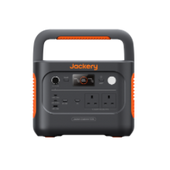
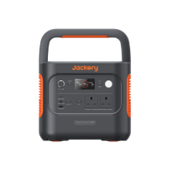
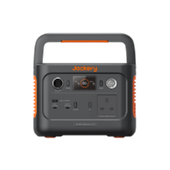
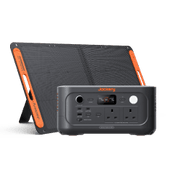
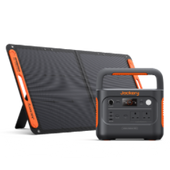
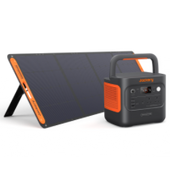
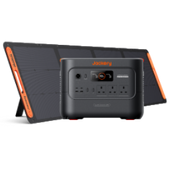
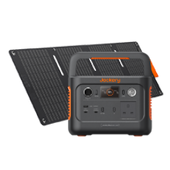
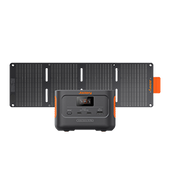
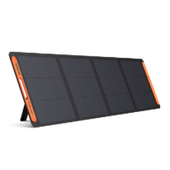
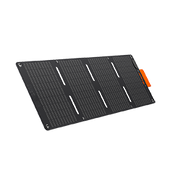
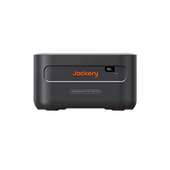
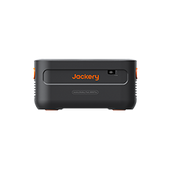
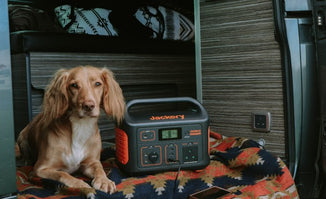
Jackery Solar Generators provide essential backup power for extended disruptions. These devices keep fridges running, lights on, and medical devices operational.
Jackery Solar Generator 3000 v2
- Capacity: 3072Wh
- Power Output: 3600W (Surge 7200W)
- Battery Type: LiFePO4 (4000 charge cycles)
- Use Case: Ideal for powering heavy-duty appliances like refrigerators, medical devices, and heaters for extended periods.
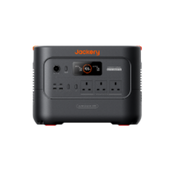
Jackery Solar Generator 2000 v2
- Capacity: 2042Wh
- Power Output: 2200W (Surge 4400W)
- Noise Level: Whisper-quiet operation (under 30dB)
- Use Case: Perfect for emergency lighting, charging multiple devices, and running essential kitchen appliances.
Smart Meters and Post-Restoration Issues
Smart meters rely on the mobile network and grid power to function. They behave differently during and after an outage.
What Happens to Smart Meters During a Cut?
Smart meters go offline when power is lost. They do not prevent outages, but they do help suppliers see grid status. Your In-Home Display (IHD) will turn off as its battery drains or mains power cuts.
Are Connectivity Delays Normal?
Wait a few hours for the meter to reconnect to the network automatically. When power returns, the IHD may show errors or fail to display usage data immediately, which is normal.
How Do You Reboot the Display?
Reboot the display unit if connectivity issues persist after 24 hours. Unplug the device, remove any batteries, wait one minute, and plug it back in. This forces the IHD to search for the meter signal again.
What About Persistent Faults?
Contact Scottish Power only if the meter display remains blank or shows a permanent fault code after a reboot. Do not contact the DNO for smart meter display issues.
Escalating Unresolved Issues
You have the right to escalate the issue if you are dissatisfied with how a power cut was handled or if compensation is denied.
How Do You Make a Formal Complaint?
Follow the formal complaints process with the DNO (SP Energy Networks) first. Submit your complaint in writing, detailing the timeline, the damage caused, and why you believe the response was inadequate.
What Evidence Should You Gather?
Gather all evidence, including reference numbers from your 105 calls, before escalating. Include call logs, photos of spoiled food or damaged electronics, and receipts for emergency expenses.
When Should You Contact the Energy Ombudsman?
Escalate the matter to the Energy Ombudsman if the company does not resolve the complaint within eight weeks. They provide an impartial decision that is binding on the energy company.
Is Welfare Support Available?
Involve local welfare teams or social services if a vulnerable person is left without power for an extended period. Local councils often have emergency protocols to assist at-risk residents during prolonged Scottish Power service interruptions.
Conclusion
Safety is the priority during any electrical disruption. Check your fuse box, ensure neighbours are safe, and stay well away from damaged lines. Call 105 immediately to report network outages and access local information.
Document everything to streamline future compensation claims and ensure accountability. Prepare for the next storm by registering for the PSR if eligible and considering reliable backup power solutions like Jackery solar generators to maintain normalcy when the grid fails.
Frequently Asked Questions
How do I know if my specific appliance caused the outage?
Unplug all appliances and reset the trip switch in your fuse box. Plug items back in one by one; if the power trips again when you plug in a specific device, that appliance is the cause.
Can Scottish Power send me text alerts for outages?
Scottish Power does not manage grid alerts, but SP Energy Networks (the DNO) offers a text service. You can register your mobile number on their website to receive SMS updates regarding faults in your area.
What if my power comes back on but is flickering?
Flickering lights indicate an unstable supply or a loose neutral connection, which can be dangerous for electronics and fire safety. Report this immediately to 105 so engineers can investigate the voltage instability.
Does my smart meter still record usage during a power cut?
No, your smart meter requires electricity to operate and will not record usage while the power is out. Once power is restored, it will resume recording from where it left off, ensuring you are not charged for the downtime.


