
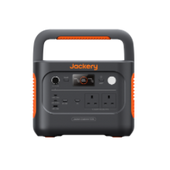





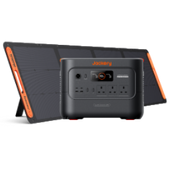
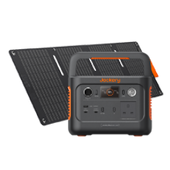


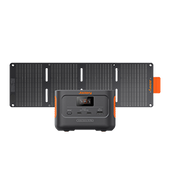



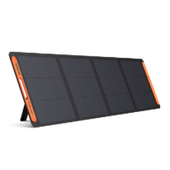



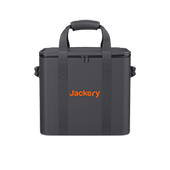
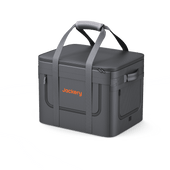















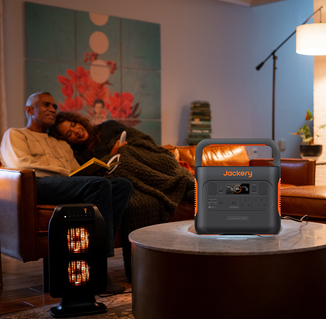


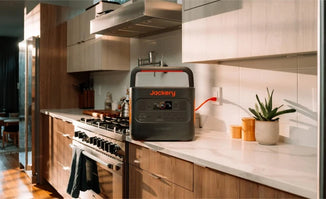
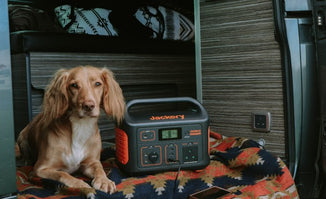


Introducing the new Jackery Explorer 2000 Plus v2—flexible power for home backup, mobile work and adventures beyond mains sockets. With 2,048Wh of base battery capacity and 2,400W rated output, it can power selected household essentials and support appliances on the go. Need longer runtime? Add compatible batteries to expand storage to 12kWh, building your setup around your changing power needs.
Designed for home backup and travel, it brings higher-capacity power into a more compact format than its predecessor. Here’s a closer look at its features, practical uses and what to consider before buying.
|
Key Takeaways: |
|
Meet the Jackery Explorer 2000 Plus v2: The Key Specifications at a Glance
The Jackery Explorer 2000 Plus v2 is an expandable portable power station that stores electricity for use when a mains socket is unavailable or the power goes out. Its rechargeable battery and built-in inverter supply compatible appliances, while USB and 12V connections support smaller devices.
With 2,048Wh of storage and 2,400W continuous AC output, it suits selected household essentials, home-office equipment, camping appliances and mobile work. Mains, solar and vehicle charging provide different ways to replenish its battery, depending on your location and available equipment.
It comes from a brand with an established global presence. According to the 2026 Frost & Sullivan White Paper on Global Solar Generator and Plug-in Solar Storage Industry, Jackery ranked as the world’s No. 1 solar generator and plug-in solar storage brand by cumulative sales volume and cumulative revenue as of the end of 2025.

Its features include LFP battery chemistry, optional expansion batteries, app monitoring, charging schedules, priority control of connected AC groups and a documented 10ms backup changeover. A folding handle, display and integrated light support everyday use, although its 41.45 Ibs / 18.8 kg weight needs consideration when lifting it into a vehicle.
|
Specification |
Jackery Explorer 2000 Plus v2 |
|
Battery capacity |
2,048Wh |
|
Continuous AC output |
2,400W total |
|
Surge output |
4,800W for temporary starting demand |
|
Battery chemistry |
LiFePO₄ / LFP |
|
Cycle life |
6,000 cycles to at least 70% remaining capacity |
|
Solar input |
Up to 800W combined |
|
USB-C 30W output |
5V⎓3A; 9V⎓3A; 12V⎓2.5A; 15V⎓2A; 20V⎓1.5A |
|
USB-C 140W output |
5V⎓3A; 9V⎓3A; 12V⎓3A; 15V⎓3A; 20V⎓5A; 28V⎓5A |
|
USB-A output |
18W maximum: 5–6V⎓3A; 6–9V⎓2A; 9–12V⎓1.5A |
|
DC expansion port output |
36.8–57.6V⎓55A maximum |
|
Weight |
Approximately 41.45 Ibs / 18.8 kg |
|
Dimensions |
Approximately 14.4 × 10.0 × 10.7 in / 36.6 × 25.5 × 27.2 cm |
|
Charging and discharging temperature |
−10°C to 45°C; performance varies with temperature |
|
Charging time |
Fast AC Charging: 1.5 hours; 800W Solar Charging: 3.2 hours DC-DC Alternator Charging: 3.8 hours |
What Do These Figures Mean?
Watts determine which appliances can operate together; watt-hours describe stored energy. The 2,400W limit is shared across the AC sockets, rather than available separately to each appliance. Surge output covers brief starting demand.
USB-C can charge compatible laptops and phones directly, without their mains adaptors. Reaching the highest charging rate requires a suitable cable and a device supporting the relevant protocol.

Expandable Capacity: When Should You Add a Battery Pack?
An extra battery becomes useful when your appliances can run within the power station’s output limit, but need more energy than one charge provides. For longer outages or trips between charging opportunities, expansion can extend operating time.
From 2kWh to approximately 12kWh
The Jackery Explorer 2000 Plus v2 supports up to five compatible 2,048Wh battery packs.
|
Configuration |
Total nominal capacity |
|
Base unit |
2,048Wh |
|
Base unit + one compatible pack |
4,096Wh |
|
Base unit + two compatible packs |
6,144Wh |
|
Base unit + five compatible packs |
12,288Wh |
These are stored-energy figures; usable energy at the sockets is lower because of conversion losses and operating consumption. Adding one pack approximately doubles nominal capacity, providing more time for refrigeration, lighting or work equipment.
More Runtime Without a Higher Output Rating
Expansion does not increase the 2,400W continuous AC rating. An appliance exceeding that limit remains unsuitable, regardless of how many batteries are connected.
Measure your daily consumption before buying. Each additional pack brings purchase cost, approximately 14.8kg of weight and longer recharging at the same input power. Extra storage is most useful when you have enough charging time or solar generation to refill it.
How to Connect Expansion Batteries
Switch off the power station and every battery pack before connecting them. Use the designated expansion cable, matching its A/B ends to the corresponding ports shown in the manuals. Connect the first pack to the base unit, then connect additional packs in sequence, securing each connector.
Keep the equipment upright on a stable surface, leave at least 20cm around ventilation openings and check for the battery-connection icon after switching on. Follow the manual’s stacking instructions.
*Compatibility matters: the older Battery Pack 2000 Plus is incompatible.

How Can You Recharge It and How Long Does Charging Take?
The Jackery Explorer 2000 Plus v2 supports mains, solar and vehicle charging. The best option depends on your access to electricity, available daylight and how quickly you need another charge.
Mains Charging
Connect the supplied regional AC cable to the power station’s AC input and a mains socket. Normal charging suits routine use; emergency mode prioritises speed when time is short. Quiet mode reduces charging power and noise, but takes longer. Normal charging is recommended for everyday use, with emergency charging reserved for when needed.
|
Method |
Stated time* |
Charging range |
Conditions |
|
Fast AC charging |
Approximately 1.5 hours |
Percentage endpoints unspecified |
Fast-charge setting |
|
800W solar array |
Approximately 3.2 hours |
Described as a full charge; starting percentage unspecified |
Optimal sunlight |
|
600W alternator charger |
Approximately 3.8 hours |
Percentage endpoints unspecified |
Compatible optional charger |
|
Standard 12V socket |
Not specified |
Not specified |
Limited by socket and charging input |
Solar Charging in UK Conditions
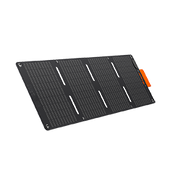
Unfold compatible SolarSaga panels, angle them towards the sun and connect their leads to the DC8020 inputs using the specified connectors. For four SolarSaga 200W panels, two panels per input through the appropriate solar-panel connectors. Match panel models and quantities across both inputs, and follow the specified voltage limits.
An 800W panel array will not continuously deliver 800W. UK winter daylight, cloud cover, shading and panel positioning affect actual input, so the quoted solar charging hours may extend across several days.
Charging While Travelling
A standard 12V socket offers relatively slow charging: the documented 8A input limit equates to approximately 96W at 12V before losses. A compatible 600W alternator charger provides substantially more power while driving.
Budget separately for vehicle cables, an alternator charger, any installation and solar connectors; confirmed UK accessory prices remain unavailable here. Additional battery packs also take longer to refill at the same charging power.

Smart Features: Backup Switching, Priority Routing and App Control
The Jackery Explorer 2000 Plus v2 offers control over how stored energy is used. Its backup switching, separate AC groups and app settings help you prioritise selected appliances and plan charging around your routine.
Backup for Connected Appliances
When connected to mains electricity with its AC outputs enabled, the unit supplies connected appliances through bypass operation. If mains power fails, it switches to battery supply within the documented 10ms changeover time.
That brief interruption matters: this is not a zero-interruption supply, and compatibility should be tested with your equipment before relying on it. Appliances requiring uninterrupted power may need a different backup arrangement.
Keep Essential Loads Running Longer
Priority Routing lets you assign priority to an AC socket group and set a battery threshold for disconnecting lower-priority loads.
For example, you could connect a compatible fridge to the priority group and a television to the other group. When the battery reaches your selected threshold, the television’s group switches off, leaving more stored energy available for refrigeration.
This controls appliances plugged into the designated socket groups. It does not automatically select or manage circuits throughout your home, and it cannot keep essential equipment running after usable battery energy is exhausted.
Choose When to Charge and Discharge
Charging schedules let you select when mains charging takes place. Time-of-use mode coordinates charging and battery use around periods you enter in the app; it does not automatically read live electricity prices.
Self-powered mode prioritises solar-generated energy and requires both solar and grid connections. A backup reserve retains part of the battery’s charge for outages, leaving the remainder available for everyday operation.
A higher reserve provides more emergency energy but reduces the capacity available for daily electricity savings. Available controls depend on the model and installed firmware.

Battery Lifespan, Portability and Everyday Ownership
A power station needs to fit your routine as well as your appliances. Battery ageing, lifting weight, storage space and fan noise all influence how practical the Jackery Explorer 2000 Plus v2 will be over time.
Living with an 18.8kg Power Station
At approximately 18.8kg, the base unit requires a deliberate lift into a car boot or onto a shelf. Its folding handle helps with carrying, but consider stairs, lifting height and whether you will need assistance.
Allow room for its approximately 36.6 × 25.5 × 27.2 cm body, cables and ventilation. Each compatible expansion pack adds approximately 14.8 kg, making larger configurations less convenient to move frequently.
Keep the unit dry with ventilation openings unobstructed. During storage, check and recharge it every three months rather than leaving it depleted. Follow the documented −10°C to 45°C charging and discharging limits, recognising that temperature can restrict performance.
What 6,000 Cycles Actually Means
The LFP battery is rated for 6,000 cycles to at least 70% remaining capacity. This describes an endurance benchmark: the battery gradually stores less energy as it ages, rather than suddenly becoming unusable after a particular cycle count.
Cycle life is different from calendar lifespan and warranty coverage. Temperature, charging habits, storage conditions and usage affect ageing, so converting 6,000 cycles into a fixed number of years would not guarantee that service life.

What Can the Jackery Explorer 2000 Plus v2 Power?
The Jackery Explorer 2000 Plus v2 can run selected household, work and camping appliances within its 2,400W combined continuous AC limit. Compatibility depends on electrical input, starting demand and what else is connected. Always prioritise your appliance’s label over generic wattage estimates.
Everyday Essentials
Routers, laptops and televisions generally leave room for other equipment. A fridge-freezer needs closer attention because its compressor can briefly draw more power when starting.
The figures below are illustrative examples, not specifications for every appliance.
|
Appliance |
Illustrative running power |
Start-up concern |
Practical verdict |
|
Fridge-freezer |
100–250W while compressor runs |
Compressor starting surge |
Often suitable; check starting demand |
|
Router |
10–20W |
Usually minor |
Suitable with its compatible adaptor |
|
Laptop |
45–100W |
Usually minor |
Suitable; supported USB-C charging is another option |
|
Television |
50–150W |
Usually minor |
Generally suitable |
|
Microwave |
1,200–1,600W electrical input |
Possible brief inrush |
Check input rating and other loads |
|
Air fryer |
1,200–2,000W |
Heating demand dominates |
Suitable models fit individually |
|
Kettle |
1,000–3,000W |
Sustained heating demand |
Lower-powered models may fit; 3,000W exceeds limit |
|
Portable heater |
1,000–2,000W |
Sustained heating demand |
Fits within limit but consumes energy quickly |
Cooking and Higher-Demand Appliances
A microwave with an 800W cooking output can draw considerably more electricity. Use its electrical input rating when checking compatibility. Compressors and motors also need sufficient starting-power allowance.
For example, a 1,500W air fryer and a 150W office setup total 1,650W. Adding a 1,000W heater raises demand to 2,650W, exceeding the continuous rating.
What Exceeds Its Limits?
A UK kettle labelled 3,000W exceeds the unit’s 2,400W continuous output, even when used alone. The 4,800W surge rating covers temporary starting demand; it does not permit sustained operation above the continuous limit.
Choose appliances and combinations that remain within the rating, allowing for starting demand. Whether they can operate for the required duration is a separate energy calculation, covered next.
How Long Does the Explorer 2000 Plus v2 Last on One Charge?
Runtime depends on the average demand of your connected appliances. A modest office setup can operate much longer than a heater, even though both fit within the output limit. The following estimates describe hours per charge, rather than the battery’s service life.
A simple runtime calculation
For an initial estimate, use:
Estimated runtime (hours) = battery capacity (Wh) × assumed usable-energy factor ÷ average load (W)
Using an illustrative 85% usable-energy factor, the base battery provides:
- 2,048Wh × 0.85 = 1,740.8Wh, or approximately 1,741Wh.
This percentage is a planning assumption, not a measured efficiency result for the Explorer 2000 Plus v2. The calculation assumes a full starting charge, no recharging during use and no additional energy held back by a reserve setting.
|
Constant combined load |
Illustrative runtime |
|
100W |
17.4 hours |
|
300W |
5.8 hours |
|
500W |
3.5 hours |
|
1,000W |
1.7 hours |
|
2,000W |
52 minutes |
The main difference is energy demand: doubling a constant load approximately halves runtime under the same assumptions. These figures are estimates, rather than guaranteed operating times.
Why Real Appliances Behave Differently
Inverter consumption, temperature, battery condition and changing appliance demand all affect the result. Reserve or discharge-limit settings can also reduce the energy available for a particular use. At very low AC loads, the inverter’s own consumption becomes proportionally significant, so a flat 85% factor may overestimate runtime.
For a fridge-freezer, use measured consumption in kWh per day, ideally recorded under representative conditions. Its compressor switches on and off, so treating its running wattage as a continuous load can misrepresent energy use.
Cooking is easier to assess per session. A constant 1,500W load used for 20 minutes consumes 500Wh:
1,500W × (20 ÷ 60 hours) = 500Wh.
Thermostat cycling may change actual consumption, while other connected appliances add to the total.
Practical UK Uses: Where Does This Power Station Fit Best?
The Explorer 2000 Plus v2 fits situations where selected appliances need power between charging opportunities. The examples below use the previous section’s 1,741Wh planning allowance, assuming a full base battery, no charging during use and no additional reserve withheld.

Essential Power During an Outage
Start with refrigeration, lighting and communications, deciding beforehand which appliances can remain off. Keeping the battery charged with an appropriate reserve improves readiness. The benefit is continuity for selected essentials; the constraint is that available energy must be shared.
|
Appliance or combination |
Assumed average demand |
Estimated runtime |
|
Fridge-freezer consuming 1.2kWh/day |
50W averaged over cycling |
34.8 hours |
|
Router + two LED lights |
15W + 20W = 35W |
49.7 hours |
|
All three above |
85W |
20.5 hours |
The fridge example requires sufficient compressor starting power. Low-load estimates are particularly sensitive to inverter consumption, so actual runtime may be shorter. This arrangement supplies connected appliances rather than automatically powering the whole home.
Camping, Caravanning and Fishing Trips
Build a daily budget around cooling, evening lighting, charging devices and brief cooking sessions. The benefit is flexibility away from sockets; the constraint is finding enough mains, solar or vehicle charging before stored energy runs low.
|
Equipment |
Assumed demand |
Planned use |
Estimated energy |
|
Camping fridge |
25W average |
24 hours |
600Wh |
|
LED lights |
10W |
5 hours |
50Wh |
|
Phone charging |
20W average |
2 hours |
40Wh |
|
Laptop charging |
60W average |
2 hours |
120Wh |
|
Low-power cooker |
1,000W |
15 minutes |
250Wh |
|
Daily total |
— |
24-hour schedule |
1,060Wh |
At this consumption, the planning allowance covers approximately 1.6 days, subject to actual cooling demand and charging losses. Poor weather can limit solar replenishment.
Working from Home or Away
A laptop, monitor and networking equipment make a manageable combined load. Direct USB-C charging can remove the need for a compatible laptop’s mains adaptor, although actual power depends on the device and cable.
|
Equipment |
Assumed combined demand |
Estimated runtime |
|
Laptop + monitor + router |
60W + 30W + 15W = 105W |
16.6 hours |
|
Above setup + camera-battery charger |
135W while all draw power |
12.9 hours |
The benefit is a portable workspace. The constraint is connectivity: powering your router cannot keep an external broadband network operating during an outage.
Garden Projects and Mobile Work
Compatible tool chargers and lighting can support work where sockets are inconvenient.
|
Equipment |
Assumed combined demand |
Estimated runtime |
|
Tool-battery charger + work light |
200W + 30W = 230W |
7.6 hours |
|
Wet-and-dry vacuum + work light |
1,200W + 30W = 1,230W |
1.4 hours |
The benefit is convenient local power. The constraint is equipment demand: check motor starting loads, keep combined running power within 2,400W and match session length to available energy. Charger demand varies throughout a charging cycle.
Is the Jackery Explorer 2000 Plus v2 Worth Buying?
The Jackery Explorer 2000 Plus v2 is worth considering if its output, expansion options and charging flexibility solve a recurring need. Value depends on how often you use those capabilities and the complete package cost.
Value Beyond Electricity Savings
Keeping a work session going, supporting refrigeration during an outage or powering camping equipment can justify ownership beyond electricity savings. Portability also lets one unit serve several purposes. Compare the total cost of the power station, solar panels, battery packs and charging accessories. Future expansion is useful, but only if additional storage will receive regular use.
Can It Reduce Running Costs?
Solar charging can replace purchased electricity when you use the captured energy. Charging from a cheaper tariff period and discharging during an expensive period relies on the price difference exceeding energy losses.
Saving per cycle = delivered energy × avoided electricity rate − charging energy × charging rate
For a hypothetical example, assume 2kWh drawn from the mains delivers 1.7kWh to appliances: an assumed 85% round-trip efficiency, separate from the earlier runtime assumption. With charging at 10p/kWh and avoided electricity at 30p/kWh:
- (1.7 × £0.30) − (2 × £0.10) = £0.31 per cycle.
At 200 such cycles annually, that is £62 before additional standby consumption and battery wear. Actual usage, losses and tariffs determine the result. Charging and discharging at the same rate adds losses; payback depends on purchase cost and accumulated net savings.
A Brief Comparison with the Explorer 2000 v2
|
Buying factor |
Explorer 2000 Plus v2 |
Explorer 2000 v2 |
|
Base capacity |
2,048Wh |
2,042Wh |
|
Continuous AC output |
2,400W |
2,200W |
|
Capacity expansion |
Supported, 12 kWh |
Not supported |
|
Maximum solar input |
800W |
400W |
|
Highest USB-C output |
140W |
100W |
Base capacity is almost identical. Expansion and functional differences drive the decision; the Jackery Explorer 2000 v2 remains a valid choice when its capabilities meet your needs. Our dedicated Jackery Explorer 2000 Plus v2 vs. 2000 v2 comparison explores these differences further. (给个超链接到另一篇对比文章)
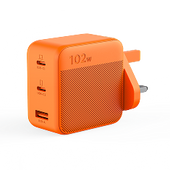
Orders open in the UK and Europe on 14 October 2026. The 4 September–13 October pre-launch subscription campaign offers 35% off selected accessories and a free 102W GaN Fast Charger (RRP £54.99) when subscribers purchase an E1000 Plus v2 or E2000 Plus v2 Power Station + Solar Panel bundle from 14 October, while stocks last.
FAQs
The following are the frequently asked questions about the Jackery Explorer 2000 Plus v2:
Can I use the Explorer 2000 Plus v2 while it is charging?
Yes, it supports powering connected appliances while charging. With mains electricity connected, AC appliances operate through bypass mode, so the applicable UK bypass limit matters. When charging from solar, running appliances reduces the energy available to refill the battery; if demand exceeds incoming power, the battery can continue discharging.
Can I use third-party solar panels?
Compatible third-party panels may work, but panel wattage alone cannot establish compatibility. Check open-circuit voltage, current, connector type, polarity and the permitted wiring arrangement.
The product manual specifies a 16–60V solar input range, with current limits per input and across both inputs. Panel open-circuit voltage can rise in cold weather. Follow the manual’s requirement for matching input voltages and approved connection arrangements rather than combining panels arbitrarily.
Will it work without an internet connection?
Yes. Physical controls allow basic operation without internet access. Local app control can use Bluetooth when your phone is within range and paired with the unit. Remote access over Wi-Fi requires an internet connection; account setup, firmware downloads and some connected functions also require online access.
Why does the AC output switch off when powering a small device?
Energy-saving settings can turn off an output when the connected load remains below the detection threshold. This can affect small chargers or devices that draw power intermittently.
Check Energy Saving Mode and output timers in the app or model manual. If necessary, disable the relevant automatic shutdown setting. Also check battery level, priority settings and any displayed fault code.
What happens when the battery reaches its backup reserve?
During normal grid-connected self-powered or time-of-use operation, the reserve limits battery use for everyday savings. The unit can return to grid supply or recharge to maintain that reserve, depending on the selected mode.
During an outage, reserved energy becomes available for backup. It remains a finite supply, and separate discharge limits or protection settings can stop output.
What comes in the box, and which accessories cost extra?
Solar panels, expansion batteries, vehicle charging cables, solar connectors and alternator chargers may cost extra unless explicitly included in your chosen bundle. Promotional gifts depend on eligibility and stock.
Final Thoughts
The Jackery Explorer 2000 Plus v2 suits home backup and travel when its output meets your appliance needs, capacity covers time between charges and recharging is practical. Expandable storage and smart load controls add flexibility, although purchase cost, lifting weight and prolonged heating or cooking demand consideration.
Before choosing the base unit, solar bundle or extra batteries, list your appliances, check combined demand and calculate energy use.


