





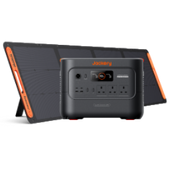
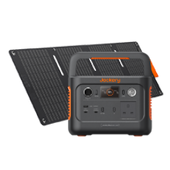


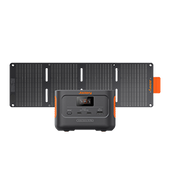


























Is the newer Jackery Explorer 1000 Plus v2 worth choosing over the established Jackery Explorer 1000 v2? Whether you need power for camping equipment, selected household appliances during a power cut or work away from a mains socket, the answer depends on what you want to run and how long you need it.
This comparison looks at appliance compatibility, runtime under equal loads, charging times, useful functions and overall value. It separates the benefits that could change your buying decision from features you may rarely use.
Consider the Explorer 1000 Plus v2 if higher output or the option to add battery capacity matters. Consider the standard Explorer v2 if a standalone unit already meets your power and runtime requirements.
|
Key Takeaways: |
|
Jackery Explorer 1000 Plus v2 vs 1000 v2: What Are They?
Both models are rechargeable portable power stations that store electricity for use away from a mains socket. They combine a battery, inverter and device connections in one carryable unit, but differ in output capability and whether you can add more storage later.
What Is Jackery Explorer 1000 Plus v2?
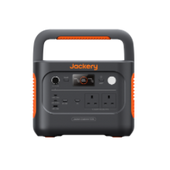
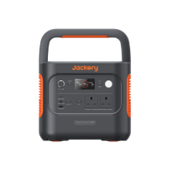
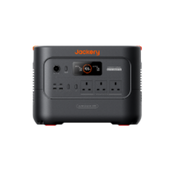
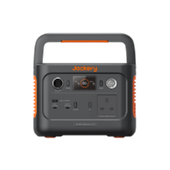
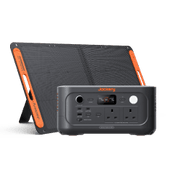
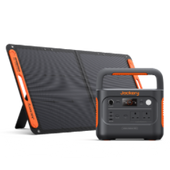
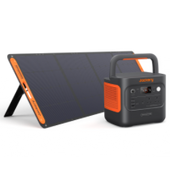
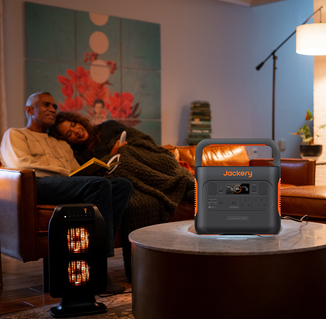
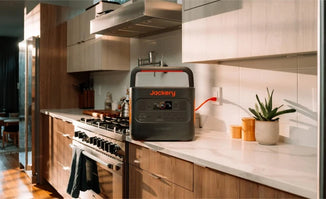
The Jackery Explorer 1000 Plus v2 is an expandable portable power station with a 1,024Wh LiFePO₄ battery and 1,800W continuous AC output. Its base unit weighs approximately 23.8 lbs (10.8 kg), making it practical to move between home, car and campsite.
Its main attraction is the option to increase stored energy with compatible expansion batteries. You can start with the main unit for shorter outings, then add capacity if you need longer periods between charges. Expansion extends potential runtime; it does not automatically increase the power available to run appliances.
This makes it worth considering for longer campervan stays, mobile working or selected household essentials during a power cut. Its higher output also gives more flexibility when running several devices together, provided their combined demand and start-up requirements remain within its limits.
Orders open in the UK and Europe on 14 October 2026.
What Is Jackery Explorer 1000 v2?
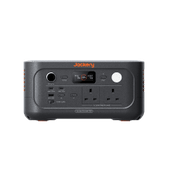
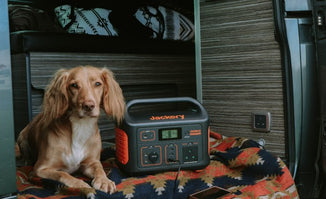
The Jackery Explorer 1000 v2 is a standalone portable power station with a 1,070Wh LiFePO₄ battery, 1,500W continuous output and a weight of approximately 23.8 lbs (10.8 kg). It supports mains, compatible solar-panel and vehicle charging, alongside app control and an emergency charging mode.
It suits users whose needs fit within its fixed capacity: charging laptops and phones, powering camping lights or supporting selected appliances during a short power cut. Solar panels are optional, so someone who can recharge from the mains between outings may find the standalone unit sufficient.
Although its output is lower, it has slightly more built-in battery capacity than the Explorer 1000 Plus v2. The practical choice therefore depends on appliance demand and future expansion needs.
Jackery Explorer 1000 Plus v2 vs 1000 v2: Key Differences at a Glance
The main differences between the Jackery Explorer 1000 Plus v2 and Explorer 1000 v2 are their output and expansion options. The Plus v2 delivers 1,800W of continuous AC power, compared with 1,500W for the standard v2, giving it more room for higher-demand appliances or several devices running together.
It also supports compatible battery expansion to approximately 11kWh, while the Explorer 1000 v2 has a fixed capacity. However, the standard v2 actually holds slightly more energy in its base unit: 1,070Wh versus 1,024Wh. The Plus v2’s higher output therefore does not automatically mean longer runtime without additional batteries.

Both models use LiFePO₄ batteries, but the Plus v2 has a higher rated cycle life: 6,000 cycles to at least 70% capacity, compared with 4,000 cycles for the standard v2. This gives it a stronger endurance rating for frequent use, although actual battery ageing depends on operating conditions and charging habits. The Plus v2 also has a wider charging temperature range, extending down to −10°C, whereas the standard v2 starts at 0°C. Their stated discharging temperature ranges are identical.
Charging and connectivity receive smaller upgrades. In emergency mode, a full AC charge takes approximately 50 minutes for the Plus v2, versus 60 minutes for the standard v2. Both offer standard, emergency and quiet charging modes, and both accept up to 400W of solar input. The Plus v2’s more powerful USB-C port supports up to 140W, compared with 100W, which can benefit compatible laptops. Their second USB-C ports and USB-A ports have the same maximum outputs.
For backup use, the Plus v2 lists a ≤10ms UPS transfer time, compared with ≤20ms for the standard v2. It also occupies less space, measuring 31.4 × 20.1 × 23.4cm, versus 32.7 × 22.4 × 24.7cm, despite both base units weighing approximately 10.8kg. The Plus v2 is therefore the more flexible option for users who need expansion, higher output or a smaller footprint, while the standard v2 remains suitable when its fixed capacity and 1,500W output meet the intended use.
|
Specification |
Explorer 1000 Plus v2 |
Explorer 1000 v2 |
|
Built-in capacity |
1,024Wh |
1,070Wh |
|
Continuous AC output |
1,800W |
1,500W |
|
Expansion |
Up to approximately 11kWh |
Non-expandable |
|
Battery chemistry |
LiFePO₄ (LFP) |
LiFePO₄ (LFP) |
|
Rated cycle life |
6,000 cycles to ≥70% capacity |
4,000 cycles to ≥70% capacity |
|
Base-unit weight |
Approximately 23.8 lbs (10.8kg) |
Approximately 23.8 lbs (10.8kg) |
|
Charging temperature |
−10°C to 45°C |
0°C to 45°C |
|
Discharging temperature |
−10°C to 45°C |
−10°C to 45°C |
|
Maximum solar input |
400W |
400W |
|
Full AC charge, emergency mode |
Approximately 50 minutes |
Approximately 60 minutes |
|
Charging modes |
Standard, emergency, quiet |
Standard, emergency, quiet |
|
USB-C ports |
Two: 140W + 30W maximum |
Two: 100W + 30W maximum |
|
USB-A ports |
One: 18W maximum |
One: 18W maximum |
|
UPS transfer time |
≤10ms |
≤20ms |
|
Dimensions, L × W × H |
12.4 × 7.9 × 9.2 in 31.4 × 20.1 × 23.4cm |
12.87 × 8.82 × 9.72 in 32.7 × 22.4 × 24.7 cm |
Power Output: Which Appliances Can Each Model Run?
The Jackery Explorer 1000 Plus v2 provides 1,800W continuous AC output, compared with 1,500W from the Jackery Explorer 1000 v2. During a power cut or away from mains electricity, these limits determine which connected appliances each model can support.
What the Extra Output Changes
Check an appliance’s electrical input wattage on its rating label, then compare it with the station’s continuous output. A hypothetical appliance drawing a steady 1,600W exceeds the standard model’s rating but falls within the Explorer 1000 Plus v2’s limit, subject to start-up requirements.
Add together everything running simultaneously. That 1,600W appliance leaves only 200W of continuous-output headroom on the Explorer 1000 Plus v2. Adding a fridge, laptop and other devices could exceed the limit, even when each works individually.
Running Power and Start-Up Demand Are Different
A surge rating covers a brief demand; it is not sustained operating power. Fridge compressors and some power tools need extra power when starting, so check both running consumption and start-up requirements.
An appliance below the continuous rating is therefore not automatically compatible. The size and duration of its starting surge, alongside other connected loads, can determine whether it starts successfully.
What This Means for UK Kettles and Kitchen Appliances
A kettle labelled 3,000W exceeds both continuous ratings. A lower-wattage travel kettle may fit comfortably. For microwaves, check electrical input rather than the advertised cooking output.
The examples below assume the appliance label shows the stated input and each setup operates alone.
|
Example labelled input |
Explorer 1000 Plus v2 |
Explorer 1000 v2 |
|
Laptop and monitor: 150W combined |
Within rating |
Within rating |
|
Travel kettle: 800W |
Within rating |
Within rating |
|
Microwave: 1,600W input |
Within running limit; check start-up |
Exceeds rating |
|
Kettle: 3,000W |
Exceeds rating |
Exceeds rating |
“Within rating” describes running demand, not guaranteed compatibility. Always check the actual appliance label and any start-up requirements.
Battery Capacity and Runtime: Does the Explorer 1000 Plus v2 Last Longer?
The Jackery Explorer 1000 Plus v2 stores 1,024Wh in its base unit, while the Explorer 1000 v2 holds 1,070Wh. However, the 1000 Plus v2 supports compatible expansion batteries, bringing advertised total capacity to approximately 11kWh. That expansion changes its potential runtime considerably.
Compare the Base Units Under the Same Load
Without expansion batteries, the standard model has 46Wh more nominal capacity. Under identical loads and efficiency assumptions, this gives it a small calculated runtime advantage. “Plus v2” therefore does not automatically mean longer standalone runtime.
Nominal capacity describes stored energy, rather than the amount delivered to appliances. Conversion losses and the station’s own consumption reduce usable energy. Expansion increases the energy available between charges, but does not increase the Plus v2’s continuous AC output.
Show Transparent Runtime Estimates
For an illustrative comparison, apply the same hypothetical 85% usable-energy factor throughout:
Estimated runtime (hours) = capacity (Wh) × 0.85 ÷ average load (W)
At 300W, the base Plus calculation is 1,024 × 0.85 ÷ 300 = approximately 2.9 hours.
|
Constant load |
Plus v2: 1,024Wh |
Expanded Plus v2: 11kWh* |
Standard v2: 1,070Wh |
|
100W |
About 8.7 hours |
About 93.5 hours |
About 9.1 hours |
|
300W |
About 2.9 hours |
About 31.2 hours |
About 3.0 hours |
|
1,000W |
About 52 minutes |
About 9.4 hours |
About 55 minutes |
*The expanded example uses a rounded 11,000Wh for calculation; use the exact installed capacity when planning your setup.
These are calculations, not measured results, assuming a full battery, constant load and no recharging. Temperature, inverter consumption, battery condition and operating settings affect actual runtime. At low loads, the inverter’s own consumption can make a fixed efficiency assumption less representative.
Why Fridge Runtime Needs a Different Approach
A fridge’s compressor switches on and off, so its running wattage is not its continuous average demand. Use measured average consumption or daily energy use to estimate runtime, while checking start-up compatibility separately. Room temperature, door opening and thermostat settings also affect consumption.

Battery Expansion: When Does the Plus v2 Become More Useful?
The Jackery Explorer 1000 Plus v2 lets you add compatible battery storage as your needs grow. The Explorer 1000 v2 has fixed capacity, so longer use depends on reducing consumption or finding an opportunity to recharge. Expansion becomes useful when your appliances already run comfortably but need power for longer.
Starting Small and Adding Storage Later
You might initially need electricity for one evening of camping lights, phone charging and laptop use. If those occasional overnight trips become longer stays without a reliable charging point, an additional battery can extend the same setup’s operating time.
The principle also applies at home. Keeping a router, lights and a compatible fridge running through a longer power cut requires more stored energy. Expansion provides that extra reserve without replacing the main unit.
Extra Capacity Does Not Automatically Increase Output
Adding batteries extends potential runtime; it does not raise the Plus v2’s 1,800W continuous AC output. A larger battery arrangement therefore does not make a 3,000W kettle compatible or remove the need to check combined loads and start-up demand.
Choose the main unit around the appliances it must run, then decide how much storage their required operating time justifies.
Account for the Complete Expanded Setup
Start by comparing the base unit with one compatible expansion battery. Consider the additional runtime alongside the battery’s purchase price, carrying weight, floor space and connection cables. For a campervan, check where both units will sit with adequate ventilation and accessible connections.
Only then consider the maximum configuration. Extra capacity also means more energy to replenish: with the same charging input, a larger depleted system generally takes longer to recharge.
Before buying, confirm the exact supported battery model and required connection accessories. Older Jackery batteries are not automatically compatible because their names contain “Plus”. The useful configuration is the one you can afford, transport and recharge between uses.

Charging Time: Mains, Solar and In-Car Charging Compared
Charging speed matters most when your opportunity to recharge is limited. Compare the same charging mode, starting percentage and target level, with no expansion batteries attached.
Mains Charging: Compare Equivalent Modes
The table compares empty-to-full charging rather than mixing 0–80% top-ups with complete charges.
|
AC charging mode |
Charge level |
Explorer 1000 Plus v2 |
Explorer 1000 v2 |
|
Standard |
0–100% |
Approximately 1.25 hours |
Approximately 1.7 hours |
|
Emergency, enabled through app |
0–100% |
Approximately 50 minutes |
Approximately 60 minutes |
|
Quiet |
0–100% |
Approximately 1.25 hours |
Approximately 1.7 hours |
All the charging mode figures suggest an advantage for the Explorer 1000 Plus v2. Quiet charging reduces charging power to limit noise. Temperature, battery condition and connected loads can affect completion time.
Solar Charging: Compare the Same Panel Arrangement
Both models accept up to 400W of solar input, but this is an input ceiling, not a guarantee that panels will continuously deliver 400W. A fair comparison uses equal panel wattage, compatible connections, identical charge levels and similar sunlight.
The Explorer 1000 Plus v2 needs approximately 3.3 hours with a 400W solar arrangement, whereas the standard model’s UK page lists 3.8 hours with two SolarSaga 200W panels.
At a British campsite, cloud cover, shading, panel angle and shorter autumn or winter days can substantially reduce generation. Plan around available daylight rather than assuming an ideal-condition recharge time.
In-Car Charging: Socket Charging versus an Alternator Charger
Ordinary vehicle-socket charging is relatively slow: the standard model’s listed full-charge estimate is approximately 12 hours. Its car-charging cable is sold separately; an AC charging cable is included.
A dedicated DC–DC alternator charger is a separate accessory and installation, with compatibility requiring confirmation for the exact station and vehicle. Check the UK package for included cables and adapters.
Finally, powering appliances while charging reduces the energy available to replenish the battery. If demand exceeds incoming power after losses, the battery can continue discharging despite being connected to a charging source.
Functions Compared: USB-C, App Controls and Power-Cut Backup
Connections and controls affect how conveniently each station fits your routine. The Explorer 1000 Plus v2 offers higher USB-C output and a shorter specified UPS transfer time.
Connections That Affect Everyday Convenience
The Plus v2’s USB-C ports provide 140W and 30W, compared with 100W and 30W on the standard model. Both have one 18W USB-A port and a 12V/10A DC vehicle-style outlet.
A compatible laptop can charge directly through USB-C, freeing an AC socket. Reaching 140W requires compatible USB Power Delivery support and a suitably rated 5A EPR cable; a 100W cable cannot deliver the full 140W.
The Explorer 1000 v2 has two 230V AC sockets, while the Jackery Explorer 1000 Plus v2 has three sockets.
App features: shared functions versus meaningful additions
|
Function |
Explorer 1000 Plus v2 |
Explorer 1000 v2 |
|
Battery/power monitoring |
Supported |
Supported |
|
Output controls |
Supported |
Supported |
|
Emergency/quiet charging |
Supported |
Supported |
|
Charging schedules/TOU |
Documented |
/ |
|
Low-battery reserve/prioritisation |
Documented |
/ |
Scheduling could help organise charging around a tariff, while prioritisation could preserve energy for selected loads. However, a general app manual does not establish model-specific support, and low-load automatic shutdown is different from a configurable backup reserve.
UPS Behaviour and Its Practical Limits
The Explorer 1000 Plus v2 specifies 10ms transfer, versus up to 20ms for the Explorer 1000 v2. This may help a connected router or desktop continue operating when mains power fails, but neither figure guarantees uninterrupted operation for every device.
Check equipment compatibility before relying on backup. These functions concern appliances connected to the station; they do not establish whole-home backup or permission to supply fixed household circuits.

Portability, Battery Longevity and Everyday Use
Both base units weigh approximately 23.8 lbs, so the Explorer 1000 Plus v2’s portability advantage comes from its smaller dimensions. Battery longevity and operating conditions also matter when choosing a station for regular use.
Carrying and storing the units
The Explorer 1000 Plus v2 measures 12.4 × 7.9 × 9.2 in (31.4 × 20.1 × 23.4 cm), compared with 12.87 × 8.82 × 9.72 in (32.7 × 22.4 × 24.7 cm) for the Explorer 1000 v2, in length × width × height. Both use top carrying handles; the both models’ handles fold down for storage.
For trips between house and car, their similar weight matters more than the dimensional difference. In a campervan, allow additional room for inserted plugs, cable bends, ventilation and access to controls. A shelf that fits the casing may still be unsuitable during operation.
An expansion battery adds another substantial item to carry and secure, plus connecting cables. Assess the complete arrangement before treating expanded storage as equally portable.
Battery-Cycle Claims in Context
The published ratings are 6,000 cycles for the Explorer 1000 Plus v2 and 4,000 for the Explorer 1000 v2, both to at least 70% retained capacity. Cycle ratings are neither warranty periods nor guaranteed years of service. Frequent users may value the higher rating more; occasional weekend users should also consider calendar ageing and storage conditions.
Noise and Use in British Weather
The Explorer 1000 v2’s ≤22dB claim applies to quiet charging, not every operating condition. Heavier charging or discharge can increase fan noise.
The Explorer 1000 Plus v2 permits charging and discharging from −10°C to 45°C. The Explorer 1000 v2 permits charging at 0°C–45°C and discharging at −10°C–45°C. Keep both dry and ventilated, protected from rain and moisture.
Which Should You Choose for Your Situation?
Choose around the equipment you use and the time between charging opportunities. The Explorer 1000 Plus v2’s extra capabilities are most useful when they address a specific limitation.

Weekend Camping and Occasional Travel
The Jackery Explorer 1000 v2 can be sufficient for lights, phones, laptops and suitable camping appliances if their combined demand and daily energy use fit its limits. Estimate consumption for the whole trip, including any reliable opportunities to recharge. If that covers your needs, compare the complete standalone package price before paying for expansion capability.
Longer Campervan Stays and Growing Energy Needs
Consider the Jackery Explorer 1000 Plus v2 when longer stays make additional storage a firm requirement. Expansion can extend time between charges, but assess the battery’s storage space, total carried weight and cable arrangement. Your mains, solar or vehicle-charging plan must also replenish the larger system within the time available.
Home Working and Selected Power-Cut Essentials
Start with the combined demand of your laptop, monitor, router and other essentials, then calculate the backup duration required. Higher USB-C output matters only if your laptop supports it. The Jackery Explorer 1000 Plus v2’s shorter specified UPS transfer time may help with sensitive equipment, but compatibility still needs checking. For modest loads already covered by the standard model, these additions may offer little practical benefit.
Higher-Load Equipment and Existing 1000 v2 Owners
The Jackery Explorer 1000 Plus v2 is worth assessing when an appliance exceeds the standard model’s continuous-output limit but remains within its own, including start-up requirements.
Existing owners should identify the problem an upgrade would solve: insufficient output, inadequate runtime or a missing function. A newer model alone is not a reason to replace a suitable station.
|
Your Priority |
Suggested Direction |
|
Standalone capacity already meets requirements |
Compare the standard Explorer 1000 v2’s total price |
|
Future expansion is essential |
Consider the Explorer 1000 Plus v2 |
|
Continuous load above 1,500W, up to 1,800W |
Assess Explorer 1000 Plus v2; check start-up demand |
|
Continuous load above 1,800W |
Consider a higher-output model |
|
Existing 1000 v2 meets requirements |
No automatic reason to upgrade |
FAQs
The following are the frequently asked questions about the Jackery Explorer 1000 Plus v2 vs 1000 v2:
Is the Explorer 1000 Plus v2 the same as the original Explorer 1000 Plus?
No. They are different generations with different specifications and accessory requirements. Check the full model name when comparing products, manuals or expansion batteries.
Does either model need solar panels to work?
No. Both can store electricity from mains charging and power appliances without solar panels. Compatible solar panels provide an optional way to recharge when you are away from a mains socket.
Can I reuse my existing Jackery solar panels?
Possibly, provided their electrical specifications and connections meet the chosen station’s requirements. Check the exact panel model, voltage, current and any required adapter. Matching the brand or connector alone does not establish compatibility.
Will older Jackery expansion batteries work with the Plus v2?
Do not assume so. Compatibility must be explicitly confirmed for the exact battery and power-station model, including the required connection cable. An older battery with “Plus” in its name is not automatically suitable.
Can either model charge while powering appliances?
Both offer mains-connected backup operation, allowing connected equipment to receive power while mains electricity is available. Follow the model-specific instructions for simultaneous charging and output; this does not establish support for every charging configuration. Appliance demand can also reduce the power available to recharge the battery.
Which Jackery Explorer 1000 should I choose?
Choose the Explorer 1000 Plus v2 if you need higher output or plan to add battery capacity. The Explorer 1000 v2 remains a practical choice when its fixed capacity and output meet your needs and its complete UK package offers better value.
Is Jackery Explorer 1000 Plus v2 better than 1000 v2?
Yes, in output capability and expansion flexibility. Its higher continuous output supports a wider range of suitable loads, while compatible additional batteries extend potential runtime. However, the standard model has slightly more built-in capacity, so the Plus does not automatically run longer without expansion.
Final Thoughts
The Jackery Explorer 1000 Plus v2 suits people who need higher output or expandable storage. Choose around appliance demand, required runtime, charging opportunities and total budget. The Explorer 1000 v2 remains a valid choice when its capabilities meet your needs and its complete package offers better value.
Before comparing final UK packages, write down the appliances you will power together, their combined demand and the operating time you need.


![Guide to 10kW Solar Battery Price in the UK [2026 Update]](http://uk.jackery.com/cdn/shop/files/10kw_solar_battery_price_guide.webp?v=1780026743&width=90)


