















































If your phone's battery dies, you rely on a power bank to recharge it. But what if your power bank is depleted, and you try to recharge it using another power bank? Although this may seem convenient, you may question the practicality and safety of charging one power bank with another.
Charging a power bank with another power bank is possible if the interfaces (connector types) and protocols (charging standards) are compatible; however, this is not the preferred method. A more appropriate approach is to utilise a USB-C PD (Power Delivery) charger, a car converter (adapter that enables charging in a vehicle), or a modern solution such as a high-capacity backup power supply (a large external battery capable of multiple recharges).
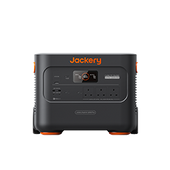
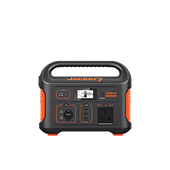
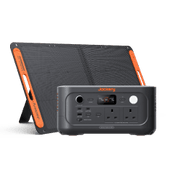
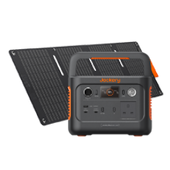
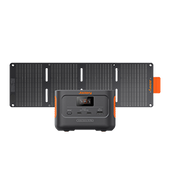
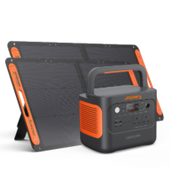
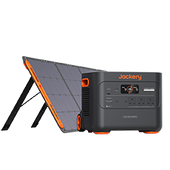
Among these, the Jackery Explorer 3000 v2 and Explorer 2000 v2 are among the most secure and dependable backup power supplies for charging portable power banks.
|
Key Takeaways: |
|
Charging Power Bank with Power Bank: Is This Feasible?
Charging one power bank with another is possible, but not always practical or efficient. Power banks store energy in rechargeable batteries and can both charge and be charged.
A power bank can power devices or recharge itself, but theoretical feasibility does not guarantee practicality in the real world. Charging a power bank with another power bank introduces significant energy loss and efficiency issues, and manufacturers never intended this for standard use.
Prerequisites for Charging a Power Bank with Another Power Bank
To charge a power bank using another power bank, the following conditions must be met simultaneously:
Prerequisite 1: Matching Interfaces and Complete Functionality
The power bank supplying power to the device must have a standard output interface (a physical port such as USB-A or USB-C, which are common connector types used for charging and data transfer) and be able to deliver a constant voltage of 5V (volts, a measure of electric potential). The power bank that will be charged by the device must have a charging-compatible input interface (e.g., a Micro-USB or USB-C port designed to receive power).
Prerequisite 2: Sufficient Power and Consistent Output from the Power Bank Supply
The power bank powering the gadget must have sufficient capacity (e.g., 50%) and provide a consistent output. If its own battery runs low, it may automatically turn off the output or encounter voltage instability, resulting in a charging interruption.
Prerequisite 3: Using a Certified Data Cable
Use a certified, high-quality cable capable of both power and data transfer. Substandard cables can cause voltage drops, overheating, or device recognition failure.

What Happens When You Connect Two Power Banks?
If you try charging power banks with power banks, one of the following two events might happen:
Scenario 1: Normal Charging
Current (the flow of electricity) flows when one power bank's USB-A output port is connected to another power bank's input-only micro-USB or USB-C port. Typically, the power bank with the higher battery level (e.g., 50% remaining) will take over as the power source and begin charging the power bank with the lower battery level (e.g., 20% remaining). Observe how the LED (light-emitting diode, a small indicator light) indicators on both power banks flash.
Scenario 2: Nothing Happened
If you connect two input-only ports, no current flows through them. Even with a dual-role USB-C interface, the two power banks must explicitly identify their respective roles: one as a power provider and the other as the receiver. The connection will fail if both power banks try to supply or receive power, or if role reversal is not enabled.
What Are the Risks and Unfavourable Factors of Charging a Power Bank with a Power Bank?
Charging a power bank with a power bank is doable, but it is not without risks. This procedure may present the following safety risks or bad effects:

Overheating Risk
Power banks use lithium-ion or lithium-polymer batteries, which are sensitive to heat. Charging multiple power banks amplifies thermal stress. Excess heat in confined spaces can trigger thermal runaway, resulting in battery swelling, fire, or explosion.
Battery Degradation
Charging a power bank from another power bank puts strain on both batteries, leading to numerous deep charge-discharge cycles. Excessive cycling erodes battery health, accelerating capacity loss and shortening the lifespan of both devices.
Device Damage
Not all power banks support bidirectional charging. If the interface is incompatible, charging may fail or damage the connector. Using improper cables or forcing connections can harm your devices.
Increased Risk from Using Inferior Products
If you use a non-reputable brand or a refurbished device, the battery quality, circuit design, and protection systems cannot be guaranteed. Overvoltage (too much voltage, or electric potential), overcurrent (too much current, or electric flow), and short-circuit (an unintended direct connection causing excessive current) protection are especially lacking in some low-end products. If an irregularity develops, they are unable to turn off the power in time, raising the risk of burnout (damage from overheating).
Energy Waste
Charging with a power bank is slower than with a dedicated charger, resulting in longer charging times. Up to 40% of energy is lost in transfer, meaning small power banks deliver less usable power. This wastes energy, speeds device wear, and offers poor results.
Why Would Anyone Want to Charge a Power Bank with a Power Bank?
While charging power banks with other power banks is technically questionable, it illustrates people's complete reliance on energy. So, what precisely is driving this idea? Here's the analysis:
Lack of Professional Knowledge: With the popularisation of terms such as "reverse charging," "wireless charging," and "bidirectional fast charging," the public's understanding of electronic device functionality has grown. This information is easily overgeneralised, causing people to believe that anything that can produce power can charge any battery-powered item, even charging power banks with other power banks.
Battery Anxiety: Modern people often own several electronic devices, including phones, tablets, smartwatches, Bluetooth headphones, and multiple power banks. When all devices are running low on charge and charging options are limited, consumers feel a tremendous sense of loss of control. As a result, a large-capacity power bank may quickly charge a smaller one, making it easy to carry for subsequent use.
Curiosity: Not everyone knows the internal workings of power banks. Some users simply wish to test their devices' performance limits. Tech fans often wonder whether their gadgets support bidirectional charging, particularly when two power banks have identical-looking but functionally different USB-C connectors.
Smarter and Safer Ways to Charge Power Banks
Given the numerous disadvantages, charging a power bank with another power bank should be the last resort. Fortunately, there are now numerous better, more effective methods for keeping your power bank fully charged. These solutions are not only safer but also more efficient in the long term.
AC or USB Wall Chargers
Using an AC or USB wall charger to charge a power bank remains the preferred option for fixed situations such as the home and the workplace. A high-quality USB-C PD fast charger can negotiate the maximum safe voltage and current, enabling the power bank to charge rapidly and efficiently. Furthermore, high-quality wall chargers include overload, short-circuit, and overheat protection features that instantly cut power in the event of abnormal conditions to safeguard safety.
Car Chargers
For those who drive regularly, connecting a PD vehicle charger to a 12V or 24V cigarette lighter plug is the simplest solution. Modern car chargers even offer USB-A, USB-C, and PD (Power Delivery) ports, allowing for fast charging of up to 30W or more. They are extremely useful for commuting, long travels, or when there is no wall outlet. Charging while the car is in motion ensures the generator operates properly and improves charging efficiency.
Backup Power Stations
To ensure reliable charging anytime, choose trusted products such as Jackery Explorer 3000 v2 or Explorer 2000 v2. Take action now and invest in a high-quality backup power solution to keep all your devices powered wherever you go.
Furthermore, some models (such as the Jackery Explorer 3000 v2 and 2000 v2) feature pass-through charging, meaning the power bank can charge itself while powering other devices. This means that backup power stations that accept solar charging and pass-through charging can supplement solar panel-generated electricity while also powering the power bank.

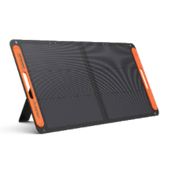
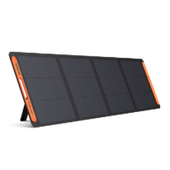
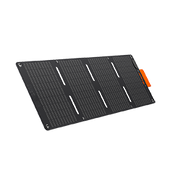
Portable Solar Chargers
Portable solar chargers are the most environmentally responsible and sustainable way to charge power banks in situations where there is no mains electricity, such as when trekking, camping, or during disaster recovery. They convert sunlight into useful electricity, making them excellent for outdoor activities like hiking, camping, and emergencies.
Many variants are foldable for easier portability and deliver about 45-60 watts of output power, enough to charge a phone for several hours. Solar panels are most efficient when deployed during the midday sun, with the angle pointing directly towards the sun.
Jackery: A Safe Way to Charge Power Banks
When multiple electronic devices are low on power simultaneously while outdoors, during a power outage, or on a long trip, many people wonder: can one power bank charge another? The answer is yes, but only under safe, reasonable, and efficient conditions.
Charging is possible as long as the voltage and current of the power source's output (such as a USB-C PD or AC outlet) match the input specifications of the target power bank. High-performance portable power supplies, such as the Jackery Portable Power Stations, are the safest and most reliable backup power options for achieving this goal.
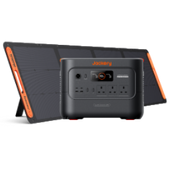
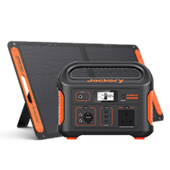
Jackery Explorer 3000 v2 Portable Power Station
The Jackery Explorer 3000 v2 is a high-capacity energy center, providing ultimate power for extended battery life. Its advantages include:

Large Capacity, Long-Lasting Power Supply: The Jackery Explorer 3000 v2 boasts a massive 3072Wh (approximately 3 kWh) energy storage capacity, easily charging a standard 10000mAh power bank dozens of times. It can even support high-powered devices like laptops, rice cookers, and refrigerators for several hours of continuous operation.
Fast Charging, Multiple Charging Methods: The Jackery Explorer 3000 v2 supports multiple charging methods, including AC power, solar power, car charging, and generator charging. AC power charging takes only about 1.8 hours to fully charge, while solar input supports up to 1000W (fully charging in just 3.5 hours), enabling a green cycle of charging during the day and using it overnight in bright sunlight.
Intelligent Management, Supports Direct Power Supply: The Jackery Explorer 3000 v2 supports remote monitoring via the Jackery App, allowing users to view real-time battery level and charging/discharging status. It supports pass-through charging, allowing it to power a power bank or other devices while charging with the Jackery SolarSaga solar panel, making it a reliable emergency power solution.
Comprehensive Safety Protection: The Jackery Explorer 3000 v2 utilises advanced CTB⁸ (Battery-in-Package) technology, creating a robust design comparable to that of a car. Furthermore, it features a 12-layer BMS battery management system, constant-voltage pure-sine-wave output, and surge protection—providing stable power in any environment while protecting your small power bank.
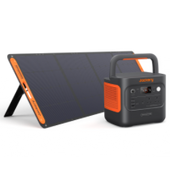
Jackery Explorer 2000 v2 Portable Power Station
The Jackery Explorer 2000 v2 is a lightweight, high-energy, flexible, and convenient all-around backup power bank with the following advantages:

High Energy Density and Portability: The Jackery Explorer 2000 v2 boasts a large 2042Wh capacity and weighs only approximately 38.6 lbs (17.5 kg), making it lighter than similar products and suitable for road trips, short camping trips, and mobile work. Its handle design makes it easy to carry, making it an ideal choice for on-the-go power.
Fast Charging: The Jackery Explorer 2000 v2 charges quickly from AC input, fully charging in approximately 1.7 hours, significantly improving efficiency. It can also easily activate an emergency super-charging mode via a smart app, charging the power bank from 0% to 100% in just 1.33 hours.
Multiple Output Interfaces, Wide Compatibility: The Jackery Explorer 2000 v2 offers 230V AC output (2200W rated, 4400W surge peak), one 18W USB-A port, and two USB-C ports (100W + 30W), allowing simultaneous charging of mobile phones, cameras, laptops, and small power banks to meet the needs of multi-device users.
Safe and Reliable, Intelligent Protection: The Jackery Explorer 2000 v2 is also equipped with a BMS system and multiple circuit protections to ensure comprehensive internal and external protection. Its LiFePO4 battery supports up to 4000 charge cycles, and its foldable solar panel is designed for up to 4000 uses. It also supports remote management via an app, allowing users to monitor battery level and status in real time.
How to Properly Charge a Power Bank?
To ensure that your power bank continues to function when your phone, tablet, headphones, or other devices run low on battery, you must first charge it appropriately and safely. If this is your first time charging or you want to improve your charging habits, the instructions below will help you charge correctly and safely.
Step 1: Check the Remaining Battery Levels
Most power banks include an LED indicator or a digital display that shows the current battery level. If the battery level is less than 20%, it is best to charge it immediately to avoid deep discharge and battery damage.
Step 2: Create a Safe Charging Environment
Avoid charging the power bank in hot, humid conditions, in enclosed areas, or near flammable materials. The ideal charging temperature is 15℃ to 35℃. Avoid direct sunlight and proximity to heaters.
Step 3: Select the Right Charging Device
Prioritise the use of original chargers or chargers that support fast charging protocols (PD, QC). Furthermore, choose a high-quality USB cable that can handle large currents, and avoid using damaged or inferior cables.
Step 4: Connect the Data Cable to the Power Bank
Connect one end of the data connection to the power bank's "Input" connector (often labelled "IN" or "Micro USB/USB-C". Pay attention to the connector orientation and insert gently to avoid harming it with vigorous plugging or unplugging.
Step 5: Connect the Charger or Power Supply
Connect the opposite end of the data connection to a charger, a computer USB port, or a car charger, depending on the scenario. If you're using a wall charger, connect it to a power outlet first.
Step 6: Check the Charging State
During charging, either the LED indicator light illuminates (red indicates charging) or the battery percentage increases. If nothing changes after 30-60 minutes, there is an issue. This could be due to a loose charging cable, a malfunctioning charger, or a power bank overheating.
Step 7: Begin Charging and Watch the Progress
It is usual to experience little warmth during the initial charging period. If the gadget becomes unusually hot, smokes, or has an unusual odour, immediately turn off the power and cease using it.
Step 8: Operation After Charging Is Completed
When a power bank reaches full capacity, it often stops charging automatically. To avoid excessive heat or battery wear, remove the data wire when the indicator light turns fully charged (typically green or off). To reduce the current surge, unplug the charger first, followed by the power bank. After fully charging, please keep the power bank in a cool, dry area.

How to Tell If a Power Bank Is Fully Charged?
When charging a power bank, every user is concerned with precisely detecting if it is fully charged. Actually, determining if a power bank is completely charged is pretty straightforward, as seen below:
Method 1: Use Indicator Lights
Most power banks have LED indicator lights that show the charging state, which is the most frequent way to know if they're fully charged. During charging, the indicator lights are often red or flashing. When completely charged, all indicator lights will normally illuminate and stabilise at green (or blue). Different companies' designs may vary slightly; it is recommended that you review the product manual for precise meanings.
Method 2: Reading Battery Level from Display Screen
Some power banks additionally include an LCD panel that shows the exact percentage of remaining battery power. During charging, the number gradually grows. When "100%" or "FULL" is displayed, it means that it is fully charged. When completely charged, some models will automatically switch off the screen or play a notification sound.
Method 3: Smart Control using Mobile App
Some power banks may link to a smartphone app via Bluetooth, allowing you to monitor charging status, temperature, and battery condition in real time. For example, when the device is fully charged, the app will send out a notification.
FAQs
The following are frequently asked questions about charging a power bank with a power bank.
1. Is charging a power bank with another power bank safe?
Charging one power bank using another is both unsafe and inefficient. While technically viable in some circumstances, it places strain on both devices, resulting in energy waste during conversion and possibly overheating if the circuitry is unsuitable.
Most power banks are designed to deliver power rather than accept it from other devices. To protect the battery's health, charge it using a wall outlet or a dependable USB power source.
2. Can I charge my phone with a power bank while it is charging?
This functionality is only available if your power bank specifically enables pass-through. For example, the Jackery Explorer 3000 v2 and 2000 v2 support pass-through charging, letting you use your phone, portable speaker, and other devices while charging. However, before using the charge-while-discharge function, always check the power bank's specifications to ensure it supports it.
3. How do I charge a power bank?
Use authentic chargers and high-quality USB cords that can handle large currents, and avoid broken or low-quality cables. Wall sockets, USB connections for computers, car charging ports, and more are available for flexible selection based on your scenario.
Insert one end of the data cable into the power bank's "input" port and the other into the charger, computer USB port, or car charger. If you're using a wall charger, plug it into a power outlet first. Avoid charging in extreme heat or humidity, in enclosed spaces, or near combustible items.
4. What can cause harm to a power bank?
Many factors can harm a power bank, including repeated overcharging, moisture, and the use of an incompatible charging cable. Furthermore, drops, prolonged exposure to high temperatures, or repeatedly fully emptying the battery will dramatically shorten the power bank's lifespan.
Final Thoughts
While it may be useful in some cases, charging a power bank with a power bank often causes more harm than good. This charging approach wastes energy, creates heat, and puts extra strain on both batteries. The true solution to the power bank longevity problem is found in scientific configurations such as high-capacity power banks (e.g., Jackery Explorer 3000 v2 and Explorer 2000 v2), multi-port rapid chargers, and solar power devices. While pursuing convenience, you should also use technology products safely and responsibly. Furthermore, when charging power banks, it is advisable to use the original charger and a high-quality USB cable capable of handling high currents.