












![[Over £1200 Tier Gift] Bluetooth Speaker with Phone Stand - shipped Separately](http://uk.jackery.com/cdn/shop/files/Portable_Bluetooth_Speaker_with_Phone_Stand_2.png?v=1781595581&width=170)


















It may be really annoying when your gadgets are just out of reach, but a USB extension cable is the best way to make your home or business more versatile. Knowing the limitations of distance is important to minimise signal latency while moving a camera or connecting a printer across the room. If you operate in a distant or outdoor area, a portable hub like the Jackery Portable Power Station is a great way to make sure your high-performance gadgets never run out of power while you bridge the gap.
|
Key Takeaways: |
|
l USB cables typically have a maximum transmission distance of 6 feet to 16 feet 5 inches (1.8–5 metres). If you simply need to transfer data within 10 feet, a normal USB cord should enough. l While passive USB cables are the cheapest choice, they are only viable when the total length is less than 4 metres. l For longer ranges, active extension cables or USB over Ethernet solutions are advised to maintain performance and prevent data loss. l The USB extension cords or hubs act as a medium, allowing you to expand the reach of a device up to 15 metres. l By integrating a Jackery Explorer 100 Plus or 300D into your setup, you convert a simple distance problem into a robust mobile workstation, ensuring your USB devices stay connected and fully powered regardless of the distance. l USB 4/Thunderbolt 3/4: Varies depending on cable quality and type, with passive cables often maxing out around 0.8 to 2 metres. |
What Are The USB Transmission Distance Limitations?
USB cables typically have a maximum transmission distance of 6 feet to 16 feet 5 inches (1.8–5 metres). If you simply need to transfer data within 10 feet, a normal USB cord should enough. These cables do not require special chips; just lengthening the cable fulfils most purposes.
USB 2.0 and USB 3.0 have somewhat varying transmission distance limits:
The USB 2.0 standard restricts the cable length between devices (full-speed or high-speed) to 16 feet 5 inches.
The USB 3.0/3.1 standards do not define a maximum cable length between devices, although it is suggested not to exceed 9 feet 10 inches.
However, the maximum cable length is heavily influenced by cable quality. High-quality cables may exceed these fundamental distance constraints, however to guarantee secure data transfer, it is best to utilise active cables or extenders when beyond the suggested lengths.
Supported Cable Lengths for USB-A and USB-C
While USB-A and USB-C cables can be extended, the maximum useful length is determined by the USB version and capabilities (such as data speed and power delivery) rather than the connection type.
USB-A: Length specifications are more uniform. USB 2.0, for example, may extend up to 5 metres, however USB 3.0 is often limited to 3 metres unless active cables are used.
USB-C: Supports additional versions and functions, making length limitations more flexible. To guarantee signal integrity, passive USB-C 3.1 Gen 2 connections (which handle 10Gbps data transmission) are normally restricted to 1 metre in length. USB 4 and Thunderbolt 4 cables are sometimes limited to 0.8 metres for full-speed operation, unless they are specifically built as active cables.
How Does A USB Extension Work?
USB extension cords or hubs act as a medium, allowing you to expand the reach of a device up to 15 metres. Essentially, the USB extension boosts the signal in the duplex and minimises the possibility of late collision as the distance rises.
The use of a weak extension cable might lower normal performance since the signal lacks the boost required for long-distance transmission. However, the effectiveness of data transfer and power supply is determined by the extension cable or hub that is being utilised.
Simply attach one end of the cable to the extension cable, then connect the male end to the device placed far away. An extension cable usually only supports one USB port, although some extension cables support several USB ports.
How To Extend a USB Cable?
It's easy to extend a USB connection, but the best way to do it depends on how far you need to go and what kind of device you're connecting. Standard cables have physical limits that might cause data loss or lost connections over extended distances.
However, there are various reliable ways to get around this. The following methods can let you extend your reach without losing performance, from basic passive cables for small distances to active extenders and hubs for more demanding installations.

Extending with a Passive USB Extension
The easiest and most basic method for extending your USB connection and connecting a gadget placed far away from your main device. A passive USB cable is the cheapest choice, but it is only viable when the total length is less than 4 metres.
In general, if you're using a 1- or 3-metre cable, you may add another 1-metre passive USB cable to extend it.
All standard USB cables on the market are passive USB cables. If you increase the length above four metres, your data transfer rate and power supply will suffer. How to attach the USB extension:
Disconnect one end of the main USB cable that connects to the primary device.
Connect the detached male end of the USB cable to the female end of the USB extension cable.
Simply attach the male end of the extension USB cable to the peripheral device, which is placed far away.
Extending With an Active USB Extension
However, if you wish to extend a USB cable beyond the typical 4-metre limit, you must use an active USB extender. Unlike passive USB cables, active USB cables can be as long as 30 metres without sacrificing data transmission speed or power delivery.
An active USB extension allows you to connect your computer to a peripheral device situated anywhere in your home. Not only will you get the same transfer speed as the USB cable protocol, but you will also have reliable power delivery.
However, these extension cables are often expensive and only available from a few top companies. The process for extending a USB cable with an active USB extension is identical to that of a passive USB extension. All you need to do is be careful with the USB extension's male and female ends.
Extending With a USB Hub
USB Hub is another media that allows you to extend a USB cable and connect to a device in another part of the room. The USB hub has long-distance capabilities, which means that going beyond the 4-metre length does not degrade the cable's functionality. Let's see how you may use the USB hub.
To begin the process, connect the USB hub to the female end of the USB port on your computer or laptop.
Then, use another regular USB cable to attach one end to the USB port on that device.
Connect the other end of the USB cable, which is a male connection, to the USB hub's ports.
Once you've established the connection, your USB cable will stretch effectively while maintaining performance.
Extending With a USB Extender
USB extenders are a current option for customers who wish to stretch a USB cable and connect to a device located far away in their home or neighbor's home. The maximum connection length is 50m, although this is dependent on the device and the CATx cable. Now, let us see how you can achieve it.
Take a single Ethernet cable and attach one end to the converted port. The extender's USB port should connect to the port on your PC. Use a regular USB cable that is compatible with both the converted port and the extender to connect the two devices.
Connect the other end of the Ethernet wire to the converted port.
Extending with a Wireless USB
Another practical and current way to lengthen a USB connection is to use a wireless USB. Most current peripherals offer wireless communication, making it easy for users to connect them. Here's how you can establish the connection:
Keep the wireless transmitter in a convenient location near the PC or laptop.
Connect the wireless transmitter to your computer or laptop using a regular USB cord. The USB protocol you will use is determined by the USB compatibility of the two devices.
Now all you have to do is authorise the wireless transmitter to access all of your devices and connect. These wireless transmitters are often used to link devices in close proximity, however the connection may be extended up to 32ft.
Extending With a Portable Power Station With USB Ports
A portable power station is a professional-grade way to expand your USB reach while keeping the power high for people who want to go outside or operate in distant areas. A power station is different from a regular passive cable since it doesn't lose electricity. Instead, it functions as a localised power hub, making sure your gadgets get a steady and safe charge even when they're distant from a wall outlet.
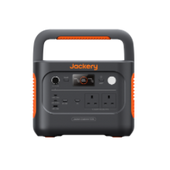
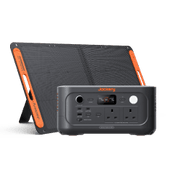
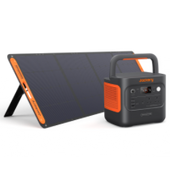
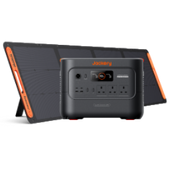
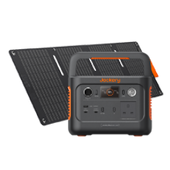
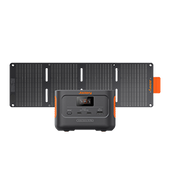
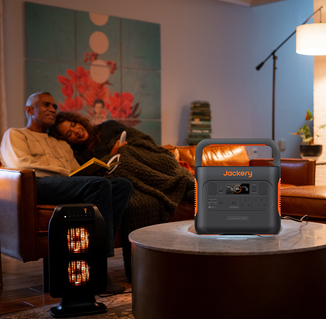
The Jackery Portable Power Station is a great example of this configuration. This powerful device fits in the palm of your hand and is made to be portable. Adding a Jackery to your setup turns a basic distance problem into a powerful mobile workstation. This keeps your USB devices connected and charged no matter how far away they are from the next building.

How Long Can a USB Extension Cable Be Before the Signal Degrades?
The maximum effective length of a USB cable depends on the version of USB being used:
USB 2.0: up to 5 metres (approximately 16 ft).
USB 3.0/3.1/3.2: Typically approximately 3 metres (9.8 ft).
USB 4/Thunderbolt 3/4: Varies depending on cable quality and type, with passive cables often maxing out around 0.8 to 2 metres.
For longer ranges, active extension cables or USB over Ethernet solutions are advised to maintain performance and prevent data loss.
Does Using USB Extension Cables Affect Performance?
They can, depending on cable quality, length, and the type of USB interface.
Data Transfer Speed: A low-quality or too lengthy extension connection might lower the maximum data transfer rate.
Power Delivery: Voltage loss over long distances can result in inadequate power delivery, leading equipment to disconnect or fail.
Device Compatibility: Some USB 3.0 and USB-C devices may demand high-speed connections that inexpensive or older extension cords cannot provide.
To get best performance:
Use short, approved cables for high-speed data transfer.
Choose active extension cables for lengths exceeding 3 metres.
For USB-C, ensure that the cable supports Power Delivery (PD) and high-speed data, if necessary.
Applications of USB Extension Cables
A USB extension cable is a useful tool that makes your current digital setup more flexible and able to reach more places. These cables help link host devices and peripherals, which solves typical connectivity problems at home and at work. Here are the main uses for which a USB extension cord is absolutely necessary:

Optimising Home and Office Workspaces
Many modern workstations have desktop computers hidden away beneath tables or in cabinets, which makes it hard to get to the back ports.
You can connect flash drives, keyboards, and mice without having to reach behind devices if you use a USB extension cable to bring these connections to the work top. It also helps keep the workstation tidy by letting you put printers and scanners on different stands or shelves that are farther away.
Enhancing Gaming and VR Experiences
Gamers often utilise extension cords to make it easier to move controllers, joysticks, and headsets. Active USB extension cables are especially important for Virtual Reality (VR) users because they provide them the extra length they need to move around freely in a room while still sending data quickly, which is what headsets like the Oculus Rift or HTC Vive need.
Improving Video Conferencing and Photography
Webcams and microphones often need to be placed at certain angles or heights that the normal cable can't reach in conference rooms or home studios. High-quality USB extension leads let you put cameras in the best spots for video calls or digital cameras for tethered shooting. They also make sure that signals stay strong even over long distances.
Extending Security and Surveillance Reach
Security cameras that run on USB power frequently need to be set up in high or hard-to-reach places, including near ceilings or outside doors. Active extension cables or USB-over-Ethernet solutions let these cameras stay linked to a central recording device or PC from long distances, so there are no signal dropouts and monitoring is always on.
Keeping Hardware Ports Safe
Plugging and unplugging a computer's built-in USB ports a lot will wear them out. Using a short extension cable as a "port saver" lets you make the physical connections on the cable's female end instead. This makes your pricey laptop or desktop motherboard last longer.
Flexible Charging Solutions
People often use USB extension cords to make charging cables for smartphones, tablets, and other portable devices longer. This lets you use a device comfortably when it is plugged into a wall outlet or power source that is far away. This is especially helpful in bedrooms, living areas, or when giving a public presentation.
How to Select the Best USB Extension Cable for Your Needs?
To ensure that the USB extension cable matches your unique requirements, you must evaluate a number of important elements. Here's a guide to help you make the right decision:

Step 1: Determine The Cable Length
Short Lengths (Up to 3 Feet): Perfect for connecting devices that are close together, such a USB keyboard or mouse.
Medium lengths (3 to 6 feet): Ideal for attaching a printer or an external hard disc.
Long Lengths (6 feet or more): Ideal for extending connections across longer distances, such as across a room.
Step 2: Consider the USB Version
USB 2.0: Supports rates of up to 480 Mbps. Ideal for simple activities such as attaching a keyboard, mouse, or printer.
USB 3.0 supports rates of up to 5 Gbps. Ideal for fast data transfers, such as connecting external hard drives or high-resolution cameras.
USB 3.1/3.2: Supports even faster rates (up to 10 and 20 Gbps, respectively). Ideal for complex data transport requirements.
Step 3: Check The Build Quality
Cable Material: For greater longevity, use cables made of high-quality materials, such as nylon-braided or reinforced designs.
Connector Type: Make sure connectors are gold-plated or well-shielded to prevent signal loss and increase durability.
Step 4: Assess Data Transfer Needs
High-Speed transmission: For tasks that need fast data transmission, such as video editing or big file transfers, use a USB 3.0 or higher cable.
For less demanding tasks, such as connecting low-speed peripherals, a USB 2.0 connection may be adequate.
Step 5: Consider Shielding and Interference
Shielding: Look for cables with enough shielding to prevent electromagnetic interference (EMI) and signal deterioration.
Twisted Pairs: Twisted pair cables can minimise interference and increase signal quality.
Step 6: Look for Further Features
Reinforced Strain Relief: Reduces wear and tear on the connections, extending the cable's lifespan. Choose flexible and easy-to-manage wires to minimise tangling and damage.
The Safety of USB Extension Cables
The USB extension cords are typically safe to use, as long as you follow a few simple guidelines:
Choose high-quality, certified cables from trustworthy suppliers.
Avoid daisy-chaining numerous passive wires since it raises the danger of signal deterioration.
Check the power requirements. USB-powered equipment, such as external hard drives or cameras, may not work properly if the voltage dips over long distances.
Use active extension cords for longer distances or gadgets that require a lot of power.
Safety concerns usually occur mainly when low-quality or extremely lengthy wires are employed.
Ideal Alternatives to USB Extension Cable with Jackery
In the UK, where domestic wiring and outdoor activities often have strict limitations, a Jackery Portable Power Station can be a superior alternative to a USB extension cable. While an extension cable simply "stretches" an existing wall socket, a Jackery acts as a detached, high-capacity power hub.
USB cables (especially USB-C) suffer from voltage drop. As the cable gets longer, the resistance increases, leading to slower charging or devices failing to connect. You can place the Jackery unit exactly where you need it (e.g., at the end of a long garden or in a camper van). Because the power is stored right there, your devices receive full, stable wattage without any transmission loss.
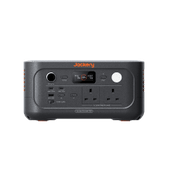
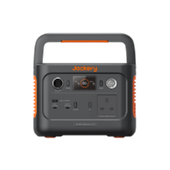
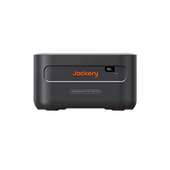
Jackery Explorer 100 Plus
While a USB extension cable is designed to bridge the physical gap between a wall socket and your device, the Jackery Explorer 100 Plus acts as a "wireless" alternative by bringing the power source directly to you.

Eliminates "Socket Hunting"
A USB extension cable still requires a nearby UK wall socket. In many British homes, cafes, or trains (like older GWR or Avanti West Coast stock), sockets are either non-existent or inconveniently located. The Jackery is a self-contained 99Wh power source. You can sit in the middle of a park, a garden, or a train seat with no power, and still have a "virtual" socket right next to you.
High-Speed Power Delivery (PD)
Most basic USB extension cables suffer from voltage drop over long distances, which can slow down charging speeds or prevent a laptop from charging entirely.
It features Dual 100W USB-C PD outputs. Unlike an extension cable that merely passes through power from a potentially weak wall adapter, the Jackery provides a consistent, high-wattage charge capable of powering a MacBook Pro or a high-end Dell XPS at full speed.
Portability and Safety (Trip Hazards)
The Explorer 100 Plus is roughly the size of a large coffee mug (weighing 965g). It fits in a backpack and removes the need to string cables across the floor. In the UK, where "health and safety" is a priority in public workspaces, this is a much more professional-looking solution.
Airline & Travel Friendly
Standard "Portable Power Stations" are usually banned from flights because they exceed battery limits. UK airlines (like British Airways and EasyJet) typically limit carry-on batteries to 100Wh. The Jackery Explorer 100 Plus is exactly 99.2Wh, making it one of the largest power sources you can legally take in your cabin bag through Heathrow or Gatwick. It effectively replaces the need to find a charging station at the airport gate.
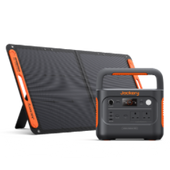
Jackery Explorer 300D
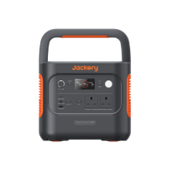
The Jackery Explorer 300D (released in the UK in late 2025) is specifically designed to be a "DC-first" alternative to traditional power solutions. While a standard USB extension cable merely extends a wall socket, the 300D functions as a high-performance, wireless hub that solves the technical and safety issues common in UK homes and outdoor spaces.

High-Wattage PD 3.1 Support (MacBook Pro Ready)
Most USB extension cables are "dumb" wires that struggle to carry high wattage over distance due to electrical resistance. Using a long USB-C extension often drops the charging speed significantly, meaning your laptop might drain faster than it charges.
It features dual 140W USB-C ports. It can fast-charge a 16-inch MacBook Pro or high-end Windows laptop at full speed right next to you, with zero power loss from a distant wall socket.
The "Invisible" Cable Handle
One of the most innovative features of the 300D is its handle. The carrying handle is actually a detachable, heavy-duty 140W USB-C cable that snaps into the unit. This eliminates the need for trailing extension leads. When you move to another room or out to the garden, you aren't just bringing power; you’re bringing the high-speed cable integrated into the frame.
Fanless "Pure Quiet" Technology (0 dB)
UK homes are often compact, and fan noise from power stations can be distracting in a quiet office or bedroom. Unlike standard portable power stations (and even some noisy "smart" extension hubs), the 300D is fanless. It operates at 0 decibels, making it a silent companion for overnight bedside use or recording a podcast.
288Wh Capacity, 300W Output
Delivering 288Wh of energy — equivalent to up to 9 power banks — with up to 300W max output, this lightweight 2.5 kg power station features 3× USB-C, 1× USB-A and a car socket, keeping laptops, drones and multiple devices powered at the same time for travel, camping and everyday backup.
FAQs
The following are frequently asked questions about the USB extension cables in the UK.
1. Is it okay to use a USB extension cable?
Yes, it is completely safe and useful to use a USB extension cable as long as you get high-quality, certified cables from reliable sources. But you should not "daisy-chain" more than one passive wire together because this greatly raises the chance of losing power and getting a worse signal.
If you need to connect devices that use a lot of power, such external hard drives, across very long distances, you should use an active extension cable to make sure the connection stays stable.
2. What to do if a USB cable is too short?
If your USB cable can't reach your device, you have a few good choices, depending on what you require. A passive USB extension cable is the best way to go if you just need to go a small distance.
If the distance is more than 5 metres, you might think about using an active USB extender or a USB hub to keep the signal strong. If you don't want to deal with cables, switching to a wireless USB transmitter can also help.
3. Is there a difference between USB 2.0 and 3.0 extension cables?
Yes, the suggested length and pace are very different. USB 2.0 can transport data at speeds of up to 480 Mbps and usually works up to 5 metres away without help. USB 3.0, on the other hand, can go up to 5 Gbps, which is significantly quicker, but passive cables can only go up to 3 metres to make sure they work well. Modern high-performance gadgets also draw more power from USB 3.0 cords.
4. Will USB 2.0 become obsolete?
USB 2.0 is not yet out of date, even if newer standards like USB 3.2 and USB4 are substantially quicker. It is still the standard for low-bandwidth devices like mice, keyboards, and rudimentary printers that don't need to send data quickly.
USB ports are made to work with older devices, thus USB 2.0 devices and cables will probably still be useful for many years to come as a cheap way to connect things.
Final Thoughts
Choosing the proper USB extension cable is about more than just length; it is about ensuring your digital life stays connected without interruption. You may make your space more comfortable and useful by following the best principles for both active and passive leads. The Jackery Portable Power Station is the ideal alternative for USB extension cable because it gives you professional-grade power wherever you go.


