





































































A battery voltage chart gives you a practical way to understand how much charge a battery has left and how well it is performing. Instead of guessing whether a battery is full, weak, or close to empty, you can compare its voltage with a chart and get a much clearer picture.
Because different battery types work at different voltage ranges, there is no single chart that fits all situations. Lead-acid, AGM, lithium-ion, LiFePO4, and deep cycle batteries all behave differently during charging and discharging.
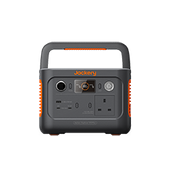
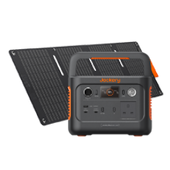
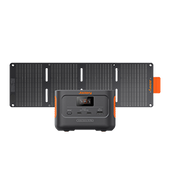
Once you understand those differences, it becomes much easier to maintain battery health, avoid over-discharge, and choose the right power solution for your needs. This is also why battery voltage matters when comparing modern portable power stations such as Jackery models built for efficient home backup and outdoor use.
|
Key Takeaways: |
|
What Is The Battery Voltage Chart?
The term "battery voltage" represents the electrical potential difference between any battery's positive and negative terminals. The battery voltage is crucial because it determines the power or energy your battery can supply, its charge state, and the voltage required for certain electronics.
Battery voltage charts describe the relation between the battery's charge state and the voltage at which the battery runs. These battery charging voltages can range from 2.15V per cell to 2.35V per cell, depending on the battery type. You can check or read a battery's voltage using a multimeter.
Here are some common terms related to a battery voltage chart:
- Voltage (V): The electrical potential of the battery.
- Nominal Voltage: The standard rated voltage of a battery, such as 12V.
- Open-Circuit Voltage: Voltage measured when the battery is resting and not connected to a load.
- State of Charge (SoC): The battery’s current charge level, usually shown as a percentage.
- Fully Charged Voltage: The voltage of a battery at 100% charge.
- Discharged Voltage: The voltage level where the battery is considered empty or nearly empty.
- Resting Voltage: Voltage measured after the battery has been unused for a period.
- Charging Voltage: Voltage applied to the battery while charging.
|
Percentage of Charge |
12V Battery Voltage |
Specific Gravity using Hydrometer |
|
100% |
12.70 |
1.265 |
|
95% |
12.64 |
1.257 |
|
90% |
12.58 |
1.249 |
|
85% |
12.52 |
1.241 |
|
80% |
12.46 |
1.233 |
|
75% |
12.40 |
1.225 |
|
70% |
12.36 |
1.218 |
|
65% |
12.28 |
1.204 |
|
55% |
12.24 |
1.197 |
|
50% |
12.20 |
1.190 |
|
45% |
12.16 |
1.183 |
|
40% |
12.12 |
1.176 |
|
35% |
12.08 |
1.169 |
|
30% |
12.04 |
1.162 |
|
25% |
12.00 |
1.155 |
|
20% |
11.98 |
1.148 |
|
15% |
11.96 |
1.141 |
|
10% |
11.94 |
1.134 |
|
5% |
11.92 |
1.127 |
|
0% (Discharged) |
11.90 |
1.120 |
The Type of Batteries
The battery voltage chart differs depending on the type of battery. Below we'll reveal five different types of batteries.
Lead-Acid: These battery types are economical and extremely popular choices. The heavy and bulkier batteries sometimes leak, making the device unusable.
Lithium-ion: These commonly used battery types have a superior energy density and can store more energy than others. These lightweight batteries are designed for portable devices.
Deep Cycle: A deep-cycle battery is designed to be regularly deeply discharged using its maximum capacity. It has thicker active plates, thicker separators, and higher-density active paste material.
LiFePO4: Also known as lithium iron phosphate or LFP battery, it offers increased power output, reduced weight, longer lifetime, and faster recharging.
AGM: AGM (Absorbent Glass Mat) is an advanced lead-acid battery type. The battery contains positive and negative lead and lead oxide plates that release electrons.

What Is State of Charge and Discharge Chart?
State of charge (SoC), usually represented in percentage, is the charge level of an electric battery relative to its capacity. Battery's SoC can be quickly determined by reading either specific electrolyte gravity or terminal voltage.
|
State of Charge |
Sealed or Flooded Lead Acid battery voltage |
Gel battery voltage |
AGM battery voltage |
|
100% |
12.70+ |
12.85+ |
12.80+ |
|
75% |
12.40 |
12.65 |
12.60 |
|
50% |
12.20 |
12.35 |
12.30 |
|
25% |
12.00 |
12.00 |
12.00 |
|
0% |
11.80 |
11.80 |
11.80 |
A battery's depth of discharge (DoD) indicates the percentage of discharged battery relative to overall battery capacity. The depth of discharge (DoD) complements the state of charge (SoC). That means if DoD increases, SoC decreases.
|
Battery or Battery Pack Ah Rating |
30-Minute Maximum Discharge Current |
|
5Ah |
10A |
|
7Ah |
14A |
|
8Ah |
16A |
|
9Ah |
18A |
|
10Ah |
21A |
|
12Ah |
24A |
|
14Ah |
31A |
|
15Ah |
32A |
|
18Ah |
40A |
|
22Ah |
46A |
|
35Ah |
84A |
Battery Voltage Charts
The battery voltage charts track the battery's voltage and maintain the battery. The primary role of voltage monitoring is to extend the battery's lifespan.
Lead-Acid Battery Voltage Chart
Lead-acid battery voltage varies depending on the temperature, discharge rate, and battery type (sealed or flooded).
Flooded lead-acid batteries are cheaper but require proper ventilation and more maintenance. Alternatively, sealed lead-acid batteries need less maintenance and ventilation.
|
Capacity |
6V Sealed Lead Acid Battery |
6V Flooded Lead Acid Battery |
|
100% |
6.44V |
6.32V |
|
90% |
6.39V |
6.26V |
|
80% |
6.33V |
6.20V |
|
70% |
6.26V |
6.15V |
|
60% |
6.20V |
6.09V |
|
50% |
6.11V |
6.03V |
|
40% |
6.05V |
5.98V |
|
30% |
5.98V |
5.94V |
|
20% |
5.90V |
5.88V |
|
10% |
5.85V |
5.82V |
|
0% |
5.81V |
5.79V |
Lithium-ion Battery Voltage Chart
Lithium-ion batteries are most used in power stations and solar systems, all thanks to the built-in additional layer of security. The popular voltage sizes of lithium-ion batteries include 12V, 24V, and 48V. Let's understand the discharge rate of a 1-cell lithium battery at different voltages.
|
Lithium-ion Battery Voltage Chart |
||||
|
Capacity (%) |
1 Cell |
12 Volt |
24 Volt |
48 Volt |
|
100 |
3.40 |
13.6 |
27.2 |
54.4 |
|
90 |
3.35 |
13.4 |
26.8 |
53.6 |
|
80 |
3.32 |
13.3 |
26.6 |
53.1 |
|
70 |
3.30 |
13.2 |
26.4 |
52.8 |
|
60 |
3.27 |
13.1 |
26.1 |
52.3 |
|
50 |
3.26 |
13.0 |
26.0 |
52.2 |
|
40 |
3.25 |
13.0 |
26.0 |
52.0 |
|
30 |
3.22 |
12.9 |
25.8 |
52.5 |
|
20 |
3.20 |
12.8 |
25.6 |
51.2 |
|
10 |
3.00 |
12.0 |
24.0 |
48.0 |
|
0 |
2.50 |
10.0 |
20.0 |
40.0 |
LiFePO4 Battery Voltage Chart
LiFePO4 battery voltage charts reveal the SoC (state of charge) based on different voltages, such as 12V, 24V, and 48V.
|
LiFePO4 Battery Voltage Chart |
|||
|
Capacity |
12V |
24V |
48V |
|
100% (charging) |
14.6V |
29.2V |
58.4V |
|
100% (resting) |
13.6V |
27.2V |
54.4V |
|
99% |
13.4V |
26.8V |
53.6V |
|
90% |
13.3V |
26.6V |
53.2V |
|
70% |
13.2V |
26.4V |
52.8V |
|
40% |
13.1V |
26.2V |
52.4V |
|
30% |
13.0V |
26.0V |
52.0V |
|
20% |
12.9V |
25.8V |
51.6V |
|
17% |
12.8V |
25.6V |
51.2V |
|
14% |
12.5V |
25.0V |
50.0V |
|
9% |
12.0V |
24.0V |
48.0V |
|
0% |
10.0V |
20.0V |
40.0V |
Deep Cycle Battery Voltage Chart
Deep cycle batteries are among the most used batteries that discharge slowly to a low SoC and recharge again. Here are the deep cycle battery charts for 12V, 24V, and 48V.
|
Deep Cycle Battery Voltage Chart |
|||
|
Capacity |
12V |
24V |
48V |
|
100% (charging) |
13.00V |
26.00V |
52.00V |
|
99% |
12.80V |
25.75V |
51.45V |
|
90% |
12.75V |
25.55V |
51.10V |
|
80% |
12.50V |
25.00V |
50.00V |
|
70% |
12.30V |
24.60V |
49.20V |
|
60% |
12.15V |
24.30V |
48.60V |
|
50% |
12.05V |
24.10V |
48.20V |
|
40% |
11.95V |
23.90V |
47.80V |
|
30% |
11.81V |
23.62V |
47.24V |
|
20% |
11.66V |
23.32V |
46.64V |
|
10% |
11.51V |
23.02V |
46.04V |
|
0% |
10.50V |
21.00V |
42.00V |
AGM Battery Voltage Chart
An AGM battery voltage chart describes the relationship between the state of charge, current, and voltage. Let's see how different charging or discharging currents affect battery voltages.
|
AGM Battery Voltage Chart |
|||
|
Capacity |
12V |
24V |
48V |
|
100% (charging) |
13.00V |
26.00V |
52.00V |
|
100% (resting) |
12.85V |
25.85V |
51.70V |
|
99% |
12.80V |
25.75V |
51.45V |
|
90% |
12.75V |
25.55V |
51.10V |
|
80% |
12.50V |
25.00V |
50.00V |
|
70% |
12.30V |
24.60V |
49.20V |
|
60% |
12.15V |
24.30V |
48.60V |
|
50% |
12.05V |
24.10V |
48.20V |
|
40% |
11.95V |
23.90V |
47.80V |
|
30% |
11.81V |
23.62V |
47.24V |
|
20% |
11.66V |
23.32V |
46.64V |
|
10% |
11.51V |
23.02V |
46.04V |
|
0% |
10.50V |
21.00V |
42.00V |
What Impacts the Battery Voltage?
Battery voltage is one of the easiest ways to understand how a battery is performing, but it does not stay fixed all the time. The voltage can rise, drop, or fluctuate depending on the battery’s charge level, condition, environment, and how it is being used.

State of Charge
The battery’s state of charge is one of the biggest factors affecting voltage. In simple terms, a fully charged battery usually shows a higher voltage, while a partially charged or discharged battery shows a lower one.
For example, a 12V battery at full charge will normally read higher than one that is half empty. As the stored energy is used up, the voltage gradually drops. This is why voltage charts are often used to estimate how much charge is left in a battery.
Battery Type
Different types of batteries naturally operate at different voltage ranges. A voltage that is normal for one battery chemistry may be too high or too low for another.
For instance, standard lead-acid batteries, AGM batteries, gel batteries, and lithium batteries do not all follow the same voltage chart. Lithium batteries often hold a higher and more stable voltage during use, while lead-acid batteries show a more gradual drop as they discharge.
Temperature
Temperature has a strong effect on battery voltage. In cold weather, battery voltage usually drops, and the battery also becomes less efficient at delivering power. This is why vehicles often struggle more to start on cold mornings.
In hot conditions, the voltage may appear more normal in the short term, but long periods of heat can speed up battery wear, damage internal parts, and shorten the battery’s lifespan. So while heat and cold affect voltage differently, both can have a negative effect on battery performance.
Battery Age
As a battery gets older, its ability to hold and deliver energy declines. Over time, the internal components wear down, and the battery may no longer maintain voltage as well as it did when it was new.
An older battery may appear fully charged at first but lose voltage more quickly under load. It may also recover more slowly after use or fail to reach its expected charging voltage. In practical terms, aging makes voltage readings less reliable as a sign of real battery strength.
Load and Power Demand
Battery voltage changes when power is being drawn. When the battery is under load, meaning it is actively powering a device or starting an engine, the voltage usually drops temporarily.
The heavier the load, the greater the voltage drop may be. For example, a battery may show a healthy resting voltage but fall sharply when a high-power appliance or starter motor is used. This does not always mean the battery is bad, but if the voltage drops too much or does not recover properly, it may point to weakness or wear.
How to Accurately Test the Battery Voltage?
Testing battery voltage sounds simple, but getting an accurate reading takes a bit more care than just touching a meter to the terminals. The reading can change depending on whether the battery has just been used, charged, or left to rest.

Step 1: Gather the Right Tools
Before you begin, make sure you have the proper equipment ready.
You will usually need:
- A digital multimeter
- A pair of protective gloves
- Safety glasses
- A clean cloth or paper towel
- A battery charger, if you plan to recharge the battery after testing
- A notebook or phone to record the reading
Step 2: Turn Off the Vehicle or Device
If the battery is installed in a car, motorcycle, boat, or another device, switch everything off before testing. If you test while the battery is still powering something, the reading may show working voltage rather than true resting voltage.
Step 3: Let the Battery Rest
This is one of the most important steps if you want an accurate result.
After driving, charging, or using the battery, wait for the battery to rest before testing. A recently charged battery can hold a surface charge, which makes the voltage appear higher than it really is. A battery that has just been under heavy use may also read lower for a short time.
A good rule is to let the battery rest for at least:
- 1 to 2 hours after use for a quick check.
- Overnight for the most accurate resting voltage reading.
The longer it rests without charging or discharging, the more reliable the result will be.
Step 4: Inspect the Battery First
Before placing the multimeter probes on the battery, do a quick visual inspection.
Check for:
- Loose terminals
- Corrosion around the posts
- Dirt or moisture on the battery top
- Swelling, cracks, or leaks
- Damaged cables
If the terminals are dirty or corroded, clean them first. Corrosion can interfere with the connection and affect the reading. A damaged or swollen battery should be handled carefully and may need replacing rather than testing further.
Step 5: Set the Multimeter Correctly
Turn on the digital multimeter and set it to measure DC voltage.
This is usually marked as:
- V
- V DC
- V⎓
If the meter is not auto-ranging, set it to a range above the expected battery voltage. For a 12V battery, setting the meter to 20V DC is usually correct. If the wrong setting is used, the reading may be inaccurate or the meter may not display the result properly.
Step 6: Identify the Positive and Negative Terminals
Now locate the battery terminals.
The positive terminal is usually marked with a plus sign (+) and may have a red cover or red cable
The negative terminal is marked with a minus sign (-) and is usually connected to a black cable
It is important to identify them correctly before testing.
Step 7: Connect the Multimeter Probes Properly
Place the probes on the battery terminals:
- Put the red probe on the positive terminal.
- Put the black probe on the negative terminal.
Make sure the metal tips are touching the actual terminal metal, not just dirt, paint, or plastic covers.
Step 8: Read and Record the Voltage
Look at the number shown on the multimeter display and write it down. For a standard 12V lead-acid battery, the reading is commonly interpreted like this:
|
Battery Voltage |
Approximate Condition |
|
12.6V to 12.8V |
Fully charged |
|
12.4V |
About 75% charged |
|
12.2V |
About 50% charged |
|
12.0V |
About 25% charged |
|
11.9V or lower |
Discharged or weak |
These figures are general guides. The exact meaning can vary depending on the battery type, temperature, and condition.
If you are testing an AGM, gel, or lithium battery, compare the result with the correct voltage chart for that battery chemistry.
Jackery Portable Power Stations Explained
When choosing a Jackery portable power station in the UK, understanding the relationship between battery voltage and performance is key to ensuring efficiency and safety. While most users focus on Watt-hours (Wh) for capacity, the internal battery voltage significantly impacts how effectively that energy is converted for your devices.
In the UK, where standard AC mains power is 230V, a portable power station must "step up" its internal DC battery voltage to match this.
Higher internal battery voltages (like the 35.2V or 43.2V found in newer Jackery "v2" and "Pro" models) are more efficient than older 12V or 21.6V systems. A higher voltage means the internal inverter doesn't have to work as hard to reach 230V, resulting in less energy lost as heat.
Jackery Explorer 1000 v2
The Jackery Explorer 1000 v2 is a significant technical leap over the original "Classic" 1000, specifically refined for the UK's 230V environment. For anyone prioritizing efficiency, safety, and rapid response, the "v2" architecture offers several mechanical advantages.
 Superior Voltage & Efficiency
While many portable stations use a 12V or 21.6V internal battery, the Explorer 1000 v2 utilizes a higher 35.2V DC internal system.
Less Heat, More Power: Stepping up power from 35.2V to the UK's 230V AC is far more efficient than starting from a lower voltage. This reduces energy waste during conversion, meaning more of the 1070Wh capacity actually reaches your appliances.
Lower Current Stress: By operating at a higher internal voltage, the unit draws less current (Amps) to produce the same wattage. This keeps the internal components cooler, which is vital for the longevity of the LiFePO4 cells.
Fast Charging & Emergency Readiness
The v2 model introduces "Emergency Super Charging," which leverages its modern battery architecture to handle high-speed energy intake.
1-Hour Full Charge: Via the Jackery App, you can activate a mode that fully recharges the unit in just 60 minutes. This is a lifesaver if a storm warning is issued in the UK and you need to prepare for potential power outages quickly.
ChargeShield 2.0: This proprietary tech uses a unique charging algorithm to manage voltage levels precisely, allowing for these high speeds without compromising the 4,000+ cycle lifespan (approx. 10 years of daily use).
Integrated UPS Functionality
One of the most practical features for UK homes is the 20ms Uninterruptible Power Supply (UPS) mode. You can leave the 1000 v2 plugged into the wall and your essential gear (Wi-Fi router, desktop PC, or medical equipment) plugged into the Jackery. If the UK grid fails, the unit switches to battery power in less than 20 milliseconds—fast enough that your electronics won't even reboot.
|
Features of Jackery Explorer 1000 v2 |
|
|
Capacity |
1070Wh |
|
Cell Chemistry |
LiFePO4 4000 cycles to 70%+ capacity |
|
Weight |
23.8 lbs (10.8 kg) |
|
Dimension |
12.87 × 8.82 × 9.72 in (32.7 × 22.4 × 24.7 cm) |
|
Output Ports |
AC Output: 2 Ports, 230V~ 50Hz, 1500W Rated, 3000W Surge peak USB-A Output: 1 Port, 18W Max, 5-6V⎓3A, 6-9V⎓2A, 9-12V⎓1.5A USB-C Output: 2 Ports, USB-C1: 30W Max, 5V⎓3A, 9V⎓3A, 12V⎓2.5A, 15V⎓2A, 20V⎓1.5A, USB-C2: 100W Max, 5V⎓3A, 9V⎓3A, 12V⎓3A, 15V⎓3A, 20V⎓5A Car Port: 12V⎓10A |
|
Recharging Methods |
Emergency Charging (via App): 1Hr Wall Charging: 1.5Hrs Solar Charging(100W*1): 15Hrs Car Charging: 12Hrs |
|
Working Hours |
Light (13W): 31.3 Hrs TV (60W): 11.7 Hrs Portable Cooler (100W): 7.6 Hrs Heating Blanket (40W): 16 Hrs Coffee Maker (800W): 1.1 Hrs |
Jackery Explorer 2000 v2
The Jackery Explorer 2000 v2 represents the next generation of high-capacity portable power, focusing on extreme portability and modern battery architecture. While it shares the same capacity as some of its predecessors, the internal engineering has been completely overhauled to make it more efficient for UK homes and travel.
 Advanced Battery Architecture & Voltage
The 2000 v2 uses a 44.8V DC internal battery system (LiFePO4). This is a significant jump compared to older 12V or 24V units.
GaN Inverter Technology: This model is one of the first to incorporate a Gallium Nitride (GaN) inverter. GaN is far more efficient than traditional silicon, reducing energy loss by roughly 50%. This means the unit runs cooler and provides more usable power from its 2042Wh capacity.
CTB (Cell-to-Body) Design: Inspired by the EV industry, the battery cells are integrated directly into the lower shell. This removes the need for heavy internal mounting frames, making it 35.6% lighter than most other 2kWh power stations on the market.
Smart Management: ChargeShield 2.0
The 2000 v2 features ChargeShield 2.0, which uses 62 different protection mechanisms. For the UK user, this is particularly relevant for:
Variable Voltage Protection: Managing the fluctuating voltage often found when using solar panels in variable UK cloud cover.
Low-Temperature Performance: The system is designed to discharge safely down to -10°C, essential for winter emergency backup or outdoor use in the Highlands.
Advanced Port Configuration
The 2000 v2 offers a diverse array of ports to handle modern electronics and high-draw UK appliances simultaneously:
- AC Output (x2): 2200W continuous (4400W surge) at 230V~50Hz.
- USB-C (x2): One 100W PD port (perfect for fast-charging high-end laptops) and one 30W PD port for tablets or phones.
- USB-A (x1): 18W Quick Charge 3.0 for legacy devices.
- 12V Car Port: Standard 12V/10A output for portable fridges or tyre inflators.
|
Features of Jackery Explorer 2000 v2 |
|
|
Capacity |
2042 Wh |
|
Cell Chemistry |
LiFePO4 4000 cycles to 70%+ capacity |
|
Weight |
38.6 lbs (17.5 kg) |
|
Dimension |
13.2 × 10.4 × 11.5 in (33.5 × 26.4 × 29.2 cm) |
|
Output Ports |
AC Output: 2 Ports, 230V ~ 50Hz, 10A Max, 2200W Rated, 4400W Surge peak USB-A Output: 1 Port, 18W Max, 5-6V⎓3A, 6-9V⎓2A, 9-12V⎓1.5A USB-C Output: 2 Ports, USB-C1: 30W Max, 5V⎓3A, 9V⎓3A, 12V⎓2.5A, 15V⎓2A, 20V⎓1.5A; USB-C2: 100W Max, 5V⎓3A, 9V⎓3A, 12V⎓3A, 15V⎓3A, 20V⎓5A Car Port: 12V⎓10A |
|
Recharging Methods |
Emergency Charging (AC) via App : 1.33 Hrs Wall Charging: 1.7 Hrs 400W Solar Input: 5.5 Hrs Car Charging: 24 Hrs |
|
Working Hours |
E-Bike (625W): 2.3 Times Heater (1000W): 1 Hrs Household Refrigerator (15-520W): 3.2-72 Hrs Light (5W): 155 Hrs |
Jackery Explorer 3000 v2
The Jackery Explorer 3000 v2 is a high-capacity flagship unit, specifically designed for those who need heavy-duty domestic backup or professional-grade power in the UK. By leveraging many of the same high-voltage principles as the 1000 v2 and 2000 v2, it offers significant advantages in efficiency and weight.

High-Voltage Architecture (51.2V DC)
The Explorer 3000 v2 utilizes a 51.2V DC internal battery system (60Ah), which is a "48V-class" architecture.
Stepping up power from 51.2V to the UK’s 230V AC involves much less electrical resistance than 12V or 24V systems. This results in higher discharge efficiency, ensuring you get more of the 3072Wh total capacity for your appliances.
Higher voltage means lower current (Amperage) is required to deliver the massive 3600W continuous output. This prevents the unit from overheating during high-draw tasks like running an electric oven or air conditioner.
Industry-First Compact Design (CTB Technology)
One of the standout technical features of the 3000 v2 is its Cell-to-Body (CTB) integration.
Weight Reduction: By making the battery cells a structural part of the chassis, Jackery reduced the weight to just 59.5 lbs. For context, the 3000 v2 is roughly 43% lighter than the industry average for 3kWh units.
Space Saving: It is nearly 47% more compact than previous generations, making it much easier to store in a UK utility cupboard or transport in a car boot.
Advanced "Smart" Features
Scheduled Off-Peak Charging: Perfect for the UK’s "Time of Use" tariffs (like Octopus Agile). You can use the app to schedule charging during the cheapest overnight hours to save on electricity bills.
Ultra-Quiet Silent Mode: When activated via the app, the unit operates at just 27dB—quieter than a whisper. This makes it ideal for use as a backup for CPAP machines or heaters overnight.
ChargeShield 2.0: Uses AI-driven algorithms to manage the 51.2V architecture, ensuring safe charging even in extreme temperatures (up to 45°C) and protecting against voltage surges.
|
Features of Jackery Explorer 3000 v2 |
|
|
Capacity |
3072 Wh |
|
Cell Chemistry |
LiFePO4 4000 cycles to 70%+ capacity |
|
Weight |
About 59.5 lbs (27 kg) |
|
Dimension |
16.4 x 12.8 x 12 in (41.6 x 32.5 x 30.5 cm) |
|
Output Ports |
AC Output: 3 Ports, 230V~ 50Hz, 13A Max, 3600W Total, 7200W Surge peak USB-A Output: 2 Ports, 18W Max, 5-6V⎓3A, 6-9V⎓2A, 9-12V⎓1.5A USB-C Output: 2 Ports, 100W Max, 5V⎓3A, 9V⎓3A, 12V⎓3A, 15V⎓3A, 20V⎓5A Car Port: 12V⎓10A |
|
Recharging Methods |
AC+DC (54V) Charging: 1.4 Hrs AC Charging: 1.8 Hrs Solar Input 1000W Max: 3.5 Hrs 1 x SolarSaga 200W: 22 Hrs Car Charging 12V: 36 Hrs |
|
Working Hours |
E-Bike (625W): 3-4 Times Electric Kettle (850W): 16 Times Water Pump (60W): 30 Hrs Led Lights (10W/12V): 260 Hrs |
FAQs
The following are frequently asked questions about the battery voltage chart.
1. What voltage is considered a bad battery?
When the battery voltage drops to 12.2V, it is considered a bad battery. That means the battery is no longer capable of holding a charge. In such a case, you'll need to replace the battery with a new one.
2. What voltage is a 12V battery at 50%?
At 50% state of charge, a 12V battery has a voltage of 12.20. The below table reveals the voltage at different percentages of charge of a 12V battery voltage.
|
Percentage of Charge |
12V Battery Voltage |
Specific Gravity |
|
100 |
12.70 |
1.265 |
|
95 |
12.64 |
1.257 |
|
90 |
12.58 |
1.249 |
|
85 |
12.52 |
1.241 |
|
80 |
12.46 |
1.233 |
|
75 |
12.40 |
1.225 |
|
70 |
12.36 |
1.218 |
|
65 |
12.32 |
1.211 |
|
60 |
12.28 |
1.204 |
|
55 |
12.24 |
1.197 |
|
50 |
12.20 |
1.190 |
|
45 |
12.16 |
1.183 |
|
40 |
12.12 |
1.176 |
|
35 |
12.08 |
1.169 |
|
30 |
12.04 |
1.162 |
|
25 |
12.00 |
1.155 |
|
20 |
11.98 |
1.148 |
|
15 |
11.96 |
1.141 |
|
10 |
11.94 |
1.134 |
|
5 |
11.92 |
1.127 |
|
Discharged |
11.90 |
1.120 |
3. At what voltage is a 12V battery dead?
A 12V battery is considered dead when its voltage drops below 10.5 volts under load.
4. What is the voltage of a 12V battery when fully charged?
A fully charged 12V battery typically has a voltage between 12.6 to 12.8 volts.
5. What voltage should a 12V battery be?
A healthy 12V lead-acid battery should read between 12.6V and 12.8V when fully charged and at rest (engine off). A reading of 12.4V is considered 75% charged, while 12.0V or lower indicates a discharged or "flat" battery. When the engine is running, the voltage should rise to 13.7V to 14.7V.
6. Is 12.36 volts good for a battery?
12.5 volts - Your battery is at a healthy state of charge, but we'd recommend re-checking it within a few days to ensure the voltage hasn't dropped any further. 12.1 - 12.4 volts - Your battery is partially discharged and should be recharged as soon as possible, using a suitable battery charger.
Final Thoughts
Battery voltage is an important term that lets you expand its lifespan. The battery voltage chart will help you identify the proper voltage for careful charging and discharging. As a result, this positively impacts the battery life and ensures the power station is powerful and long-lasting.
The Jackery Portable Power Stations are robust and powerful charging solutions for home or outdoor usage. You can charge these power stations by connecting them with Jackery SolarSaga Solar Panels. Once fully charged, they can supply power to most appliances for longer hours.


