
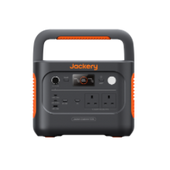

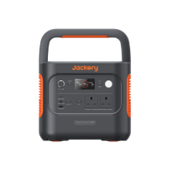

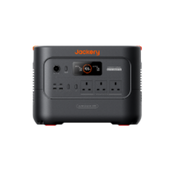

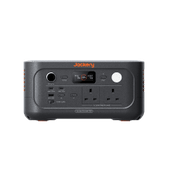
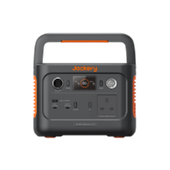


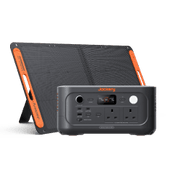
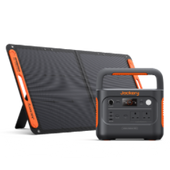
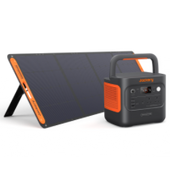
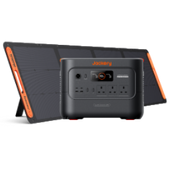
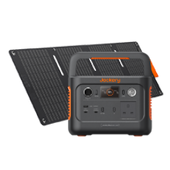


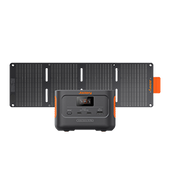



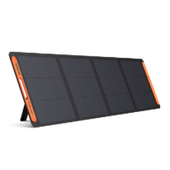












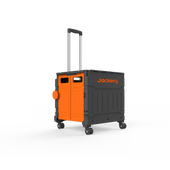








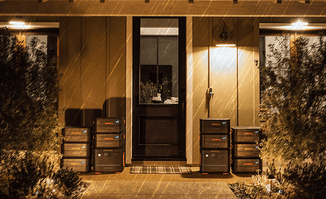



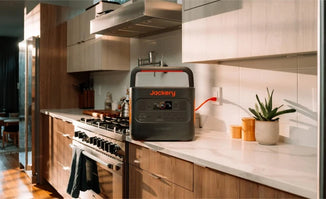
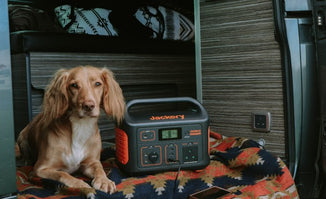


Meet the new Jackery Explorer 1000 Plus v2—portable power for everyday peace of mind and your next adventure. With 1,024Wh of battery capacity, 1,800W continuous output and expandable storage up to 11 kWh, it brings flexible power to camping trips, selected home essentials during power cuts and work away from mains sockets.
Discover what the latest addition to the Jackery Explorer range has to offer. Below, we explore its key features, compatible appliances, estimated runtimes and charging options to help you decide whether it’s the right fit for your needs in the UK.
|
Key Takeaways: |
|
Meet the Jackery Explorer 1000 Plus v2: The Key Specifications at a Glance
The Jackery Explorer 1000 Plus v2 brings expandable energy storage into a compact power station for camping, campervan trips and selected home essentials. Weighing 23.8 lbs and measuring approximately 12.4 × 7.9 × 9.2 in, it is easier to fit into a car boot or store at home. Jackery’s CTB 2.0 construction helps reduce bulk while retaining a 1,024Wh battery capacity.
It comes from a brand with an established global presence. According to the 2026 Frost & Sullivan White Paper on Global Solar Generator and Plug-in Solar Storage Industry, Jackery ranked as the world’s No. 1 solar generator and plug-in solar storage brand by cumulative sales volume and cumulative revenue as of the end of 2025.

With 1,800W continuous AC output, the Explorer 1000 Plus v2 can power laptops, lighting and compatible cooking appliances or tools within its output limits. Three AC sockets, USB-C charging up to 140W, and additional USB-A and car ports accommodate everyday devices.
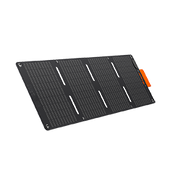
For longer trips or greater backup needs, compatible additional batteries expand storage to approximately 11kWh. This flexibility lets you start with the portable base unit and add capacity later. Standard mains charging takes around 1.25 hours, while support for up to 400W solar input provides another charging option when sunlight allows.
A ceramic-coated LFP battery rated for 6,000 cycles to 70% capacity, app-based monitoring and a 10ms UPS switchover round out its everyday features.
|
Specification |
Jackery Explorer 1000 Plus v2 |
|
Battery capacity |
1,024Wh |
|
Expandable capacity |
Approximately 11kWh with compatible additional batteries |
|
Battery chemistry |
LiFePO₄ lithium iron phosphate |
|
Cycle life |
6,000 cycles to at least 70% capacity |
|
Continuous AC output |
1,800W |
|
Surge output |
3,600W |
|
Weight |
About 23.8 lbs/10.8 kg |
|
Dimensions |
12.4 × 7.9 × 9.2 in / 31.4 × 20.1 × 23.4 cm |
|
Charging temperature |
14°F to 113°F / -10°C to 45°C |
|
Discharging temperature |
14°F to 113°F / -10°C to 45°C |
|
Maximum solar input |
400W |
|
USB-C outputs |
Two ports: up to 30W and 140W |
|
USB-C 30W profiles |
5V/3A, 9V/3A, 12V/2.5A, 15V/2A, 20V/1.5A |
|
USB-C 140W profiles |
5V/3A, 9V/3A, 12V/3A, 15V/3A, 20V/5A, 28V/5A |
|
USB-A output |
Up to 18W: 5–6V/3A, 6–9V/2A, 9–12V/1.5A |
|
DC expansion port |
36.8–56V, up to 65A |
|
Charging time |
AC+DC hybrid: 47 minutes; AC fast: 50 minutes; AC standard: 75 minutes |
What the Design Means in Everyday Use
At approximately 23.8 lbs (10.8 kg), the unit is manageable for some users when moving between the house, car and campsite, but substantial for longer walks. Its compact dimensions help when planning campervan storage; leave additional space for connected cables and ventilation.
Position it so you can read the display and reach the connections without moving other luggage. A convenient storage spot is not necessarily a suitable operating position, particularly inside a tightly packed cupboard.
The 140W USB-C port offers a direct charging option for compatible laptops. Maximum charging speed requires a laptop supporting the relevant USB Power Delivery profile and a suitably rated cable. The separate 30W port provides another connection for compatible smaller devices. Orders open in the UK and Europe on 14 October 2026.

Expandable Capacity: When Does an Extra Battery Make Sense?
An extra battery becomes useful when your appliances are within the power station’s output limit, but you need more hours between charges. Start with your energy requirements before deciding how much storage to add.
Start with the Main Unit and Expand for Longer Use
The Jackery Explorer 1000 Plus v2 supports up to five battery pack units, each holding 2,048Wh. That produces a maximum of 11,264Wh, rounded to approximately 11kWh.
|
Additional packs |
Total capacity |
Potential use and carrying implications |
|
None |
1,024Wh |
Short trips; main unit only |
|
One |
3,072Wh |
Overnight essentials; one extra unit |
|
Two |
5,120Wh |
Longer stays; two extra units |
|
Three |
7,168Wh |
Repeated work sessions; more storage space |
|
Four |
9,216Wh |
Extended use; substantial equipment load |
|
Five |
11,264Wh |
Maximum endurance; greatest weight and cost |
Each pack adds purchase cost, weight and another cable connection.
More Stored Energy Does Not Mean Higher Appliance Power
Expansion extends runtime while the main unit’s continuous AC output remains 1,800W. It will not make a 3,000W kettle suitable.
Longer off-grid stays, overnight essentials and repeated laptop or camera-charging sessions can justify expansion. Balance that benefit against transporting extra equipment and replenishing a larger battery bank: with the same charging input, more depleted capacity takes longer to recharge.
How to Connect to Battery Pack(s)
The supplied manual illustrates linking the main unit to the first pack, then connecting further packs in a chain:
- Switch off the power station and all battery packs before connecting.
- Position them on a flat, stable surface with sufficient load-bearing capacity, leaving at least 200mm around the side vents.
- Connect the first pack using the designated expansion cable, then link additional packs as illustrated.
- Follow the battery-pack manual for detailed operation. The power station’s display shows the connected battery count.
The standard stacking limit is three battery packs. Stacking four or more requires a protected position against a wall and anti-tip securing measures.

App Controls, UPS and Everyday Power Management
The Jackery Explorer 1000 Plus v2’s controls help you manage charging, prioritise essential equipment and avoid unexpected shutdowns. These settings matter especially when leaving appliances connected overnight.
Useful Controls Beyond Checking Battery Percentage
Checking incoming and outgoing watts helps you see whether charging is keeping pace with consumption. Output controls let you switch off unused connections, while alerts help identify problems requiring attention.
|
App feature or mode |
Useful task |
|
Power monitoring |
Check charging input, appliance demand and remaining energy |
|
Charging settings |
Select standard or emergency charging to suit your departure time |
|
Supported output controls |
Switch available AC or DC/USB output groups on or off |
|
Time-of-Use Mode |
Schedule charging around cheaper electricity periods |
|
Smart Load Prioritisation |
Preserve energy for priority equipment as charge falls |
|
Energy Saving Mode |
Adjust automatic shutdown for unused or low-power outputs |
|
Discharge-limit settings |
Set how much battery capacity remains before discharge stops |
|
Status alerts |
Investigate faults or operating conditions needing attention |
What the UPS Function Actually Provides
With the station connected to mains power and appliances plugged into its enabled AC outlets, it switches to battery power within 10ms if the mains supply fails.
This involves a brief interruption. Equipment requiring a zero-millisecond transfer is unsuitable, and compatibility should be tested repeatedly before relying on backup. The function serves connected appliances; it does not automatically back up household circuits.
Settings That Matter for Low-Power Devices
Energy Saving Mode is enabled by default. Outputs can switch off after 12 hours below 25W on AC or 2W on DC/USB, making this setting relevant to routers and intermittently running appliances.
Output recovery also depends on why power stopped. After reaching the discharge limit, automatic recovery requires charge to rise 10 percentage points above that limit. Outputs switched off by energy-saving mode, protection or a discharge timer do not automatically resume. Review the discharge limit and shutdown settings, then test a complete operating cycle before leaving equipment unattended.

Charging Options: Mains, Solar and Vehicle Charging
Your charging plan should suit where you use the power station: mains before departure, solar when parked and vehicle charging between stops.
Charging Before a Trip or Power Cut
Connect the supplied AC cable to the station’s AC input and a wall socket. Use standard charging routinely; select Emergency Charging Mode through the app when time is short.
It only needs 50 minutes for a full AC fast charge, rather than a 0–80% top-up.
|
Method |
Required accessories |
Main limitation |
|
Mains |
Supplied AC charging cable |
Fast charging requires the appropriate mode |
|
Solar |
Compatible SolarSaga panels; connectors for paired panels |
400W maximum input; weather-dependent |
|
Car socket |
Compatible 12V car-charging cable, sold separately |
Lower-power charging; 24V sockets unsupported |
|
Alternator |
Compatible Jackery DC-DC Alternator Charger, sold separately |
Requires vehicle installation and suitable connections |
What to Expect from Solar Charging in the UK
The 400W solar-input ceiling is a maximum, not a constant charging rate. Shade, panel orientation, shorter winter days and changing cloud cover affect production. Connected appliances consume part of that energy: 200W arriving while appliances draw 100W leaves less than 100W for battery charging after losses.
Connect compatible SolarSaga panels to the two DC8020 inputs. Use no more than two panels per port, keep both input voltages equal and use matching panel models and quantities on each side. Panel open-circuit voltage must remain within 16–60V.
Charging While Travelling
A car-socket cable plugs into a 12V accessory outlet; a dedicated alternator charger uses an installed vehicle connection for higher-power charging.
Start the vehicle before car-socket charging, and never combine car-socket and solar charging simultaneously. Keep the station dry and ventilated.

What Can the Jackery Explorer 1000 Plus v2 Power?
The Jackery Explorer 1000 Plus v2 can support everyday electronics and selected cooking appliances within its 1,800W continuous AC output. Choosing suitable equipment means checking individual power ratings, combined demand and any brief starting surge.
Everyday Devices and Smaller Household Appliances
- Watts (W) describe how much power an appliance needs, helping determine whether it can run.
- Watt-hours (Wh) describe stored energy, helping estimate how long it can operate.
A device may fall comfortably within the output limit yet drain the battery quickly. The loads below are illustrative examples, not measured product test results. Check your appliance’s rating label before connecting it.
|
Appliance |
Example Running Demand |
Main Consideration |
|
Laptop and monitor |
80–150W combined |
Add both devices’ consumption |
|
Television |
50–150W |
Screen size and settings affect demand |
|
Compressor fridge |
Varies while cycling |
Check starting demand and daily energy use |
|
Travel kettle |
600–1,000W |
Lower demand than a high-powered household kettle |
|
Small air fryer |
1,200–1,700W |
Check its electrical input rating |
|
Portable heater |
1,000–1,500W |
Can consume stored energy quickly |
|
Household kettle rated at 3,000W |
3,000W |
Exceeds the continuous output rating |
Starting Surges and Running Several Devices Together
The 3,600W surge rating accommodates brief peaks; it does not permit continuous operation at that level. A fridge compressor or motor-driven tool may draw substantially more power when starting than while running. Compatibility depends on both the size and duration of that surge.
For example, a 1,500W cooking appliance leaves 300W within the continuous AC limit. Adding a 100W television and a 150W laptop-and-monitor setup brings the total to 1,750W, leaving little margin for another device or a starting surge.
For microwaves, check electrical input power, not the cooking wattage displayed on the front. An “800W microwave” consumes more than 800W from its power source.
Jackery Explorer 1000 Plus v2 Real-Life UK Uses
A useful setup starts with an energy budget. The examples below assume 1,024Wh × 85% ≈ 870Wh of usable energy, allowing approximately 15% for losses. These are illustrative calculations, not measured runtimes; temperature, inverter consumption and appliance behaviour affect results.

A Weekend Camping or Campervan Setup
Lighting and phone charging use relatively little energy. A compressor coolbox runs intermittently throughout the day, making its duty cycle—the proportion of time its compressor operates—particularly important.
|
Device |
Assumed demand |
Daily use |
Daily energy |
|
LED camping lights |
8W |
5 hours |
40Wh |
|
Phone charging |
10W average |
2 hours |
20Wh |
|
Laptop |
60W average |
3 hours |
180Wh |
|
Compressor coolbox |
40W while running |
24 hours at 30% duty cycle |
288Wh |
|
Total |
— |
One day |
528Wh |
At this usage rate, one charge provides approximately 1.65 days, or 40 hours, without recharging. Two days require 1,056Wh, exceeding the assumed usable energy.
Reducing laptop use from three hours to one saves 120Wh daily, lowering the budget to 408Wh. Two days then require 816Wh, although warmer weather could increase coolbox consumption enough to remove that margin.
Keeping Essentials Running at Home During a Power Outage or Emergency
Prioritise refrigeration, basic lighting and communications. This example assumes a fridge averaging 20W across its compressor cycles; replace that assumption with your own measured consumption.
|
Device |
Assumed demand |
Daily use |
Daily energy |
|
Fridge |
20W average |
24 hours |
480Wh |
|
LED lamp |
10W |
5 hours |
50Wh |
|
Broadband router |
12W |
24 hours |
288Wh |
|
Phone charging |
10W average |
2 hours |
20Wh |
|
Total |
— |
One day |
838Wh |
This budget gives approximately 25 hours from one charge. Fridge starting demand must also be compatible. Powering the router does not guarantee internet access: external broadband equipment may lose power, and a separate fibre terminal would add another load.
Mobile Work and Small Professional Jobs
For photography, video production or laptop-based work, build the budget around actual working hours. Include battery chargers rather than assuming every tool or camera runs directly from the station.
|
Equipment |
Assumed demand |
Working schedule |
Energy |
|
Laptop |
60W |
6 hours |
360Wh |
|
Monitor |
25W |
6 hours |
150Wh |
|
Video LED light |
40W |
2 hours |
80Wh |
|
Camera-battery charger |
20W average |
2 hours |
40Wh |
|
Cordless-tool charger |
100W average |
1 hour |
100Wh |
|
Total |
— |
Six-hour session |
730Wh |
The session leaves approximately 140Wh, enough for another 1.6 hours of laptop-and-monitor use at 85W. Charging demand usually changes as batteries fill, so these figures are planning allowances.
How Long Does It Last on One Charge and Over Its Lifetime?
“How long does it last?” has two answers: the hours available between charges and the battery’s ability to retain capacity over repeated use. Both depend on how you use and charge the power station.
Estimated runtime at different loads
Use this formula for an initial estimate:
Estimated runtime (hours) = battery capacity (Wh) × assumed usable-energy factor ÷ average load (W)
For the Jackery Explorer 1000 Plus v2, an illustrative 85% allowance gives:
- 1,024Wh × 0.85 ≈ 870Wh available to the load
The 85% factor is a planning assumption, not a tested efficiency figure.
|
Constant combined load |
Runtime |
|
50W |
17.4 hours |
|
100W |
8.7 hours |
|
300W |
2.9 hours |
|
500W |
1.7 hours |
|
1,000W |
52 minutes |
|
1,500W |
35 minutes |
These estimates assume a full battery without an additional user-set reserve. Inverter consumption, temperature, battery condition and discharge-limit settings can reduce the energy available. At very low loads, the inverter’s own consumption becomes proportionally larger, so a fixed percentage can overestimate runtime.
Why Fridge Runtime Needs a Different Calculation
A fridge compressor switches on and off rather than drawing its rated power continuously. Use measured consumption over 24 hours where possible, or divide the energy label’s annual kWh figure by 365 for a starting estimate.
For example, a fridge using 0.6kWh daily consumes approximately 600Wh per day:
- 870Wh ÷ 600Wh × 24 ≈ 35 hours
That estimate covers the fridge alone. Kitchen temperature, door opening, defrost cycles and newly added food affect consumption. Inverter overhead during compressor-off periods may also shorten runtime. Starting-surge compatibility remains a separate check.
Battery Lifespan Is Different from Runtime
The battery’s specification is 6,000 charge cycles while retaining at least 70% of its original capacity under specified conditions. This describes capacity retention, not a guaranteed number of years.
At 70% retention, the original 1,024Wh battery would hold approximately 717Wh before conversion losses. It could still operate, but would provide shorter runtimes. Ageing also depends on temperature, storage conditions and charging habits; reaching the stated cycle count is not an automatic replacement deadline.
Explorer 1000 Plus v2 vs Explorer 1000 v2: What’s the Difference?
These two Jackery Explorer 1000 models have similar names and weights, but their main strengths differ. The Plus v2 offers higher continuous output and battery expansion, while the standard 1000 v2 has slightly more built-in storage.
|
Feature |
Explorer 1000 Plus v2 |
Explorer 1000 v2 UK |
|
Base capacity |
1,024Wh |
1,070Wh |
|
Continuous AC output |
1,800W |
1,500W |
|
Battery expansion |
Supports compatible additional batteries |
No battery expansion |
|
Weight |
Approximately 10.8kg |
Approximately 10.8kg |
Choose the Explorer 1000 Plus v2 if your equipment needs more than 1,500W but stays within 1,800W, or if you expect to add storage for longer trips and backup periods. For example, a 1,700W air fryer exceeds the standard model’s continuous rating but falls within the Plus v2’s limit when used alone.
The Explorer 1000 v2 remains worth considering when your appliances fit within its output rating and one battery meets your needs. Its additional 46Wh represents approximately 4.5% more nominal capacity, although actual runtime also depends on conversion losses and operating conditions.
“Plus” therefore does not automatically mean longer runtime from the main unit alone. Compare the price of the complete setup, including any expansion battery you intend to buy, and decide whether the higher output or future expansion will be useful.

Is the Jackery Explorer 1000 Plus v2 Worth the Money?
Its value depends on how often you need portable electricity, which appliances you use and whether expansion would serve a real purpose.
Compare the Complete Setup Cost
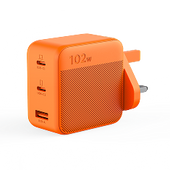
Orders open on 14 October 2026. The supplied pre-launch offer runs from 4 September–13 October: subscribers receive 35% off selected accessories and a free 102W GaN Fast Charger, RRP £54.99, when purchasing an E1000 Plus v2 or E2000 Plus v2 power station and solar panel bundle from 14 October, while stocks last. These are promotional benefits, not standard pricing.
Can It Reduce Electricity Costs?
- Net saving = avoided mains-electricity cost − charging cost − relevant additional costs.
Using hypothetical tariffs, delivering 0.8kWh at 30p/kWh avoids 24p. At an assumed 85% round-trip efficiency, replenishing that energy at 10p/kWh costs approximately 9.4p, leaving 14.6p per cycle before other costs.
The table scales that example across three capacities, assuming 365 equivalent cycles annually and sufficient eligible consumption.
|
Configuration |
Capacity |
Energy delivered daily |
Annual saving before other costs |
Simple payback* |
|
Main unit |
1.024kWh |
0.8kWh |
£53 |
C ÷ 53 years |
|
One extra battery |
3.072kWh |
2.4kWh |
£160 |
C ÷ 160 years |
|
Five extra batteries |
11.264kWh |
8.8kWh |
£586 |
C ÷ 586 years |
*C is each configuration’s complete VAT-inclusive purchase cost in pounds. Actual payback remains unconfirmed.
For an ownership period of N years, simple ROI is [(cumulative net savings − C) ÷ C] × 100%, excluding resale value. A numerical ROI needs confirmed costs and an ownership period.
These scenarios assume compatible operating modes and unchanged tariffs. Standby consumption, degradation, reserve settings and unused capacity reduce savings; expansion does not guarantee proportionately greater returns.
Where Its Practical Value May Be Greater
Power for travel, fewer interruptions to mobile work and support for essential appliances may matter more than bill savings. Frequent campers and mobile professionals with suitable loads have clearer reasons to buy. Occasional users—and buyers mainly seeking prolonged high-power heating—may struggle to justify the complete cost.
FAQs
The following are the frequently asked questions about the new expandable power station - Jackery Explorer 1000 Plus v2:
Does the Explorer 1000 Plus v2 need solar panels to work?
No. You can charge it from a mains socket using the supplied AC cable, then use the stored electricity wherever needed. Solar panels provide an optional charging method. A solar-generator bundle combines the power station with panels; check which panels and accessories the package includes.
Can I use my existing Jackery solar panels or expansion battery?
Check the exact model and connections first. Compatible solar panels must meet the station’s DC input requirements, including its 16–60V input range and the connection rules described earlier.
The Explorer 1000 Plus v2 supports the Battery Pack 2000 Plus v2. Older Battery Pack 1000 Plus and Battery Pack 2000 Plus units are incompatible. Confirm the corresponding UK accessory before purchasing.
Can it be charged while powering appliances?
Yes, supported charging and output modes allow simultaneous operation. However, if appliance consumption exceeds the available charging power, the battery can continue to discharge. Keep connected loads within the applicable output limits, and do not combine car-socket charging with solar charging.
Can it be used outdoors in British weather?
Yes, provided it stays dry and properly ventilated. Protect it from rain, splashes, wet ground and condensation. Leave the ventilation openings clear rather than wrapping the unit while it operates. A solar panel’s weather-resistance rating does not apply to the power station.
What should I check about the UK package and warranty?
Confirm that you are buying the UK version with suitable AC sockets and a UK mains cable. Check the exact panels, connectors, vehicle-charging cable and expansion accessories included.
Read the UK warranty’s duration, registration requirements, exclusions and claim procedure. Confirm the seller’s status and keep your proof of purchase.
Explorer 1000 Plus v2 or 1000 v2: which should I choose?
Choose the Explorer 1000 Plus v2 if you need its 1,800W output or intend to add battery capacity. Consider the Explorer 1000 v2 if 1,500W meets your needs and you do not require expansion. Its 1,070Wh base capacity is slightly larger than the Plus v2’s 1,024Wh, so “Plus” does not automatically mean longer runtime without an additional battery.
Final Thoughts
The Jackery Explorer 1000 Plus v2 suits buyers wanting portable power now and expandable storage later, provided appliance demand, usable energy and charging opportunities align. High-demand appliances remain a limitation, while extra batteries add cost, weight and recharging time.
Before choosing a setup, list your appliances, check their combined demand and estimate the energy needed between charges. That gives you a clearer basis for deciding whether the main unit is enough.


